Author: Shepherd Yaw Morttey

  • MTN Ghana completes mobile money separation, sets stage for fintech growth

    MTN Ghana completes mobile money separation, sets stage for fintech growth

    MTN Ghana has officially completed the structural separation of its mobile money business, a move that could reshape the country’s fintech landscape. The separation, announced by Scancom PLC (MTN Ghana), means the mobile money operations will now operate as a distinct entity within the group, separate from the core telecom business.

    This development is not just a corporate restructuring. It has practical implications for millions of Ghanaians who rely on mobile money for daily transactions, savings, and even loans. By ring-fencing the mobile money unit, MTN Ghana aims to improve governance, risk management, and focus on financial services — potentially leading to better products and more innovation.

    What the separation means for users

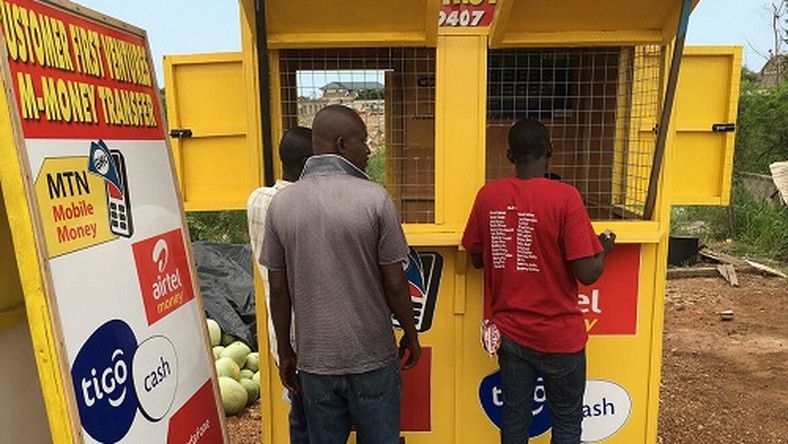
    For the average mobile money user, the change may not be immediately visible. You will still use the same MoMo wallet, dial the same short codes, and visit the same agents. However, behind the scenes, the separation creates a clearer structure for how mobile money is managed and regulated.

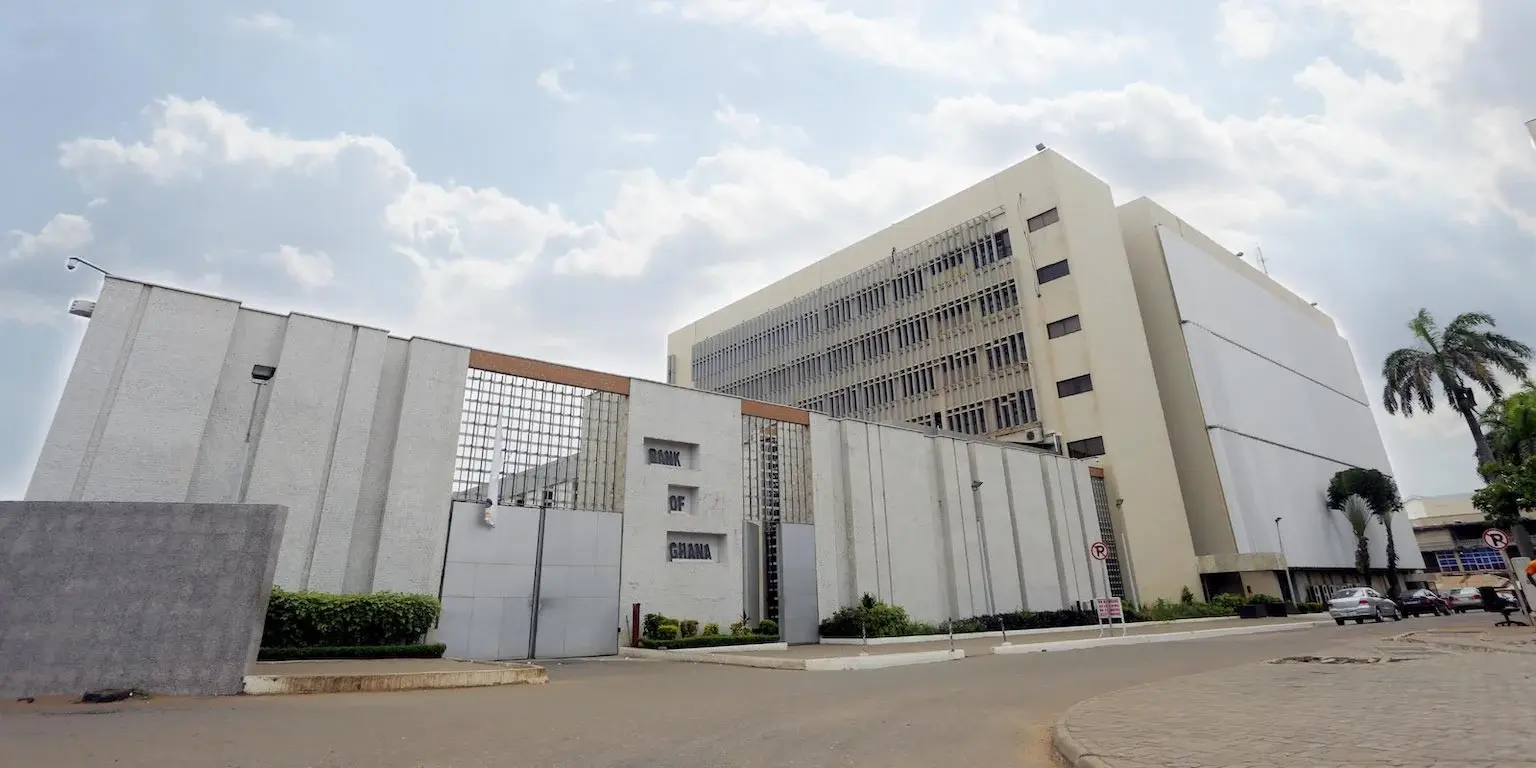
    One key benefit is that the mobile money business can now pursue partnerships and investments more nimbly, without being tied to telecom-specific constraints. This could mean faster introduction of new features like savings products, insurance, or credit services tailored to Ghanaian users. It also makes it easier for regulators like the Bank of Ghana to oversee mobile money as a financial service rather than a telecom add-on.

    Another important angle is financial inclusion. Mobile money has been a gateway to banking for many Ghanaians who lack access to traditional bank branches. A separate fintech-focused entity could double down on reaching underserved populations, especially in rural areas where agent networks are already strong.

    Regulatory and industry implications

    The separation aligns with global trends where telecom operators spin off their mobile money units to comply with regulatory requirements and unlock value. In Ghana, the Bank of Ghana has been pushing for stricter oversight of mobile money operators, including requirements for separate accounting and governance. MTN Ghana’s move positions it well to meet these expectations.

    For the broader fintech ecosystem, this could be a positive signal. A dedicated mobile money entity may be more open to collaborating with local fintech startups, sharing APIs, or co-creating solutions. It also reduces the risk that mobile money profits are used to cross-subsidize other telecom operations, which some critics have raised concerns about.

    However, there are still questions. How will the separated entity be structured? Will it have its own board and management? What about the role of agents — will they now deal with two different companies? MTN Ghana has not yet released detailed operational plans, so stakeholders will be watching closely.

    What to watch next

    With the separation complete, the next steps will be critical. MTN Ghana may seek a separate license for the mobile money business, which could open the door for outside investment or even a future listing. The company has previously indicated interest in expanding fintech services beyond payments, including lending and savings.

    For competitors like Vodafone Cash and AirtelTigo Money, the separation raises the bar. They may need to consider similar moves to stay competitive and compliant. For consumers, the hope is that increased focus on fintech leads to lower fees, better service, and more innovative products.

    In the meantime, if you use MoMo, you don’t need to do anything. Your wallet and transactions remain unchanged. But over the coming months, expect to hear more about new services and partnerships that could make mobile money even more useful in your daily life.

  • UBA Ghana Hosts First Fintech Conference: What It Means for Digital Banking

    UBA Ghana Hosts First Fintech Conference: What It Means for Digital Banking

    UBA Ghana is stepping into the fintech conversation in a bigger way. The bank has announced its first-ever fintech conference, an event that brings together industry players, regulators, and technology enthusiasts to discuss the future of digital banking and payments in Ghana.

    The conference, themed “Banking Beyond Borders,” is set to explore how financial technology is reshaping the way Ghanaians save, send, and spend money. With mobile money already deeply embedded in daily life, the event aims to look at what comes next — from cross-border payments to digital lending and beyond.

    Why a Fintech Conference Matters Now

    Ghana’s financial services landscape has changed rapidly over the past few years. Mobile money transactions now run into billions of cedis monthly, and more people are using banking apps, payment cards, and digital wallets. Yet many still face barriers: high transaction costs, limited access to credit, and difficulties sending money across borders.

    UBA Ghana’s conference is an attempt to address these gaps head-on. By gathering stakeholders from banks, fintech startups, telecom companies, and regulatory bodies, the event creates a platform for collaboration. For the average Ghanaian, this could mean better products, lower fees, and more convenient services down the line.

    The bank has not released the full agenda or list of speakers yet. But the focus on “beyond borders” suggests that cross-border payments and financial inclusion for the unbanked will be key topics. Given that many Ghanaians rely on remittances from abroad, any innovation in this area could have a direct impact on households.

    What Attendees Can Expect

    While specific details are still limited, the conference is expected to feature panel discussions, presentations, and networking sessions. Participants will likely hear from experts on topics such as:

    • Digital payment trends in Ghana and across Africa
    • Regulatory frameworks that support fintech growth
    • How banks and fintechs can partner to reach more customers
    • The role of data and artificial intelligence in financial services

    For fintech founders and developers, the event offers a chance to connect with potential partners and investors. For consumers, the outcomes could shape the next generation of banking products — from app-based loans to seamless international transfers.

    UBA Ghana has not announced a date or venue for the conference yet. Those interested in attending or participating should watch the bank’s official channels for updates.

    What This Means for Ghana’s Fintech Ecosystem

    UBA is one of the largest banks in Africa, with a strong presence in Ghana. By hosting a fintech conference, the bank signals that it sees technology as central to its future strategy. This move also reflects a broader trend: traditional banks are no longer just competing with each other. They are also competing with mobile money operators, payment startups, and even tech companies entering finance.

    For Ghana’s fintech ecosystem, more collaboration between banks and startups is generally a positive sign. It can lead to faster innovation, better regulation, and more choices for consumers. However, challenges remain. Many fintechs struggle with funding, regulatory hurdles, and building trust with users. Events like this conference can help address some of those issues by opening dialogue.

    If you are a business owner, a developer, or simply someone interested in how money moves in Ghana, this conference is worth paying attention to. The conversations that happen there could influence the financial tools you use in the coming years.

    For now, the key takeaway is this: UBA Ghana is investing in fintech conversations, and that is a signal that digital banking in Ghana is only going to get more interesting. Keep an eye out for the event date and details — and if you can, plan to attend.

  • Google Street View Ghana Gets Its Biggest Update in Nearly a Decade

    Google Street View Ghana Gets Its Biggest Update in Nearly a Decade

    If you have used Google Maps to navigate Ghana in recent years, you may have noticed that Street View imagery was often outdated or missing in many areas. That has changed. Google has just pushed its largest Street View update for Ghana in almost ten years, bringing fresh imagery to several cities and popular locations across the country.

    What the Update Covers

    The update adds Street View coverage for new areas and refreshes existing imagery in places like Accra, Kumasi, and other major towns. Landmarks, roads, and neighbourhoods that were previously unavailable or showed old scenes now have more recent views. This means you can virtually walk through parts of Ghana that were not accessible on Street View before.

    For example, if you wanted to check the route to a new restaurant or see what a hotel looks like from the street, the updated imagery gives you a better idea of the current environment. The refresh also includes improved image quality in some locations, making details like street signs and building fronts clearer.

    Why This Matters for Navigation and Tourism

    Street View is not just a fun tool for exploring. It has practical uses for everyday navigation. When you are trying to find a place in an unfamiliar area, seeing the actual street and buildings helps you recognise landmarks and avoid wrong turns. For delivery drivers, ride-hailing operators, and logistics companies, accurate Street View imagery can reduce confusion and save time.

    For tourism, the update is a boost. Potential visitors can now preview destinations more realistically. A hotel, a museum, or a beach resort that was previously a blank spot on the map can now be explored virtually. This helps tourists plan trips and gives local businesses a way to showcase their surroundings. The update also supports Ghana’s efforts to promote domestic and international tourism by making the country more visible on a global platform.

    Real estate is another area that benefits. People looking to rent or buy property can use Street View to inspect neighbourhoods without travelling there first. This is especially useful for those relocating within Ghana or from abroad.

    What Has Not Changed

    While the update is significant, it does not cover every corner of the country. Rural areas and smaller towns may still have limited or no Street View imagery. Google has not announced plans for further updates, so some regions remain without coverage. Also, the imagery is not live — it was captured at some point in the past, so you may still see scenes that are a few months or even a year old. For the most part, however, the new data is far more current than what was available before.

    If you want to see the updated areas, open Google Maps on your phone or computer, drop the yellow Pegman icon onto a road in Accra, Kumasi, or other updated locations, and explore. The difference in quality and coverage is noticeable.

    What to Keep in Mind

    Street View relies on cars or other vehicles equipped with cameras driving through streets. That means some narrow roads, pedestrian-only areas, or places with poor road conditions may still be missing. Google has not specified exactly which cities or landmarks were added, so you may need to check specific areas yourself. The update is rolling out gradually, so not all users may see the new imagery immediately.

    For now, this is a welcome improvement for anyone who uses Google Maps in Ghana. Whether you are a driver, a traveller, a business owner, or just curious about what your neighbourhood looks like from above, the refreshed Street View gives you a better window into the country.

  • Enza Secures Payments License from Bank of Ghana, Plans Summer Launch

    Enza Secures Payments License from Bank of Ghana, Plans Summer Launch

    Fintech infrastructure company Enza has been awarded a payments license by the Bank of Ghana, marking its entry into one of Africa’s most closely watched digital payments markets. The company is now targeting a summer launch for its services in the country.

    What the License Means for Enza and Ghana

    The license allows Enza to operate as a payments service provider in Ghana, a market where mobile money and digital payments have seen rapid growth. For Enza, this approval is a key regulatory step that enables it to offer its infrastructure solutions to businesses and financial institutions in the country.

    Ghana’s digital payments ecosystem has been expanding, driven by mobile money adoption and increasing smartphone usage. The Bank of Ghana has been active in regulating the space, issuing licenses to both local and international players to ensure compliance and consumer protection.

    Enza joins a growing list of international fintech firms that have secured licenses to operate in Ghana. The company’s focus on infrastructure means it is likely to provide backend services that help other businesses offer payment solutions, rather than directly serving consumers.

    What to Expect from Enza’s Summer Launch

    Enza has not yet disclosed specific products or services it will offer at launch. However, as a payments infrastructure company, its offerings may include payment processing, API-based solutions, or tools for businesses to integrate digital payments into their platforms.

    The summer launch timeline suggests that Enza is in the final stages of setting up its operations in Ghana. Businesses and developers looking for payment infrastructure options may want to watch for Enza’s announcements in the coming months.

    For Ghana’s fintech sector, the entry of another infrastructure player could mean more choices for businesses seeking reliable payment systems. It also signals continued international interest in Ghana’s digital economy.

    What This Means for Ghana’s Fintech Ecosystem

    Ghana has become a competitive market for digital payments, with mobile money operators, banks, and fintechs all vying for users. The Bank of Ghana’s licensing regime has helped create a structured environment where licensed players can operate with clear rules.

    Enza’s license is a vote of confidence in Ghana’s regulatory framework and market potential. For local businesses, more infrastructure providers could lead to better pricing, more innovation, and improved reliability in payment services.

    However, the company will face established competitors and will need to differentiate its offerings. The summer launch will be an important milestone to watch.

    As Enza prepares to go live, Ghanaian businesses and fintech observers will be keen to see what specific solutions the company brings to the market and how it plans to compete in a crowded space.

  • Chimoney Shuts Down, Then Gets Acquired: What Ghana Users Should Know

    Chimoney Shuts Down, Then Gets Acquired: What Ghana Users Should Know

    Chimoney, a fintech platform that allowed users to send money and gift cards across Africa, shut down in May 2025. Weeks later, the company was acquired. For Ghanaians who relied on Chimoney for cross-border payments, the news raises questions about what comes next.

    What Happened to Chimoney

    Chimoney announced its shutdown in May, citing operational challenges. The platform had been a popular option for sending money to and from Ghana, offering low fees and support for mobile money, bank transfers, and gift cards. Many users in Ghana used Chimoney to receive payments from freelancing or family abroad.

    Shortly after the shutdown, Chimoney was acquired by an undisclosed buyer. The terms of the acquisition have not been made public, and it is unclear whether the platform will be revived or integrated into another service.

    What This Means for Ghana Users

    For Ghanaians who had funds in their Chimoney accounts at the time of shutdown, the acquisition may offer a path to recovering their money. However, details about how existing balances will be handled have not been released. Users are advised to monitor official channels for updates.

    The shutdown also means that Ghanaians who relied on Chimoney for cross-border payments need to find alternatives. Popular options include:

    • WorldRemit – supports mobile money and bank transfers in Ghana.
    • Sendwave – allows direct transfers to mobile money wallets.
    • Remitly – offers competitive exchange rates for transfers to Ghana.
    • MTN Mobile Money – can receive international transfers via partnerships.

    Each service has its own fees, exchange rates, and transfer limits, so users should compare before choosing.

    Lessons for Ghana’s Fintech Ecosystem

    Chimoney’s shutdown and quick acquisition highlight the volatility of the fintech space. Startups can grow fast but also face sudden challenges. For Ghanaian users, it is a reminder to avoid keeping large balances in any single platform and to diversify the services they use.

    Regulators in Ghana have been working to strengthen oversight of digital financial services. The Bank of Ghana’s sandbox and licensing framework aim to protect consumers while encouraging innovation. Chimoney’s situation may prompt more scrutiny of fintech stability.

    For now, Ghanaians who used Chimoney should check their accounts for any remaining funds and explore alternative services. The acquisition could lead to a relaunch, but until official details emerge, caution is wise.

    Stay tuned for updates as more information becomes available about Chimoney’s future and how it may affect Ghanaian users.

  • PawaPay Hits 3 Billion Transactions: What It Means for Mobile Money in Ghana

    PawaPay Hits 3 Billion Transactions: What It Means for Mobile Money in Ghana

    Mobile money has come a long way from being just a tool for sending airtime or small amounts to family. Today, it powers everything from market payments to utility bills and business transactions. A clear sign of this shift is the latest milestone from payments aggregator PawaPay, which has now processed over three billion transactions.

    For Ghanaian readers, this number is more than just a headline. It reflects how mobile money has become the backbone of everyday commerce, not just in Ghana but across the continent. PawaPay works with mobile money operators, businesses, and developers to make digital payments seamless. Its growth shows that more people and companies are relying on mobile money for real economic activity.

    Why Three Billion Transactions Matter

    Three billion transactions is a massive figure. To put it in context, it means that PawaPay has handled billions of individual payments, from a customer buying groceries to a business paying suppliers. This scale suggests that mobile money is no longer a niche service but a mainstream payment method.

    For Ghana, where mobile money penetration is high, this milestone reinforces the importance of having reliable payment infrastructure. Services like PawaPay help connect different mobile money networks, making it easier for users to send and receive money across platforms. This interoperability is crucial for a country where MTN Mobile Money dominates but other networks also have users.

    The milestone also indicates trust. Businesses and consumers are willing to use digital payments for larger and more frequent transactions. That trust is built on years of improving security, reducing downtime, and expanding agent networks.

    What This Means for Ghanaian Businesses and Users

    For Ghanaian entrepreneurs, especially those running small and medium-sized enterprises, a payment aggregator like PawaPay can simplify operations. Instead of integrating separately with each mobile money operator, a business can use one API to accept payments from multiple networks. This reduces technical complexity and costs.

    For everyday users, the benefit is convenience. When you pay for goods or services using mobile money, you may not see the aggregator working behind the scenes, but it ensures your transaction goes through quickly and securely. As more businesses adopt aggregators, users will find it easier to pay with their preferred mobile money provider.

    There are also implications for financial inclusion. Mobile money has brought banking services to millions of Ghanaians who previously had no access to formal financial systems. Aggregators like PawaPay extend that reach by enabling more merchants to accept digital payments, which encourages people to keep money in their mobile wallets rather than cash.

    The Road Ahead for Mobile Money Aggregation

    PawaPay’s achievement is a signal that the mobile money ecosystem is maturing. But there is still room for growth. Many transactions in Ghana and across Africa remain cash-based. Converting those to digital payments requires continued investment in infrastructure, education, and trust.

    For Ghana, the next steps could include deeper integration with other financial services like savings, credit, and insurance. Aggregators can play a role here by providing the payment rails that these services run on. As the ecosystem expands, users may see more options for borrowing, saving, and investing directly from their mobile money accounts.

    Another area to watch is cross-border payments. With aggregators like PawaPay already operating across multiple African countries, the potential for seamless regional payments is growing. For Ghanaian traders and businesses that deal with customers or suppliers in other African nations, this could reduce the cost and hassle of moving money across borders.

    For now, the three billion transaction mark is a reminder that mobile money is not just a passing trend. It is a fundamental part of how Africa does business. Ghana, with its high mobile money adoption, is well positioned to benefit from this ongoing shift.

    If you are a business owner in Ghana, now might be a good time to explore how payment aggregators can help you accept mobile money more efficiently. If you are a consumer, you can expect even more merchants to accept digital payments in the near future. The infrastructure is growing, and the numbers show it is here to stay.

  • MTN Ghana Slashes Fibre Broadband Prices: New Rates and What It Means for You

    MTN Ghana Slashes Fibre Broadband Prices: New Rates and What It Means for You

    If you have been holding back on getting a fibre broadband connection because of the cost, now might be the right time to reconsider. MTN Ghana has announced a price cut across its fibre broadband plans, making high-speed internet more affordable for households and businesses.

    The move comes as competition in the fixed broadband space heats up, with more Ghanaians working and studying from home. A cheaper fibre option could help bridge the gap for those who rely on stable, fast internet for daily activities.

    What Are the New Prices?

    MTN has reduced the monthly subscription fees for its fibre packages. The entry-level plan, which previously cost GH₵ 299 per month, now goes for GH₵ 199. That is a drop of GH₵ 100, or about 33 percent.

    For the mid-tier plan, the price has been cut from GH₵ 399 to GH₵ 299 per month. The top-tier plan, which offers the highest speeds, now costs GH₵ 499 instead of GH₵ 599.

    These new rates apply to new customers signing up for MTN fibre, as well as existing subscribers who may be on older, more expensive plans. It is worth checking with MTN to see if you can switch to the new pricing.

    Who Benefits Most from the Price Cut?

    The biggest winners are households and small businesses that need reliable internet but found the previous prices too steep. With the entry plan now under GH₵ 200, more families can afford a dedicated fibre connection instead of relying solely on mobile data.

    For remote workers and online learners, a stable fibre line means fewer dropped calls during video meetings and faster downloads for course materials. Small business owners who run e-commerce stores or handle digital payments will also appreciate the improved reliability compared to mobile broadband.

    That said, fibre is still not available everywhere. MTN’s fibre network is concentrated in major cities like Accra, Kumasi, and Tema. If you live outside these areas, you may not be able to access the service yet. The price cut does not change the coverage footprint.

    How to Switch from Another ISP

    If you are currently using a different internet service provider and want to move to MTN fibre, the process is straightforward. You will need to check if MTN fibre is available at your location. You can do this by visiting an MTN service centre or calling their customer care line.

    Once availability is confirmed, you will need to sign up for a plan and schedule an installation. MTN typically handles the installation within a few days. There is no need to cancel your existing ISP before the new connection is active, so you can avoid a gap in service.

    Keep in mind that switching providers may involve a contract or early termination fee with your current ISP. It is a good idea to review your existing agreement before making the move.

    What This Means for the Broadband Market

    MTN’s price reduction puts pressure on other fibre providers like Vodafone and Busy to adjust their own pricing. If they do not respond, they risk losing customers to MTN. For consumers, this could lead to even better deals in the coming months.

    However, price is not the only factor. Reliability, customer support, and installation speed also matter. MTN has been expanding its fibre network and improving service quality, but experiences can vary by location. It is wise to ask neighbours or colleagues about their experience with MTN fibre before committing.

    For now, the lower prices make MTN fibre a more attractive option for anyone in a covered area who values speed and stability. If you have been waiting for a reason to switch, this price cut might be it.

  • University of Ghana Students Win Green Development Award with AI-Powered “Climate Sentinel”

    University of Ghana Students Win Green Development Award with AI-Powered “Climate Sentinel”

    A team from the University of Ghana took home the Green Development Award at the Huawei Global ICT Competition by creating an AI-powered system to fight deforestation in Ghana’s forests.

    Meet the Team
    The winning group included Wisdom Nana-Abena Ogbonna, Ryan Nii Akwei Brown, and Jehoaddan Ebrah Andoh. Under the guidance of their lecturer, Mr. Julius Ludu, they built “Climate Sentinel,” an AI and Internet of Things system designed to monitor forest reserves in real time.

    Why “Climate Sentinel” Matters
    After reading that nine of Ghana’s forty-four forest reserves have been overtaken by illegal miners, the students decided to tackle the problem with technology. Their system uses:

    • IoT Sensors placed throughout forest areas to collect data on sound, motion, and environmental changes
    • AI Algorithms that analyse sensor data in the cloud to spot signs of tree cutting or encroachment
    • Real-Time Alerts to notify rangers and local authorities when potential deforestation activity is detected

    By combining cloud computing, big data, and AI, the team built a monitoring network that can cover large areas and send instant warnings, giving forest managers the chance to respond before damage spreads.

    A Global Stage for Innovation

    This year’s Huawei ICT Competition saw a record 210,000 participants from over 2,000 universities in more than 100 countries.

    • Teams first qualified at national and regional levels across three tracks: Practice, Innovation, and Programming
    • The Ghanaian group placed second in the Innovation track regionally, earning a spot in the Global Finals in China
    • In the finals, they stood out for their green development focus and won the Green Development Award

    Voices of Support

    Professor Ebenezer Owusu, Head of the Computer Science Department at the University of Ghana, praised Huawei for giving students a platform to apply ICT skills in real-world problems. He said the competition helps students build teamwork, problem-solving abilities, and hands-on expertise.

    Ritchie Peng, Director of ICT Strategy and Business Development at Huawei, noted that the Innovation track aims to drive green development and digital inclusion. He explained that topics evolve each year to match emerging needs in areas like agriculture, healthcare, and education.

    About the Huawei ICT Competition

    Since 2015, this annual contest has offered students and instructors a chance to deepen their ICT knowledge, improve practical skills, and share ideas across borders. Recognized by UNESCO’s Global Skills Academy, it continues to prepare talent for the challenges of digital transformation.

  • The 5 Benefits of Cloud Computing in Digital Transformation

    The 5 Benefits of Cloud Computing in Digital Transformation

    Businesses that don’t digitalize will lose customers and cannot meet their demands. Digital transformation helps businesses significantly improve their productivity while reducing operational costs.

    However, nothing beats cloud computing solutions for digital transformation. Cloud computing uses remote servers over a network to provide various functions, such as data storage and processing. 

    Greater Flexibility

    You must stay flexible if you plan to take your organization or business up a notch by digitizing your operations. That’s because, over time, you may need to change your business processes to boost your productivity. However, you’ll be greatly limited when you choose traditional computing options, as they offer rigid frameworks.

    On the other hand, cloud computing offers you all the flexibility you’ll ever need. Due to its digital nature, you can easily make changes without worrying about excess costs. Furthermore, cloud computing significantly reduces the IT resources required to run your operations, as it remotely offers various frameworks and resources.

    Budget-Friendly

    Another important benefit of cloud computing for digital transformation is its budget-friendly nature. All operations are done on the cloud, so it’s far cheaper than traditional options. Maintaining a cloud solution costs quite low, as it uses remote servers.

    Furthermore, cloud computing reduces operations costs by featuring additional software your business needs. Cloud computing offers both services in an affordable package rather than investing in a data storage solution and another solution to process that data. Thus, cloud computing solutions are your best choice if you want to save some money during your digital transformation.

    Advanced Security

    Safeguarding your data can’t be overstated for businesses and organizations. After all, if your sensitive data is stolen by people with malicious intent, it can ruin your business. That’s not something you want. Fortunately, cloud computing solutions don’t slack off regarding security.

    They employ top-notch security measures, such as encryption technology, to protect data from unauthorized access. In addition, they feature firewalls and numerous virus-detection software to continuously prevent and detect potential security threats. Therefore, if you want to easily secure your data, it’s best to use a cloud computing solution.

    Greater Convenience

    Another advantage of cloud computing in digital transformation is the greater convenience it offers. As all the required operations are done on the cloud, you can easily access your data across different devices.

    Good cloud computing solutions are usually compatible with mobile devices. As such, you and your team can easily perform the necessary tasks without being restricted to a desktop. Furthermore, cloud computing solutions greatly improve collaboration. As all data is stored remotely, your team can easily collaborate without interacting physically.

    Scalability

    Cloud computing solutions offer greater scalability than traditional options. You can easily upgrade your solution to meet greater demands and improve productivity. Overall, a cloud computing solution simplifies digital transformation.

    Tips to choose an excellent cloud computing solution

    Now that you know the benefits of cloud computing for digital transformation, let’s take a quick look at some factors you need to consider when choosing some SAP Cloud solutions.

    Service

    Before you choose a cloud computing solution, you need to consider the service offered. Cloud computing providers offer various services, ranging from IaaS to SaaS. 

    Scalability

    Although cloud computing solutions are usually scalable, some are better than others. You need to choose a solution that can easily upgrade your cloud computing operations with little effort.

    Train your employee

    Ensure that the cloud computing system trains your staff on how to use its platform. The cloud solutions operator should train your employees when you install cloud computing for your business. If your staff knows how to operate the cloud computing system, you can be sure that your business will run efficiently. In addition, the training section on using the cloud computing system will help your staff work better.

    Security

    Data security can not be disregarded in this digital era. Since the cloud computing solution will be your data storage software, you must ensure it features advanced security measures. Look out for options with firewalls and encryption capabilities. Also, ensure the solution features data recovery options to retrieve lost data.

    Check Collaboration

    The cloud computing system should have features that will encourage collaboration in your business. Cloud computing will encourage collaboration within your workforce if you are working remotely. Teams can work on different aspects of the file. This collaboration should be strictly monitored so no member can interfere with your programs or data.

    Cost

    Although choosing a good cloud computing solution is excellent, that doesn’t mean you have to break the bank. Although cloud solutions are usually cheaper than traditional options, some can be expensive. The price of the cloud computing solution is a major factor in app preparation.

    Conclusion

    Cloud computing solutions are rapidly gaining popularity among businesses going digital. With their greater flexibility and advanced security measures, these solutions allow you to perform your operations with little effort. Finally, you need to back up your regular files because the cloud system could also have some hitch anytime. 

  • Shortcodes for All Telecel Ghana Services [Updated 2024]

    Shortcodes for All Telecel Ghana Services [Updated 2024]

    Have you ever been in a situation where you needed a Telecel Ghana service but could not find the right shortcode for it?

    Well, shortcodes are easy ways for us to get services faster and easier. In this article, we have all the relevant codes that you will need to enjoy all the special services that Telecel offers.

    In this article, we have prepared all the codes that Telecel users in Ghana will need for their day to day activities.

    Feel free to search for your preferred shortcode and use it.

    Shortcodes for Telecel Ghana

    The table below contains all the shortcodes for services that Telecel Ghana offers.

    Telecel ShortcodeDescription
    *700#Access data bundle menu
    *124#Balance enquiry. Check your credit balance.
    *500#Blackberry Offers
    *125#Browser packages
    *700*4#Bundle data for someone
    *700*1#Bundle for two devices
    585Caller tunes. Formerly 134
    *126#Check your balance on data bundles and promos
    *900#Check your broadband balance
    *127#Check your Telecel mobile number
    100Customer care
    Dial 555Family and friends
    *151#For more information on Telecel products and services
    *127*11#General news
    *134*PIN#New recharge code.
    PORT to 600Number portability
    02xxxxxxxx Simbox to 419Report SIM-Box fraud
    *565#Reserve your number to avoid losing it
    *150#Roaming enquiry
    655Support text number
    *505#To borrow credit
    *117*old pin*new pin* new pin#To change the transfer of credit default password. i.e 1234
    *126#To check bundle information
    *400#To know if your number is registered
    109To retrieve voice mail.
    *516*0208 xxx xxx *0*30*1234#Transfer credit in Cedis & Pesewas. Enter: *516*recipient’s number*credit in new Ghana cedis*credit in new Ghana pesewa*password# and send.
    *516*0208 xxx xxx*5*1234#Transfer credit in Cedis only. Enter: *516*recipient’s number*credit in new Ghana cedis*password# and send.
    *516#Transfer credit to another number
    *200#Telecel Red offers
    108Voicemail deposit. Formerly 2020.
    109Voicemail receiving
    0501000300Whatsapp line for Telecel Ghana

    What is Vodafone Red?

    Vodafone Red is a complete voice and data plan by Vodafone Ghana that gives on-net and off-net voice allowance, data, international calls and SMS. The Vodafone Red experience ensures that subscribers do not have different sim cards for different purposes.

    Vodafone red gives weekly and monthly integrated bundles, giving you matchless value to take care of all your communication needs in one plan. Click here to get all the Vodafone Red Packages.