There are several ways one can purchase data bundle in Ghana. It can be a direct scratch card, credit transfer, purchasing from MoMo and also from bank accounts.
Technology has now made life easier. If you don’t have physical cash on you and you run out of data, you can purchase from your bank account directly.
Do Banks in Ghana supports data purchases?
Several banks in Ghana has embraced the new technology world and are moving alongside. With that, most banks in Ghana now has ways you can transact with them even without visiting them. So yes! You can purchase data bundle from your bank account.
How to buy data directly from your bank account in Ghana
To buy data from your bank account, you can either use the banks mobile banking app or the banks USSD code. To do that, you must have already been registered for the service. if not, you would have to do that before you can make a purchase.
Below are banks in Ghana and their attached USSD codes. All you have to do is to dial the USSD code with the number you registered or want to register and link your bank account to.
From there, you can follow the remaining simple procedures to purchase data or airtime from your bank account to any number of your choice in Ghana.
Banks in Ghana and their USSD codes
Bank in Ghana
USSD Shortcode
Prudential Bank
*772#
Access Bank
*901#
GT Bank
*737#
Cal Bank
*771#
FBN Bank
*894#
ADBank
*767#
CBG Bank
*924#
Fidelity Bank
*776#
First Atlantic Bank
*442#
GCBank
*442#
Republic Bank
*771#
Stanbic Bank
*715#
Standard Chartered
*977#
UBA Bank
*822#
Zenith Bank
*966#
You can also download the mobile banking app of the above banks by visiting Google playstore or appstore, type in the banks name in the search bar and then make a search and downloand the app.
Register if you have not yet done so and link your bank account and your mobile money number together. Now, you can easily buy data or airtime whenever you desire from your bank account to any mobile number you want in Ghana.
NB: Not only will you be able to buy data or airtime using the above USSD codes but you can easily bank from any comfort zone of yours in Ghana without visiting the bank.
Conclusion
Banking has now been made easier with mobile banking apps and USSD codes. Now, you don’t need to visit your bank and be in a long queue. You can do almost everything on your phone with less stress and buying data and airtime is no exception.
The internet is a place for a lot of things and a lot of people. In this modern era, it has become normal for kids to be introduced to kids through mediums like gaming, video streaming and school collaborations.
However, although parents wish that their kids would be safe on the internet, this can not be achieved by just wishful thinking. There are intentional steps to be taken to ensure the safety of kids.
One thing every parent should do is to set how much time kids can spend on the internet by themselves, especially unsupervised. This can be achieved by setting daily time periods where kids can have access to their devices.
Also, parents can manually configure their routers to allow internet to specific devices at pre-set times for routers that have the feature. By reducing the number of hours kids spend online, parents can reduce the risks associated with their safety greatly.
Use a VPN to hide kids’ IP Address
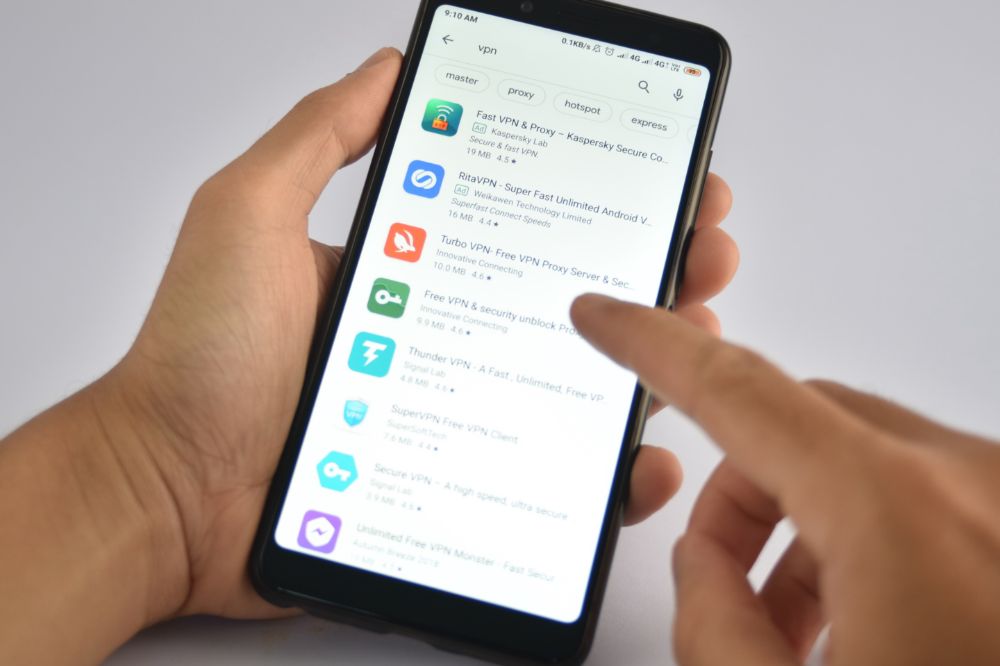
Many parents are more recently finding out the enormous benefits associated with using a VPN on their kid’s devices. A VPN encrypts the internet traffic from and to your kids’ devices and hides their identity online.
This way, potential bad actors on the internet will not be able to tell that it is a kid behind the device and they are less likely to be targeted. When gaming without a VPN, a bad actor can find out the home IP address and potentially find out where your home is. This is dangerous.
You should always make a VPN part of the resources you employ for your kids’ safety.
Create and use strong passwords
A password is very important for keeping accounts safe from bad actors. Teach and help your kids to create a strong password so that they appreciate the skill at an early age.
Also, when setting up their accounts, don’t use their birthdays or names in them. This makes it very easy for someone guessing the password. If it is going to be difficult to memorise all passwords, they can use many of the password saver apps available.
Keep kids’ internet enabled devices in common areas
Kids are less likely to be lured online when they know/feel they are being supervised. One of the best ways to do this is to keep stationary devices like a computer in a common area and not the bedroom. When it comes to videos, they can always use the family TVs.
Avoid the temptation of setting up devices in the kids’ rooms. You should even make rules that prevent them from taking handheld and portable devices like laptops, PDAs and phones into their bedrooms.
Monitor and manage kids’ online access
Many apps nowadays have parental controls that can be taken advantage of to view what the kids have been up to online as well as limit access to websites and apps. Most of these parental control features send alerts when a kid tries to access what they are not allowed to.
You can even fine tune parental control access so that kids are unable to send personal details like their address and full name to strangers on the internet. It’s important to spend some time configuring parental controls before you give kids access to the internet.
Conclusion
Bad actors like predators, cyberbullies and phishing scammers always see kids as easy targets and it’s important to let the kids know about this danger as well as protect them. Also, as a parent, you are responsible for the content that your kid sees online so always make sure inappropriate content is always blocked. By doing these, you will greatly increase the online security of your kids.
Google Search History helps you find what you’re looking for faster, plus gives you access to search results, videos, and images even when you’re offline.
This article explains how to view your Google Search History on Android and iPhone.
About Google search history
Google search history is a way to look back at the searches you’ve made in the past and current.
With this feature, you can see what you searched for, when you searched for it, how often you’ve searched for something, which links you clicked on from the results page and which search terms you’ve used most frequently.
How to view your Google Search history on an android phone
The steps below will guide you on how you can view your search history on an android device
Open the browser you use on your Android phone.
On the top right corner, click on the three vertical dots.
Scroll through the popup and look for the ‘History’ option.
All your search history will be displayed along with the time and day the search was conducted.
You can search your history for keywords by typing the lens icon on the top.
How to view your Google Search history on an iphone
The steps below will guide you on how you can view your search history on an iPhone
Open the Safari browser on your iPhone.
On the tab below, click on the book icon.
Scroll through the popup then click on the clock icon for the ‘History’ option.
All your search history will be displayed with the day and time of the search.
If you wish to look for a specific history, you can type the keywords on the Search bar.
How to delete your chrome browsing history?
On your android device
Now, you may want to delete your history after getting access to them. The steps below will be your guide.
Open the Google Chrome browser on your Android device
On the top right corner, click on the three vertical dots and look for the ‘History’ option
On the top is the option to ‘Clear browsing data’
You can select the time period and select the ‘Clear data’ option
On your computer
On your computer, you can follow the steps below to clear your search history:
Open the Google Chrome browser on your device
On the top right corner, click on the three vertical dots.
Scroll through and look for ‘History’ option.
All your search history will be displayed along with the time and day the search was conducted.
On the top is the option to ‘Clear browsing data. You can select the data and clear the history.
On iPhone and iPad
To clear your Google Chrome history on your iPhone or iPad, follow the steps below:
Open the Google Chrome browser on your iPhone/iPad
Select the book icon from the below tab and then choose the clock icon for History
As your search history is displayed on the screen, you can choose the ‘Clear’ option from the bottom right corner
Select the time period the data which you wish to delete and you are done.
Can I recover a deleted Google search History?
Yes, you can recover deleted Google search history but that is not going to be easy. To do so, you first visit the “My Activity” page in your browser settings. If there is no history there, you can search for data on your computer drive or use recovery software.
Conclusion
You may want to view your search history for several reasons. That should not be hard for you if you follow the steps above.
With the growing threat of cybercrime, creating and using strong passwords has become increasingly important to protect your privacy and money.
While there’s no one-size-fits-all solution to password protection, you can make your life easier by choosing password management software wisely.
By reading this article, you’ll learn about the advantages and disadvantages of various password-saver apps and be able to choose the right one to suit your specific needs.
About password manager
A password manager is an app that stores all of your passwords in one place so you don’t have to remember them.
A password manager will also generate strong passwords for you, store them securely, and automatically log you into websites.
Best password saver apps for android and iOs
LastPass
The app also has browser extensions available for Chrome, Firefox, Internet Explorer/Edge and Opera.
It can import data from other password managers such as Dashlane, Keeper and KeePass. It offers a premium services at a year which gives you additional features like:
one-tap autofill of forms with saved credentials.
one-click sharing of logins with friends and family.
emergency access in case someone gets hold of your device
last password remembered after logging out
multi-device sync across all devices.
Supported devices are: iPhone, iPad, Android, Apple Watch
1Password
A password manager that is available on both iOS and Android is 1Password. The app includes a password generator, so you can choose a strong password that won’t be easy to guess. If you already have a complicated password, you can import it into the app with just a few taps.
You will also be able to track your passwords with the built-in tracking features of the app, which will allow you to see where your passwords are being used.
Supported devices are: iPhone, iPad, Android, Apple Watch
Dashlane
The best password saver apps are the ones that can generate, store, and manage all of your passwords with ease.
Dashlane does just that, plus it’s free to use (with premium upgrade options) and has a sleek design. Dashlane even generates strong passwords for you so there’s no need to memorize them.
You can sync your passwords across all of your devices and even share them with others who have the app installed on their phone or tablet.
Supported devices are: iPhone, iPad, Android, Apple Watch
Roboform
The Roboform app is one of the best password saver apps available because it is completely free, secure, easy to use, and has a responsive design that works well on any device.
You can sync passwords with multiple devices including your computer, which is perfect if you are someone who needs access to your passwords from home or work.
The app lets you save a different list of passwords for each account, so you don’t have to create new accounts just to be able to see the information you need.
It also lets you securely share individual passwords or lists with others through email or Facebook chat, which can be helpful if someone else needs access tool.
Supported devices are: iPhone, iPad, Android, Apple Watch
Two factor authentication
Two-factor authentication is a security measure that requires the user to provide two types of identification before being granted access to their account.
The first layer is the password, and the second layer is a physical or digital token. This means that even if someone has your password, they still need physical access to your phone or other device with your authenticator installed in order to gain access to your account.
Supported devices are: iPhone, iPad, Android, Apple Watch
Enpass
Enpass is another password manager that provides the same security as other services, but it goes a step further. You can choose where you want to store your data in Google Drive, Dropbox, or other supported cloud services. It works on all major platforms.
Enpass is the only password manager on this list that doesn’t require recurring subscriptions. The app is free to download, but thy also have a one time premium subscription that unlocks all its features.
Supported devices are iPhone, iPad, Android, Apple Watch
Bitwarden
Bitwarden is an open-source and affordable password manager for Android. It provides you with the most secure encryption. Itt has an inbuilt system which helps prevent brute-force attacks.
Furthermore, you get unlimited storage for passwords, personal and financial information.
Compared to the other apps on this list, it lacks an exemplary user interface, making navigation a bit difficult. Other than that, the app is entirely free to use for essential purposes.
Supported devices are: iPhone, iPad, Android, Apple Watch.
Conclusion
Sometimes, the normal password on your device can not do all the works and you might want an external suppott. If so, then any of the above is worth trying.
Spilling water on your laptop can seem like a death sentence if you’re not prepared with the right tools and techniques.
However, if you do everything in the correct order, you can often recover your laptop and prevent any damage that could shorten its lifespan or prevent it from being completely usable.
For some tips and information on what to do if you spill water on your laptop, read more below.
What to Do if You Spill Water on Your Laptop
Turn off the laptop
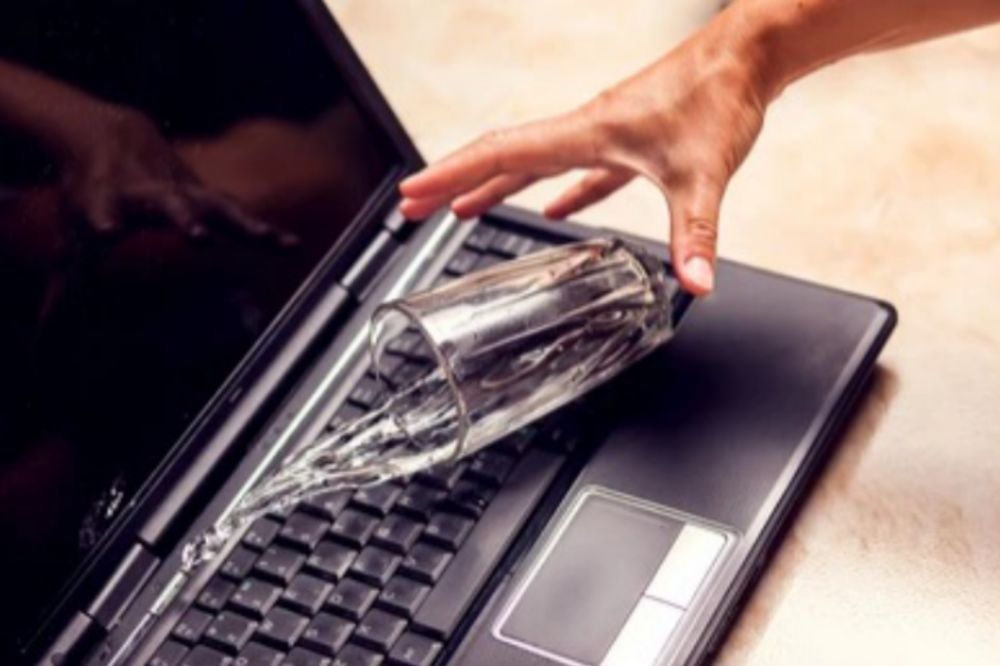
The moment a liquid content falls on your laptop, the first thing to do is to completely shut down the laptop down by pressing and holding the power button for a few seconds. Dont try to shut it down manually as that will delay time. The longer it keeps running, the more damages can cause so immediately such happens, turning off your laptop with the power off button should be the best option at that time.
Remove all plugged in devices
Your laptop may have been plugged in to charge or any other reason before the water got spilled on it. Right after turning it off, the next thing to look at is to remove all plugged in device such as charger, mouse, USB drive, Keyboard (if there is any) in order to prevent electricity to still run through it.
Electricity running through it will not only go on to damage more but can also cause shock if care is not taken. When unplugging, make sure you do so with a dry hand or a dry clothe and not a wet one.
Remove battery
Removing the battery is important. Not only does it open space for extra ventilation to pass through the laptop but it also prevents the water reaching the battery area which can cause more damages.
It is believed whiles the battery is still in, there is a little power left even though the laptop has been switched off so there can still be a bit of destruction whiles the battery is still in. Since we want to completely cut off power sources, the battery should also be removed.
Dry and drain your laptop
Now, all electric pluggins has been plugged out to preven shock and extra damages. The next best thing to do now is to reduce more water from entering the laptop by draining and drying the laptop.
In drying the laptop, you can turn it upside down or in a v-shape and then you place it in a sunny place for a dry up. You can also drain the laptop using a liquid absorber such as heavy towel or cotton clothes in places where it is necessary and you can also use cotton wool in tiny places where a bigger absorber can’t reach.
Take it to a specialist if possible
Don’t switch it on yet. Immediately locate a repairer for your laptop to be opened up and checked for other internal damages which has been caused. You may have done all the above but taking it to repairs is also very important.
Its better to pay some few transportation money to get your machine repaired than to wait for further damage control whiles it keeps. Liquids such as soda and coffee for instance has higher damages if not react quickly and thats why its advisable to seek immediate assistance from an expert.
The repairer opens it up and check all internal damages and do excessive clean up if necessary. After everything is done, If repairer deems it fit to be turned on, then that’s a good news.
What should i do next?
If you followed the above procedures, then you have now done your part and you are to wait for the repairer to give the final verdict.
Can you recover data from a wet hard drive?
Water may damage the hard drive’s electronics. But since the data on the hard disk drives are stored magnetically, it remains on the platters, which helps professionals to recover data from water-damaged hard drives or laptops incase you loose any data.
How do I know if data has been lost?
Everything including the hard drive depending on how the situation happend will be removed and dried up before fixing them back inside. Now, to know if your data has been lost or not, you have to switch on the laptop using the manual process and keep an eye to see if there is any rebooting error.
If not, just wait for it to completely switch on and look through your hard drive system to see if any data has been lost or not. If data has been lost, then you may have completely lost them or you can possibly use a data recovery method to try and get them back.
Conclusion
Water getting poured on your laptop can give you a worried face. The damages alone it can cause and the money you have to use for repair when you don’t have any can even be more sickening. Following the above can help keep it for longer and sometimes too can cause no problem at all if the situation wasn’t that serious.
Maybe you have reason to believe that your spouse or partner is cheating on you, but you need concrete evidence before you confront them. Maybe it’s not your spouse or partner who’s got you suspicious, but a friend or family member.
Maybe you want to catch someone in the act, there are plenty of reasons why you might want to know how to catch a cheater with android spy apps.
Here’s what you need to know about these tools, how they work, and how to use them effectively.
Why should I use android spy apps
Spy software lets you see what’s really happening on someone else’s device when they think no one is looking. We highly recommend using an app if you suspect that your spouse or significant other is having an affair, not only for proof but also for peace of mind.
What are the best ones
If you’re hoping to catch your significant other in an affair, it’s important you do some research and find out which app is right for you. To get started on narrowing down your search, the list below is our top 5 selection out of the many.
uMobix
mSpy
ClevGuard
Flexispy
Hoverwatch
uMobix
uMobix is a strong spy tool for everyone who wants to spy on their cheating partner. The app helps you to keep track of several things including phone activities. text messages, deleted pics and messages. location and many others. uMobix can also help you to keep track on your kids to make sure they are not using their phones the negative way.
Features:
Report on activities
Determine location of the user you want to spy on
Keylogger
Deleted messages and picturess
mSpy
A soon as mSpy is downloaded and integrated well using its procedures, it begins work on the go. It feeds you with the latest information from your partners device.
The good thing about this app is that, it has no app icon to install on your partners device to it will be very difficult for your partner to have any clue of your tracking him or her.
Features:
Keylogger
Calendar
GPS location
Multimedia including photo and videos
Contacts
Read messaging apps
Call logs
ClevGuard
Clevguard has a very simple installation and you dont need to install it on your cheating partners phone making it hard to detect. It is highly undetectable. Once you installed, work begins. You’ll be able to access the files of your partners phone from anywhere. It also allows you to capture screenshot on everything you see.
Features:
Social Media application tracking such as facebook, twitter, instagram, etc.
GPS tracking
Real-time screenshot capture.
Record incoming and outgoing calls.
Hovewwatch
If you feel your spouse is cheating and you want to clear your suspitions, then hoverwatch can be a great app fpr you to use. This app is absolutely free to use and comes with no charges. Just sign up and start using it.
Features
Call recording
Access to Internet history
Track social media platforms
SMS monitoring
GPS location tracking
Android screenshots
Camera tracking
FlexiSPY
Unlike many apps, FlexiSPY has numerous “advanced” add-ons available for tracking related actions and it comes with tons of experience. Also, it functions in Stealth Mode, ensuring your target doesn’t know they’re being tracked.
Features
Phone call recording
Environment recording
Email tracking
SMS message monitoring
Location tracking
Geofencing notifications
Stealth Mode functionality
Access browser bookmakers
Spoof SMS
Remote updates
Dashboard alerts
Android keylogger
Remote uninstalling
How do you get them on your phone?
To get this apps on your phone, you need to make a purchase if it is a premium app and then you register and follow the needed steps to start using. It the app is a free app, you download into your phone, register and start using by followign the needed process.
What happens after getting proof of cheating?
What happens after finding out your partner is cheating or depends on your next action so all the best. However, we advise you minister the best possible solution.
Conclusion
There are several different ways in which someone can cheat on their significant other. If you have suspicions that your significant other is cheating on you (or has cheated before), there are two powerful things you can do: surveil their movements and snoop around their phone. These methods will allow you to dig up dirt and hold them accountable for their actions. It may not be pretty, but it works.
We all know passwords are important, but it’s hard to remember them all, right? That’s why we keep on writing them down in notebooks, or keep them in our phones and computers, where we can always view the passwords when we need them.
Unfortunately, this can become a problem if you misplace your notebook, or if you forget your phone or computer at home, where your passwords will not be safe from prying eyes.
Fortunately, you can use Google Account to save and view your passwords from any device and view or access them anytime you desire. Let me show you how.
About Google account password
Google account password is a password that you can use to sign in to any Google service. It is created automatically when you create your Google account.
You will use it every time you sign in to Gmail, YouTube, Drive, or any other Google service. If someone gets access to your Google account password, they will be able to see all of your private information and change settings for the different services.
To prevent this from happening, it is important that you keep your password safe by not sharing it with anyone else.
How to save your passwords on Google Account on your pc
To save your password on google account, you have to enable the option to save your login information for autofill in your Google chrome browser.
Open your Google Chrome browser on your pc
Click on your profile in the top-right corner of the screen.
After that, select “Passwords.”
Enable the “Offer to save passwords” option.
How to save your passwords on Google Account on your android device
First of all, open “Settings” on your Android device.
After that, tap “Google”.
Select “Google Account”.
Then, scroll right and select “Security”.
Scroll down to “Signing in to other sites” and tap “Saved Passwords”.
Now, enable “Auto sign-in”.
NB: If you enable auto sign in, you will be asked to save your password whenever you are logging into an account.
How to view your saved passwords on Google Account on your pc
Now, you have accepted to save all your passwords on Google accounts and you want to check them out. To do so,
Open Google Chrome browser on your pc
At the top right corner click on your profile icon.
Choose “Passwords”.
Click on “saved password”.
All saved password with their respective accounts where they can be used to login will display.
How to view your saved passwords on Google Account on your android device
On your Android phone or tablet, open settings.
Tap “Google”.
Select “Manage your Google Account”.
At the top, scroll right and tap “Security”.
Tap “Password Manager.”
Select “Saved Passwords”
All saved passwords will be displayed to you.
Importance of saving password on Google account
It’s always a good idea to save your passwords on google, especially with the recent data breach breaches. Saving your passwords is important because:
1. It helps you to make sure the sites you visit are secure.
2. If you forget the password for a site, there’s a chance that you will be able to log back in.
3. Wherever you find yourself, you can easily get your forgotten password back.
Conclusion
If you’re like me, then you have a ton of passwords saved in your head that are never written down. This can be problematic if you want to start using a new password or want to revisit an old one. Using Google account to save them is the best option.
Growing your YouTube channel, therefore, requires you to compete with the many hours of video posted by millions of content producers, many of whom have considerably larger marketing budgets than you. The hard work doesn’t stop after you click “Publish.”
To attract the correct audience, increase your number of subscribers, and achieve true success on YouTube, you must go out and promote your videos and channel.Thankfully, there are still a ton of cost-effective options to advertise your YouTube videos and expand your audience. You may achieve YouTube popularity without spending money if you organize your videos, make a captivating trailer or teaser, and do a lot more.
Here are a few pointers we’ve gleaned from the YouTube community to get you going on promoting your videos and channel both inside and outside of YouTube.
Why it’s crucial to promote YouTube videos
There is a lot of activity online. Without promotion, it may be difficult to even get people to know you exist, much less interact with your material.You should aggressively promote each YouTube video you post because of the following reasons:
1. Reach a broad new audience
Did you realize that the second-largest search engine is YouTube? That’s correct; according to Forbes, YouTube receives 3 billion monthly searches, outpacing Bing, Yahoo, AOL, and Ask.com altogether.
YouTube has evolved into a center where users can learn how to cook a new recipe or check up with their favorite YouTube celebrity, with videos ranging from topics like how to tie a tie to the most recent Taylor Swift music video. Because of this, YouTube offers up-and-coming producers a special chance to share their work with a wide audience and connect with them on a platform they frequent.
2. Be heard
What is the drawback of a huge audience? It’s increasingly difficult to stand apart. However, by actively advertising your films, you’ll increase the likelihood that they’ll be seen by your target audience, capture their interest, and expand your fan base.
You will also see YouTube’s algorithm starting to favor you when you promote your videos and they start to gather momentum in terms of user engagement.
In order for your target audience to find you, it may seem counter intuitive to promote your videos among the millions of others, but you must start somewhere.
First strategy:
Enhance and advertise your YouTube videos
It’s essential to ensure that each video is flawless before you begin to promote them. Naturally, this entails ensuring that the video itself is of a good standard and professionally made, but it’s also crucial to ensure that your films are search engine optimized.
Recognize the motivation behind your videos
Let’s take a little refresher course on how YouTube (the company) truly operates before we plunge into the deep dark abyss of YouTube search engine optimization (SEO). Advertising is an important source of revenue for YouTube.
YouTube earned a staggering $ 28.8 billion dollars in ad income from the United States alone in 2021. Because of this, YouTube’s algorithm is created to match users to the videos they will probably be interested in, encouraging them to watch them for an extended period of time.
Therefore, when making and disseminating your videos, as a creator, you must comprehend the “why” behind users’ searches, also referred to as search intent.
You can make videos that connect with your audience and perform well on YouTube by having a clear understanding of the “why.”
Create keyword-rich and descriptive titles for each video
In addition to helping visitors click on your video (also known as click-through rate), a catchy headline is crucial for optimizing your films to rank on YouTube.
One guidelines to keep in mind while coming up with names for your videos is to specify your intended keyword. Also, One of the most important parts of your video’s metadata, or the data used to specify what content is present in a piece of content, is the title.
It is easier for users and YouTube’s algorithm to understand your video’s topic if you use key words in the title.
Include in-depth explanations and links
You need to have an optimal video description in addition to a compelling video title. For your goal term, a well-written video description can improve your placement in YouTube’s search results. Like the title, the description of your films should contain necessary information about their content in order to improve their ranking.
The more information YouTube has about your work and the more viewers will be able to locate it, the longer and therefore more thorough your description is.
Use video tags to help YouTube understand your content the more
In the same way that the description aids in understanding by the YouTube algorithm, video tags do the same. When you upload a video, a Tags section will appear beneath it where you can enter a description. Consider tags as keyword substitutes.
Include the tags for your video that are the aptest.
Pick your hashtags carefully
This is an additional method for making it simpler for your target audience to find your content. It’s helpful for classifying your video material as well. However, it’s crucial to utilize no more than a few high-quality hashtags.
Make sure the hashtags you intend to use aren’t connected to spammy, poor-quality, irrelevant video material by doing some research on them.
Create a stunning unique thumbnail image
Creators on YouTube have the option to include a thumbnail picture with each video to provide viewers with more information about the content of the video. This is the picture that shows underneath the name of your channel and the title of your video.
Second Strategy:
Inline Techniques
You must ensure that you are advertising your channel as a whole in addition to each of your individual videos. Having your videos arranged and search-engine-optimized is one thing, but going above and beyond to optimize your channel can improve your YouTube profile in general.
Upload a compelling channel trailer. The use of channel trailers is a terrific approach to drawing in people and persuading them to subscribe. A channel trailer is an additional tool for informing viewers about your company, your identity, and the focus of your channel.
Make the most of your viewing time by making playlists and video series
The length of time a viewer spent watching a video is known as watch time. The key measure used by the YouTube algorithm to rank videos is watch time. By measuring watch time, YouTube can identify the kind of material users are interested in and display more of that content in their feeds.
Create playlists of relevant videos or come up with a video series focused on one subject (for example, must-have tools for musicians, then make one movie for each tool) to help viewers identify related videos and keep them viewing for longer.
Put end screens, cards, and reminders on your channel’s page for subscribers
Making end screens and cards is a fantastic additional strategy for maximizing the viewing length of your films. End screens, which are typically displayed in the final five to twenty seconds of a video, are thumbnails of related videos, whereas Cards allow you to overlay other videos or links during your video to promote other content.
Third strategy:
Advertise your YouTube channel elsewhere
There are other places than YouTube where you may advertise your videos and channel. Sharing your films elsewhere is frequently the simplest approach to expanding your following on YouTube. But how do you get started?
Let us go over a few strategies for promoting your videos outside YouTube.
Promoting your YouTube channel on all platforms
Bringing your videos to where your audience is already gathered is the best method to connect with them. You may embed YouTube videos on your website, link to them in your email, share them on social media sites, and more since sharing them is so simple.
Another great way to share your content is to promote your videos in relevant online communities. Are you a member of a Facebook group or Slack community for your industry or specialty? Find the groups you can share your videos with to reach a wider audience.
Work along with other YouTubers and creators
A successful strategy for promoting your videos outside of YouTube and expanding your audience is to work with other producers. Working with another creator (or several) helps connect your audiences and broadens their perspective.
Additionally, working with other creators expands your professional network, raises your brand awareness among an audience you might not have previously been able to reach and increases the number of views on your content.
Put related videos on websites
You may be surprised to learn that 84% of consumers say seeing a brand’s video persuaded them to buy a product or service. Your website’s bounce rate can be decreased, new audiences can be attracted, visitors can be directed to your YouTube channel, and you may potentially attract new clients by embedding videos on your page.
Conclusion
Promoting your YouTube videos has never been made easier. But with the right sources and proper planning, you can be on a good side.
Ordering KFC online in Ghana has become quite popular recently, especially after the franchise opened more branches around the country.
Now you can sit in your home and have KFC delivered to you with less hassle. This article will talk about how you can order KFC food online in Ghana
About KFC Ghana
Kentuckey Fried Chicken (KFC) is a chain of fast food restaurants with locations all over Europe, Asia and Africa.Ghana is no exception with over 23 branches serving up chicken meals to Ghanaians across their country.
Can you order KFC food online in Ghana?
You can definitely order Kentucky Fried Chicken (KFC) food online using various ways and within a short possible time, your food will be delivered to your prefered location.
How to Order KFC Online in Ghana
You may be wondering how you can order KFC online in Ghana because you don’t want to visit their location in person due to busy schedule or you may want to surprise a loved one with lunch.
Order KFC online using KFC delivery
KFC has branches in over 28 places in Ghana. To order a food direcall from a KFC branch near you,
All KFC branches in Ghana will be shown to you, where you can locate a branch near you and pick up their number.
Make a call, tell the customer agent your location and make your order.
In some few minutes, KFC delivery rider will deliver your food to your prefered location.
Order KFC online using Glovo
Glovo is a food delivery courier service in Ghana where you can order any food of your choice at their end and they make arrangement on your behalf and deliver your food to your doorstep. To order KFC food on Glovo,
After downloading, click on sign up using and sign up with your name, email, and password.
Add your address and location when signing up.
On the homepage of the app, click on Food and then Restaurants.
Search for KFC restaurant.
Browse their menu, choose the food, quantity you desire, and click order.
Type in your delivery address or let the app use your current location.
Make payment using your bank card or mobile money and confirm.
The rider will contact you to confirm your order and within a short possible time, your food will be delivered to you.
Order KFC Online using Jumia Food
Jumia is a popular online store where everything you need can be bought. With Jumia food, you can order any food of your choice and it will be delivered to you with ease. To order KFC food online using Jumia food,
After downloading, sign up using your credentials such as full name, phone number, address, gender, etc
Enter the OTP code that will be sent to your number to confirm you are the owner of the account.
Allow Bolt food access to your location and set up your delivery address.
Search for KFC restaurant you want to order from on your homepage.
Go through their menu and select the food you want to buy and the quantity you want
Review your order to see if everything is intact and click on view basket.
Add your delivery address and make payment using your bank card or mobile money wallet and click confirm.
You will receive a call from the delivery rider to confirm your order and within a short possible time, your food will be delivered to you.
NB: There a various online method you can follow to make your order but make sure you use a known and appropriate method in order not to get scam. Any of the above can be trusted.
Conclusion
Ordering food from KFC has been made easier. In any way you want your food to be delivered to you, you can easily get it with no stress. Choose any of the process above and get your KFC food delivered to you in a short possible time.
If you love streaming movies on Showmax, you’re probably always on the lookout for the newest and most popular releases to hit the platform.
While Showmax has lots of great movie titles on hand at any given moment, they also offer new releases from time to time, which can sometimes be hard to find among the sea of titles already available.
If you’re looking to get your hands on the latest and greatest movies available on Showmax.
What is Showmax?
Showmax is an all-in-one service that provides you with free, unlimited access to a massive library of TV series and movies.
On top of that, it allows you to stream your favorite content on up to two devices at once and has exclusive deals for movie premieres.
What types of movies genre are on Showmax?
Are you a movie buff who likes action and suspense? Or are you someone who enjoys finding some good comedic relief to get away from everything?
No matter what type of movies you like, it’s pretty easy to find what you’re looking for on ShowMax. They have just about every genre covered.
Horror
Comedy
Romance
Drama
Action
Adventure, etc.
Plus they have new movies added weekly so there are always new titles being added as well.
Can I find movie reviews on showmax?
The movies section of ShowMax has a ‘reviews’ tab which is where you can find out what other people thought about a movie.
You can also click on other pages like ‘Crew’ or ‘Cast’ and check out what actors are involved in a particular film, when it was released and its country of origin.
If you see an actor that you really like, then maybe start exploring their past works by clicking on their name under the cast list.
How to find the best new movies on Showmax
To get started,
Visit Showmax via their app or website.
Register for an account if you haven’t. If you have, login with your details.
Locate the movie selection tab.
Select your preferred genre from a drop-down list.
From there, you can choose whether you’d like action movies, comedy movies, crime movies, horror movies, etc.
If you want new releases or new shows, you can use the search terms in the search tab. it will give you all the latest movies which has been recently uploaded.
Preview trailers before watching to check out the movie snippet before you start watching.
Conclusion
If you’re looking for quality entertainment, look no further than Showmax. Therr are thousands of movies, TV shows and originals from over 60 countries around world so there’s sure to be something for everyone.