As Twitter continues to grow in popularity, it’s become commonplace to see tweets with the /pos (shortened form of possessive) at the end of user handles and hashtags on many popular accounts. But what does /pos mean on twitter?
This helpful list can explain all of the popular twitter slangs and acronyms you may encounter on your twitter feed, including what they mean and when to use them appropriately.
About twitter
Twitter is a social media site that allows people to post and read short messages called Tweets. Twitter was originally used as a means to keep in touch with friends and family, but soon evolved into a way for people to stay up-to-date with the latest news, events, and what is happening in their lives.
What are twitter slangs
Twitter slang is a way of speaking on twitter that differs from the traditional English language. It’s often used as a shortcut when typing, or just to be silly with friends. Slangs are not always used in every sentence, but instead are sprinkled in to add humor or emphasis.
What does /pos mean on twitter
In most plattorms, /pos do not stand for “piece of sh*t”, but rather, it means “positve”. There are many platforms that says otherwise and any platform that says “piece of shit” is talking about “POS.” /pos stands for “positive”. It is placed at the end of tweets, messages, and posts as a tone indicator. This is being used more often in tweets to add context.
Is adding /pos necessary to twitter posts?
Adding /pos to post or chats on twitter makes it more easier for communication to be well understood. It is a direct letter whic majority understand so when you add the slangs, they strictly knows this is what you are doing or going to do.
Popular twitter slangs and their meanings
Below are other popular twitter slangs mostly used and their meanings.
Twitter slang
Meaning
/j
joking
/s
sarcasm
/srs
serious
/pos
positive connotation
/neg
negative connotation
/t
teasing
/p
platonic
/r
romantic
/hj
half-joking
/l or /ly
lyrics
/lh
lighthearted
/nm
not mad or upset
/g
genuine
/f
fake
/th
threat
/cb
click bait
/gen
genuine
Conclusions
Twitter is a great place to get your voice heard and share your thoughts with the world. Unfortunately, it can also be a breeding ground for bullies and trolls so use it well and positively. Enjoy using your slangs and contruct your text well.
If your Snapchat score is not updating, it can be very frustrating and confusing to tell if you are actually growing or if it just seems like it because of the constant freeze ups and resets.
I have seen many people throw in the towel over this issue, but there are some simple things you can do to fix this problem so that your Snapchat score will start to update normally again.
What is snapscore
Snapscore is a measure of popularity on Snapchat, which is based on the total number of snaps that have been sent by each user. Scores can range from 1-100. The score does not change unless the user deletes their account or stops sending snaps for more than a month.
Where do i find my snapscore
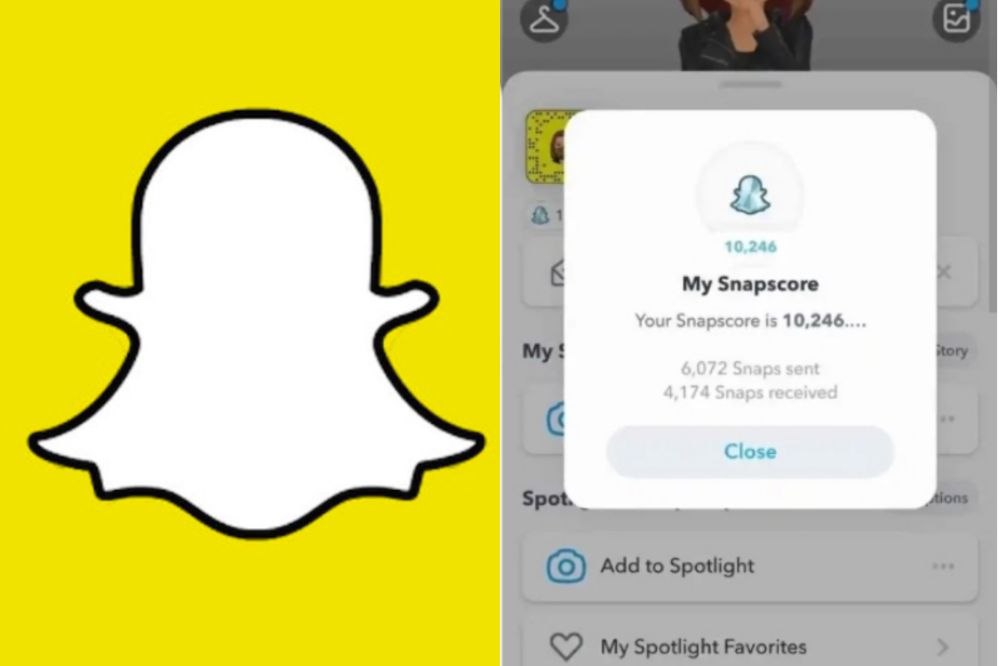
There are a few ways to find your Snapchat score. You can open the app, click the ghost icon on the top left corner, and your profile will pop up. On your profile is your username and beneath it is your snapscore.
How to improve your snapsocre
To iimprove your snapscore, you have to earn snap points. To earn snap points, you have to a frequent user of the app, interact with people regularly, send snaps, watch and post stories, and more. Using the app as much as possible is the best way to increase your snap score on snapchat.
What causes snapscore to freeze?
Several reasons can be considered as to why your snapscore has freezed. Below are some points given on why your snapscore has frozen or can freeze.
Delay in update
When snapchat is updating your snapscore, it can freeze when the score you’ve amazed are plenty and can cause delay. If you wait for some time, you will see the new update and your score getting back to work.
Slow internet connection
Bad or slow Internet connection can also be a reason why your snapscore has freezed. The more you use snap, the more the score updates itself and since it uses Internet connection in doing so, when there is a break in the connection, the score will surely freeze.
Using an outdated version of snapchat
Snapchat brings updates to fix bugs and thus, entreat its users to update their apps whenever there is an update. If you refuse to do so, it can be a reason as to why your snapscore freezes and you don’t get the best out of it. For that, its best your update your app whenever there is the need to.
When there is a server issue
When the snapchat server is down, your snapcore can freeze. Snapchat going down means, it goes with everything included and therefore, it will freeze the score from getting updated.
How to fix frozen snapscore
Your snapcore has frozen and now you want to get it back. Trying all or any of the below can help out if the cause is from the listed.
Fix frozen snapchat score by updating snapchat app.
Fix frozen snapchat score by checking for good internet connection.
Fix frozen snapchat scores by waiting till snapchat server fixes the issue
Fix frozen snapchat scores by contacting the snapchat support eam when needed.
How long does a snapscore freezes for
They is no exact time attributed for how long a snapscore freezes. The score freezes when he issued arises and it gets back to normal when the issue is solved.
Conclusion
A frozen score can be frustrating. Especially when you see that of your friends getting increased but yours still stays where it is. If that is your worry now, then follow the methods above and get yourself sorted.
The frustration that sometimes comes with the use of prepaid meter in ghana is unbearable especially if you live at a location where there exists no ECG outlet.
Most users travel a long distance and go to stand in a queue before they get to buy their ECG prepaid recharge.
If you are using the Prepaid meter, and looking for the easiest way to avoid the long queues by purchasing your ECG prepaid right from your smartphone using the ghana’s fasters growing payment methods(mobile money), then we got you covered.
In this article, we will show you to How to Buy ECG Prepaid With Mobile Money.
There are quite a number of ways you can use to buy your ECG prepaid and postpaid recharges using mobile money, You can use the default MTN Pay Bills menu, or use a third-party app on the smartphone for that. This post shall only cover the second process.
How to Buy ECG Prepaid With Mobile Money using a third-party app
There are quite some useful smartphone apps developed to help achieve this goal. Many of these apps are free and can be downloaded from the Google play store and AppStore. As a user, you can buy your ECG Prepaid from these apps with just a few clicks of buttons.
In this post, we are going to pick three of the most useful apps among the ECG prepaid apps on the play store and AppStore.The name of these apps are: Epower, E-prepaid, and ECG Power.
Epower
It’s a mobile application that expedites the purchases of prepaid and postpaid electricity and water anywhere in Ghana, at any time and any day.
Using this app, you only provide your meter ID or account number and the amount you want to buy for the purchase to be effected.
You have no worries of not getting the credit since the whole process is automated and there are readily available teams to help in case you encounter any problem. no stress in getting your light and water back when you fall short of credit.
To buy ECG Prepaid With Mobile Money, follow the steps below:
First, download the app from the google play store or tap here to download. Now open the app and signup for an account as a new user.
To signup, you’ll need to provide your Full Name, Email Address, Phone number, and a password.
Once you’ve successfully signup, you’ll be displayed with the app interface. Here, you’ll see the main menus where you got to choose the option you want.
Since your goal is to buy ECG Prepaid, you select prepaid and then you will be asked to enter the meter Id, Amount you want to buy, Meter owner and the city/town located.
Provide the required information and then finish up the process. Once everything goes right, you’ll have your meter topped up and from here, you can use your meter.
E-Prepaid
E-Prepaid is a simple and convenient way for users to buy electricity credit for their smart prepaid meters anytime, any day. E-Prepaid solves the problems of long queues and provides to the consumers the power to buy electricity credit any time of the day.
The app is developed by Origin, a Ghanaian consumer technology company, which seeks to help solve the hustle that Prepaid users go through before getting their power back. Installing and registration of this app is simple and self-explanatory. Get the app here and follow the self-explanatory steps to register and use the app.
ECG Power
its a mobile app developed by ghana electricity company to help users buy power anywhere at any time at an instant rate. With this app, you can check your consumption rate both on a daily and monthly basis following the periodic chart.
The only downside of this app is that it currently supports the following prepaid meters: Nuri (Kamstrup), Holley, Alpha, MBH and CLOU meters and all postpaid meters.
According to the developers, plans are being taken to roll out other prepaid meters in subsequent updates of the app. So, for now, you can wait patiently as we bring to you more updates on these prepaid apps you can use to buy ECG power using mobile money.
Frequently Asked Questions about Buying ECG Prepaid With Mobile Money
How to buy ECG with Mobile Money?
To buy ECG with MoMo, download the ECG Mobile App, add your metre and select the amount (in GHS) that you want to top up with.
How can I check my Electricity Prepaid Balance?
To check the prepaid remaining on your ECG metre, open the app, choose the added metre and tap on “check balance”.
What metres support the ECG Prepaid App?
The new ECG Power app supports the Nuri (Kamstrup). Holley, Alpha, MBH and CLOU metres in Ghana.
Have you ever wondered how to add your name or brand to Google search results? Well, with the use of this article, we are going to teach you everything there is to know about adding your name and becoming visible in Google search.
Becoming visible on Google Search
Becoming visible on google search is a way of showing flex. Google is a global search query and getting your name up there, can put some credibility on it or even on your business. Its not a must to become visiblbeen Google but if you are a social people a business person, then its worth it to show yourself up on google whenever there is a search on you or your brand.
Why should I make my name visible on Google search?
As the most popular search engine on the Internet, Google has, for many years, been one of the most effective marketing tools at our disposal. If you want to be seen as an expert in your field or you want to gain an edge over the competition, getting your name and business in front of those who search will surely help achieve your goals.
How to add your name and become visible on Google search
Adding your name on google can be done using various means, depending on how you want it to be done. It can be done using a google card, it can be done using a domain. it can also be done by getting featured on a websites or using your social media pages and many others.
Using google people card
Google people card is a way of directly showing your presence on google whenever a search is made on you. It can be a way of exposing your brand for much credibility on your works. On your people card, you can include a website link, links to social profiles, education, work, contact information, and any other information which you can set it to public. To create a google people card,
Go to Google or open the Google Search app on your phone.
Search for yourself.
At the top of search results, you’ll find the option to add yourself to Google Search.
Fill out the information that you want to share publicly on your card.
At the bottom, tap Preview.
If you’re satisfied with your card, tap Submit.
Note: It can take up to a few hours for your card to show up in Google Search results. If you share a name with a popular person, then its best to add something that will make yours quite different from his/hers to make yours standout.
Using a domain
Brands and popular people mostly buy themselves domains using their names. With this, whenever there is a search made on such name, the domain will be the first to pop up. In the domain, you can include about you and everything you want your searchers to know so make it easier to understand what you do.
To get your details on Google using a domain, all you have to do is to purchase a domain from any trusted hosting company with your name or brand name, get your homepage designed as you want and in some few days, you will see yourself up there.
Using social media handles
Social media handles are another strong way of getting yourself up on google search. Platforms like LinkedIn, Facebook, Twitter, Instagram and others will get your details shown up whenever there is a search on your name on Google. So, if you want to rank, Make sure you use correct names, good pictures and an authentic about me on your social media pages in order to be able to show up above others on google.
Getting featured on blogs and websites
You can publish an article about you or your brand as a guest post or normal publication on a popular website or blog and with the correct SEO practice on your article, you can also show up whenever there is a search on you or your brand on Google.
NB: Getting yourself visible on Google is not difficult. There are several ways to do that depending on how you want it to show. With the methods above, Make your choice and within some few days, you will seee results you expected.
Conclusion
I hope that this post helped you learn how to add your name and be visible on google. If you have any questions, feel free to use the comment box.
SnapChat is one of the most popular social media apps on the market and users can set their birth date through their profile settings on the platform, but some users may prefer to change their birthday after initially setting it, and this article will show you how to do so quickly and easily.
Does snapchat allow users to change their birthday?
No matter how old you are, you will only be able to change your birthday a limited number of times, so make sure it looks right to you before you confirm it.
If you are under 18 years old, you will not be able to change your birth year at all, and if you are over 18 years old, you will not be able to change your birth year to make yourself younger than 18.
Why would you want to change your birthday on Snapchat?
Wanting to change your birthday may be as a result of error you committed in your birthday whiles creating your account or you may want to later reduce your age or increase it for your personal reasons.
How to change your birthday on Snapchat
First of all, you will need to launch the Snapchat app on your phone.
After, tap on the profile icon found at the upper left corner on your phone screen.
After your profile opens, locate the settings logo at the upper right side of your account and tap on it.
When you tap on it, you will then be taken to a page where you will find various options to choose from.
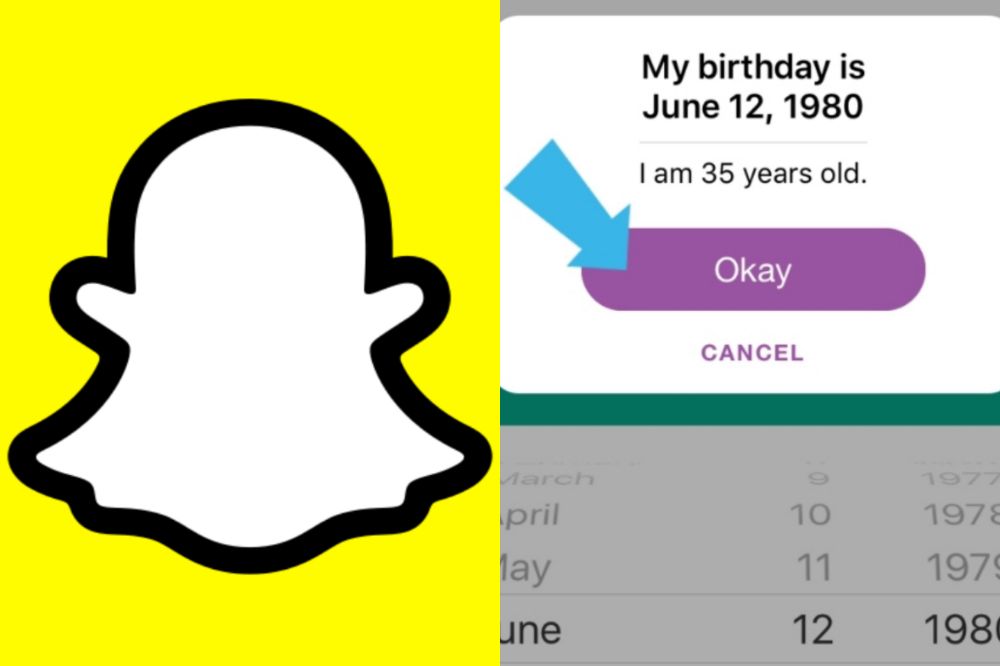
Tap on My Account and then, choose Birthday.
Your birthday tab will open and you will see your old birthday date inserted.
Now, tap and edit them into your prefered satisfaction and press Okay to confirm the changes .
Congrats, you are done changing your snapchat birthday details.
NB: You can enable birthday party after you are done changing your birthday. In doing so, you will get some exciting surprises such as your zodiac sign in your profile when your birthday is due. This will also help friends find and celebrate your birthday, but will not reveal your age to other snapchatters.
Also, you have a maximum number of times you can charge your birthday on snapchat and after that number reaches, you can’t change your snapchat birthday again for the rest of your life.
If I change my birthday on Snapchat, how long will it take for the changes to appear
When you are done changing your birthday using the steps above, wait for 24 hours for the Snapchat administrators to reflect the changes you have made to your birthday on your account.
Conclusion
Changing your snapchat birthday has several reasons and that will be best known to you the user but its worth and you must make sure it is not a regular habit. Following the steps above will help you change your snapchat birthday with ease.
Have you ever asked yourself how to make money in Ghana? You are not the only one looking to know how to make money in Ghana, many people have been asking this question in different ways and searching for the best way to make money in Ghana. Today, we will be showing you the best way to make money in Ghana using Triaba Ghana questions and answers platform.
What is Triaba Ghana?
Triaba Ghana is a forum where people from all over the world, including Africa and especially Ghana. You can be asked to answer questions about everything. Users can earn points for their answers which are redeemable for cash prizes. The site offers an opportunity to learn more about other cultures while also making some extra money at the same time.
What kinds of questions will I be asked?
Some of the topics you might be asked about are: politics, history, sports, culture and more. You could also be asked about your thoughts on a specific event or issue.
What else should I know before getting started?
There are many, but here are a few important things you should know before getting started: There is no age limit for joining Triaba Ghana. You must have a valid email address and mobile phone number. You can only sign up with one account per person (and must use the same name and email address).
How much will you earn for answering surveys on Triaba Ghana
On Triaba Ghana, you earn between $0.13 to $2.25 for each online survey you complete. After earning, you can choose to order a gift voucher from GCodes or a Virtual VISA Debit Card for the money you earn on surveys.
Choose your gender and insert your email, password, date of birth.
Agree to personal terms and click Register.
After clicking on register, you will receive a verification email to verify your account.
You will then be given a dashboard to addup your other credentials in order for triaba to be able to match up your preferences for your surveys.
You can now toggle through your profile, surveys and earnings on your dashboard.
How to withdraw on Triaba Ghana
After reaching $10 or more, you are eligible to withdraw your earnings on Triaba Ghana into your MoMo account. You can also redeem and convert your earnings into gift cards and use it to make purchases online. So anyhow you want it to be done, Triaba Ghana got you covered and secured.
Conclusion
Triaba is a great way for those who are looking for quick and easy ways to make some extra cash online. The app is available on both iOS and Android, so download it today. It’s free and the process is simple.
Have you ever wondered how long it’s been since you bought your phone? The information is available and i’s a good idea to keep track of your phone’s usage history, as it can help to keep your phone updated or not when necessary.
Is checking your phone longetivity important?
Checking your phone’s age might seem awkward but it is very necessary. Why will you want to be using a device and not know how old it is? A phone’s age can determine its functionality and also determine whether it qualifies for the latest updates or not. So, checking your phones age is a necessity.
How to check how long you’ve had your phone
The moment a phone is manufactured, a date is given to it, just like how every human also have a birth date. Knowing your phone’s date and how long you have used it makes you to know your phones life so as not to panic when it does not support the latest update.
Checking how long you have had your phone does not have one method. There are various ways to check them out. So if your method A does not provide the expected results you want, you can use method B.
Check phone box
Every new phone comes with a box that contains the phone, its manual and accessories such as charger, phone case, extra battery, screen protector, etc. Not all phone provides the mentioned accessories but in most cases, you are likely to get all.
Well, some manufacturers are kind enough to provide indepth details about the phone on the box. So the moment you pick up the phone box and check the inscriptions around it, you are likely to know when your phone was manufactured and be able to calculate how long you’ve used it.
Check phone settings
Open your phone setting and toggle through About phone. Not all manufacturers leaves your phones age under that section but since most of the them does so, it will worth it checking that place first. You will clearly see them under manufacturing date or hardware version.
At times too, some manufacturers insert your phones date inside the serial codes and that will be difficult finding out if you have know idea on how to find it.
Check through your phone’s serial code
Mobile phone manufacturers like Apple mostly hides the manufacturing date inside the serial code. Most at times the third digit of their serial code refers to the year. Eg. 9 means 2019. 0 means 2020. 1 means 2021. The fourth and the fifth digit representing the day and month.
This is for the older versions of iPhone. The newer versions also has a direct structure of serial code which means a different way of noticing and thus, its mostly difficult finding them out. For that, the best way is to find another alternative such as finding it on google search.
Use google or any other reliable search engine
Checking your phone’s brand can bring out lots of information about the phone on google and through that, you can know how old your phone is and when it was manufactured. You can also use the IMEI code to check on informations about your phone.
Using manufacturing code
Dialing codes to check your phone’s IMEI, serial code, manufacturing date and others are the good old days method which are still working on most devices. Its one of the simplest and fastest method. You simply dial *#197328640#* or *#*#197328640#*#*.
This will then open a service menu. Go into Menu Version Information > Hardware Versions > Read Manufacturing Date. Some phones showcase the manufacturing date using the dialer’s code *#0000#. If all doesn’t work, then it means its no longer a method used by your phone.
How to check how long you’ve used your phone
After confirming your phones age to see if it qualifies for the latest updates and applications, you may also want to know how long you have used your phone your since you purchased it.
On an android phone,
Click the Settings.
Tap on Digital Wellbeing and Parental Control.
Under your Digital Wellbeing Tools, click Show your Data.
If its your first time, you will need to set up an account.
This sector can show you how long you spend on your phone in weeks, days and months.
On an iPhone,
Go to your phone settings.
Click on Screen Time.
Select Turn on Screen Time.
Click Continue
Select either if this is my [device] or this is my child’s [device].
On apple, if you are a parent, you can also use this section to prevent your child from accessing some apps and others stuffs you want to prevent them from accessing.
Conclusion
Some people have been using their phone for a year or more without knowing what model they are. Others may not know if their phone is six months old or two years old, which could be of importance when deciding whether to upgrade. Knowing all this might not he needful at some point but it is also necessary to do so.
MTN’s rewards program gives users points when they do certain activities on the MTN mobile app or website. These points can be redeemed in many ways, including buying airtime and bundles, paying your bill and even sending airtime to other people, as long as they have an MTN SIM card in their phone. To learn more about the way you can use your points and how much each of these rewards costs, read this guide.
What is MTN loyalty reward points
With MTN loyalty reward points, customers are given free airtime, Internet data or a percentage voucher to purchade their favorite snacks from specific food joints. Every MTN user automatically accumulate points the more they buy airtime aand mobile data.
What you can get with MTN loyalty reward points
With MTN loyalty reward points, you can redeem your points for airtime, bundle, discounts of foods and other products that has partner with the loyalty reward program.
To know what is currently available, you first have to check your points also look out for the available things your points can get you.
How to check your available MTN loyalty reward points.
Dial *550#
Select option 7. (MTN reward).
Choose option 1. (Check points balance).
How to redeem your mtn loyalty reward points for airtime and bundle
Your loyalty reward points to can be redeemed for several things as mentioned above. But the popular ones are for airtime and for data bundle.
Redeem your reward points for airtime
Dial *550#
Select option 7. (MTN rewards)
Select 99. (more).
Select option 2. (redeem points).
Select 1. (airtime).
The next pop up will show the points and amount of airtime you can get.
Now select the available points you have and the attached airtime will be allocated to your account as bonus.
You can now use it to make calls to all networks untill you finish it all.
Redeem your reward point for bundle
Dial *550#
Select option 7. (MTN rewards)
Select 99. (more).
Select option 2. (redeem points).
Select 2. (bundles).
The next pop up will show the points and available data next to it.
Now select the available points you have and the attached bundle will be allocated to your account.
You can now use it to browse the Internet as much as you want.
The data packages can be redeemed for daily, weekly and monthly depending on the number of points you have accumuted and how you want to purchase it.
Conclusion
MTN loyalty reward is just a bonus help for MTN users. The points can be redeemed when you are in dire need for airtime or data and you have nowhere to turn to. Just remember you have a standby help in MTN reward points. Follow the steps above and you will be sorted.
The platform, which is referred to among students as the STS Portal, is a platform that an individual can use without paying anything provided the individual is a current student at the university. On the STS portal, you can do quite a number of things.
What is UGSTS
University of Ghana Students and Staff Service (UG STS) is a portal that provides students with access to their academic records, financial transactions, course registration, exam schedules etc. UGSTS is a centralized self-service portal which facilitates communication between students and faculty members.
Where can I access UG STS Portal
UG STS portal can be accessed from anywhere through the use of login credentials, which each and every student or faculty member has been given by the portal’s administrators during the registration process.
Why you should use UG STS Portal
Why should you use UG STS? It’s a great resource for students. You can register for classes, make payments, check your grades and much more.
The first thing you need to do is log into your UGSTS account by clicking here. If you don’t already have an account, then click create an account. Choose a username, pick a password (make sure it’s not too simple), enter your email address, fill in other contact information that’s needed, and agree to our user agreement.
What are my options to login into UGSTS? To login into UGSTS, you have the following options:
How to sign up for University of Ghana STS Portal
The first thing you need to do is log into your UGSTS dashboard to be able to access the features. If you don’t already have an account,
Go to login and then type in your username and password.
Hit on login and if a few minutes, your dashboard will be displayed to you.
What can I do on the portal once logged in?
Under Course Registration, you can search for courses, add or drop courses, or change your degree program.
Under Course Schedule, you can view a list of all the classes you are enrolled in, their meeting times, and where they will be located.
Under Course Submission, you can upload assignments that are graded by instructors.
Under Examinations, you can view exams that have been scheduled for your class.
Under Grades, you can view your grades, or request a grade change if you believe there was an error made by a faculty member.
Under Progress Reports, you can see what you need to do before graduating from your current program.
On My Academics & Financial Aid page, you can see how much money is owed to the university as well as what scholarships may still be available for you.
On my Student Profile page, you can update information about yourself such as address, email, phone number and password.
If you love watching movies, but hate the boredom that comes with having to find something to watch each time, then you need something like a Goodreads for Movies.
In this article, we will talk about Letterboxd, which is like a Goodreads for Movies. Letterboxd allows you to browse through lists and lists of movies based on everything from genre to actors and directors, so that you can find something interesting without having to browse through Netflix or Amazon alone.
Introducing Letterboxd
Letterboxd can best be described as “social media” for movies. You can use the platform to share opinions about movies that you have watched and make recommendations too. Similarly, you could read other people’s reccommendations and find a movie based on what others have said.
Letterboxd helps keep track of every film you’ve ever watched or searched on the platform. With this, you don’t have to be fumbling incase you want to watch such movies again.
There are also ratings on movies and that will help you to find the best ones to watch without you having difficulty in finding a good movie to watch at a specific time.
Letterboxd offers the perfect opportunity for you to meet other cinephiles or to casually see curated lists from them to mave a movie watching decision.
You can download the Android and iOS app to get started or join for free on the web.
Top other “Goodreads for finding movies” Sites
Apart from Letterboxd, there are other platforms that you can use to find great movie suggestions. Here are a few:
1. Flikster
Flikster is an app which will allow you to create watchlist and share them with your friends. And you can even write reviews for movies and share them with your friends.
2. IMDB
IMDB is my favorite since it has the biggest library and community. You can watch trailers, share items, see actors, make cross-references, share movies with your friends and make watchlists. I personally enjoy using this app.
3. GetGlue
With Getglue, you can check into movies, books, shows, music. You can read, watch, listen. And you can follow your friends and by so, see what they’ve been up to. It’s not really what you want, but it’s the closest I could find.
4. Criticker
Criticker doesn’t look glossy as the above options but you may find it much more thoughtful. I feel like its users’ collections are probably the best for film discovery because there are often quite unexpected topics and selections.
Conclusion
If you interested in watching movies but are frustrated by how difficult it can be to find new ones to watch, you should check out these sites to help you with that problem. Other options can also be of help. Choose a convenient one and have a good day.