Category: Guides

  • How To Open a UBA Bank Account on Your Phone

    How To Open a UBA Bank Account on Your Phone

    In 2020, the coronavirus pandemic took the whole world by surprise. Most people had already laid out their plans for the year but just a few months into the year, all those plans got thrown into the trash. 

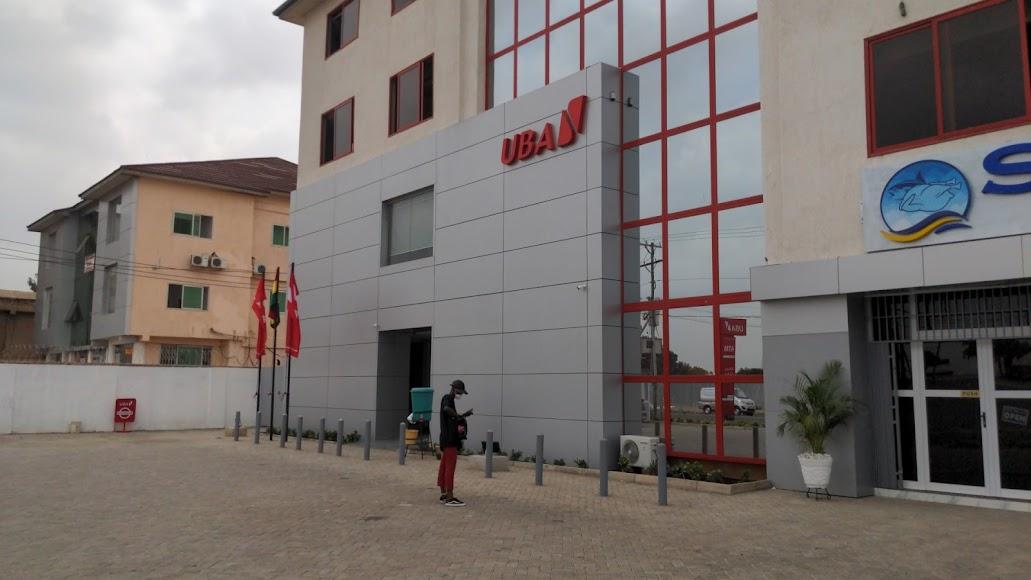
    In all this, one thing that most of us learned is the need for a mobile banking partner or service. Currently, in Ghana, there are over 10 banks that offer mobile banking services and one of the trusted banks that most people rely on is the United Bank for Africa (popularly known by many as UBA). 

    But unlike the rest, not all the banks in Ghana allow their prospective customers to create a bank account on their phones from the comfort of their homes. UBA on the other hand, allows users to open a bank account on their phones for free; and in this article, I am going to show you how to open a UBA bank account on your phone.

    Types of Accounts Available at UBA

    Before we get into the main reason for this article, you must know the various types of accounts that are available for UBA’s prospective customers. This way, you rest assured that you have chosen the right type of account for the right job.

    There are mainly five (5) types of accounts available at UBA. These are professional, student, self-employed, diaspora, mass retail, and business. All these five accounts are mainly classified under two main categories i.e. savings and business accounts. You can visit the UBA website to read about each type of account and its details.

    How To Open a UBA Account on Your Phone

    Opening a UBA account on your phone is straightforward. Also, there are several ways you can go about it but in this article, I am going to show the two (2) main ways you can go about it. You can do so by using the web, Messenger/WhatsApp.

    How To Open a UBA Account on Your Phone Using the Web 

    1. Open a web browser on your phone and visit www.ubagroup.com/open-a-uba-account-online/
    2. Click on OPEN ACCOUNT or OPEN A CURRENT ACCOUNT under the type of account you want to create (Savings Account or Business Account respectively) 
    3. On the welcome page, choose your country of residence and click Submit afterward
    4. Enter your name, gender, phone number, date of birth, email address, address, in the spaces provided
    5. Under Select a branch, choose a UBA branch that is closer to where you stay
    6. Upload your passport-sized photo, signature, and proof of residence in the spaces provided
    7. Afterward, tap on I agree to the terms and conditions and then Submit
    8. Upon successful completion, a congratulations message will be shown on the next page with your account name and account number

    How To Open a UBA Account on Your Phone Using Messenger or WhatsApp

    1. Send Hi to Leo on WhatsApp (+233577822822) or Messenger (search for UBA ChatBanking)
    2. Select option B (Account Opening)
    3. Enter your first name and last name after the question What is your first name? and What is your last name? respectively
    4. After the next question, enter your date of birth in the format DD/MM/YYYY
    5. Next, select your gender using A (Female) or B (Male)
    6. After the next question, enter your physical address (to receive communication materials from UBA)
    7. Enter your email address or type skip if you don’t have any
    8. The next step is to upload your passport photograph
    9. Choose the letter next to the type of account you want to open
    10. Enter the City or street name close to the nearest UBA branch
    11. Type the letter next to the UBA branch nearest to you
    12. Finally, download and read the terms and conditions for Account opening. If you agree with the terms, type Yes or No otherwise
    13. A congratulations message will be sent to you with your account number and the next steps.

    Conclusion

    Creating a bank account on your mobile phone has never been this easy. In just a few minutes, you can get a UBA account with your account details right on your phone without having to visit any UBA branch to join any queue. In this COVID-19 period, you and I can both agree that this is a good way to create a bank account.

    Even though most people are afraid of creating a bank account in Ghana due to the collapse of several banks some few years back, UBA was one of the banks which were able to meet the minimum capital requirement and as such, it is one of the trusted banks to do business with.

    Since it is an African (international) bank, UBA customers can use their accounts in almost every African country whenever they travel outside their country of residence. Therefore, if you are interested in transacting with UBA, then follow the steps outlined in this article to create your UBA account on your mobile phone for free. 

    How can I open a UBA account using USSD?

    To use the UBA USSD code for your account opening, dial *822# and follow the screen prompts.

    What can you do with the UBA transfer code?

    If you have a UBA account, you can use the shortcode *822# to buy airtime, or transfer money to a UBA account, your UBA Prepaid, or other bank accounts.

    How can I upgrade my UBA mobile account?

    You can visit any of the UBA branches spread throughout the country with your National ID to upgrade your mobile account to your preferred choice.

    Is the UBA Prepaid card for UBA customers only?

    No. You can visit any UBA account with your National ID and proof of residence and you will be issued a UBA prepaid card in less than two (2) hours.

  • How To Make Money On OloloExpress.com in Ghana

    How To Make Money On OloloExpress.com in Ghana

    If you are in Ghana, I believe you have ever wondered if it is possible to make money online in Ghana?

    The answer is yes, you can. There are many ways to make money online in Ghana. 

    Gone were the days people would always have to do complex works to make money online, now things have changed.

    Now people make more money working from home than people who wake up every day and go to work.

    I can say that many people who work online earn much more than most of the people who work for government institutions.

    Working online does not always have to involve any hard work. It consists in doing what you know best and getting paid.

    If you know how to draw or paint, there are websites that people hire artists for artworks. If you know how to write, create and edit videos, you can make money by doing for others online.

    There are plenty of ways to make money online. Even you don’t have any skills. Some involve building an audience and advertising products to them.

    Some also involve writing, teaching people how to do things online and get paid, simple, right? 

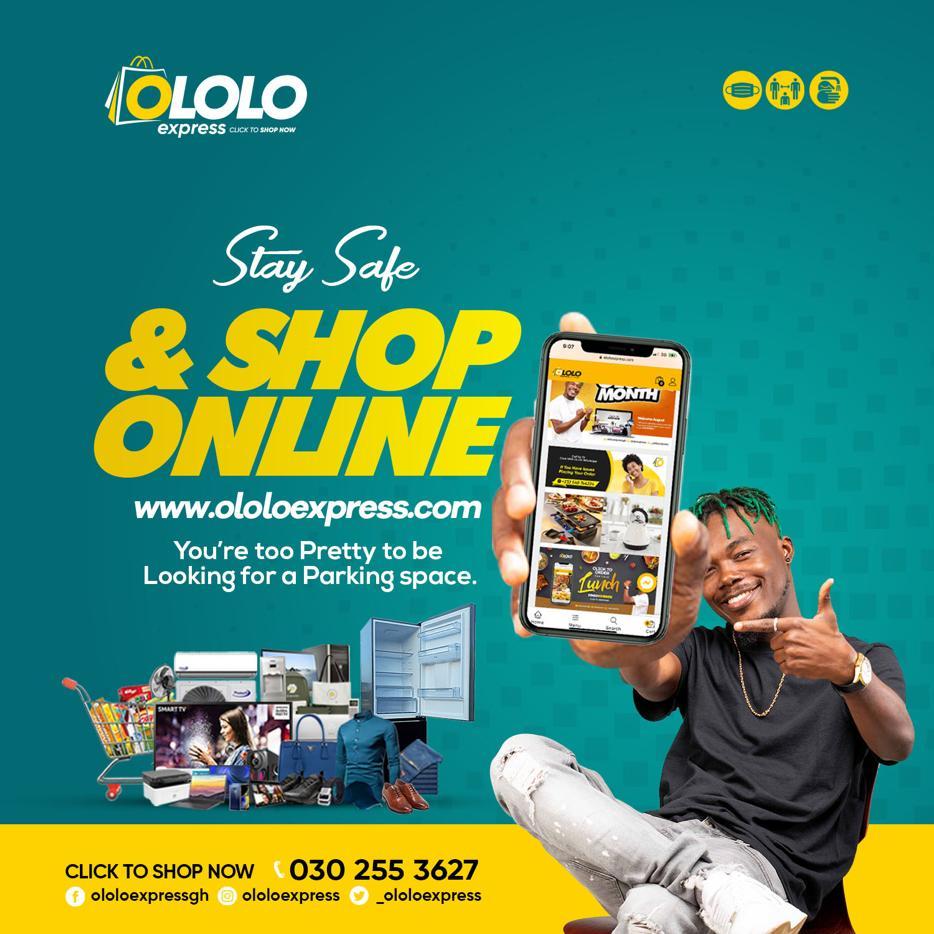
    But in this article, I will take you through how to make money on OloloExpress.

    You might be wondering why OloloExpress? Don’t worry. At the end of the article, you will get to know everything about OloloExpress and will then get to see why I choose OloloExpress as the best platform to make money online in Ghana. 

    There are even two ways to make money on OloloExpress. It is best if I decide to cover everything you need to know about this fantastic online shopping platform. 

    What is OloloExpress

    OloloExpress is a shopping mall in Ghana that was launched in July 2020. 

    The platform has made it easy for Ghanaians and even people worldwide to get what they want without any hassle.

    Ololois is known for selling legit goods and, above all, making sure customers are happy with what they order. 

    What makes them stand out is how fast it takes to get your orders when you buy from them.

    Unlike other online shopping websites, that makes it hard after ordering something from them with your own money.

    Aside from buying from OloloExpress, you can also become a vendor on the platform.

    If you have some products that you want to sell, OloloExpress makes it easy for you to sell them to their customers.

    The platform is always dedicated to selling original and quality products.

    Why OloloExpress.com?

    Here is what makes OloloExpress the best place to sell your products compared to other online shopping malls.

    Low Fees

    The website first allows you to list your products for free without paying a dime, and when you decide to sell more products on their platform, they make sure you pay low fees to make more money.

    Free Advertising

    When you list your products on OloloExpress, you get access to free tools to manage, track and promote your products on their platform. They also do free social media advertising for you, making sure people on social media see your products, all for free. The free advertising even cut the advertising cost for you because OloloExpress takes care of that.

    Things Sold At OloloExpress

    Below are all the products you can buy from OloloExpress:

    • Mobile phones and accessories
    • Jewellery and watches 
    • Adinkra collections
    • Electrical appliances
    • Groceries
    • Products for babies and moms
    • Computers and accessories
    • Beauty and personal care products
    • Clothing and apparel
    • Home, garden and kitchen products 

    One thing OloloExpress is known for is selling Ghanaians products, so If you are in Ghana, you will get any product on their website. If you are also abroad, you can order from their website, and they will ship your product to you, no matter your location.

    Mode Of payments on OloloExpress

    There are Four payment methods on OloloExpress, and they are:

    • MTN Mobile Money
    • AirtelTigo Money
    • Bank Transfer 
    • Pay via Master card 
    • Pay via Visa card

    So now, let’s cover how to make money without paying for anything, and it is possible to make money using OloloExpress.com, there are two ways to make money from OloloExpress, and they are:

    • Making money from affiliates 
    • Making money as a vendor

    How To Make Money Online On OloloExpress Through Affiliates 

    Visit OloloExpress.com and Select Make Money Online on the top left panel.

    1. Login or Register with your username, email, password, and your Payment email Address
    2. After a successful sign-up, hover your mouse pointer to the Shop By Department and select Make Money Online again.
    3. Select Join Join Affiliate and wait for approval; after a successful authorisation, you will get access to your affiliate dashboard.
    4. Now go through the website, click on any product you want to promote, and copy the link. 
    5. Visit your affiliate dashboard and click on Generate Link. 
    6. Paste the link of the product you want to promote and click on Generate 
    7. Now Copy the Referral URL and start sharing. You can choose to share the referral link right on the dashboard, as you will see all the social media icons right under the referral URL. But if you wish to share it outside social media, you will copy the link and manually share it to any place.

    Do you remember I talked about making money selling products on the OloloExpress platform?

    Now let’s dive into becoming a vendor and making money on the platform selling your products. 

    How To Make Money On OloloExpress As A Vendor

    Becoming a vendor is one of the ways to make money on OloloExpress.

    1. To become a vendor, visit the Become A Vendor page here and click on Start Selling.
    2. Now fill in the forms such as your first and last name, username, email address, phone number, password, and Shop Name.
    3. Click on Register, OloloExpress team will review your application.
    4. When you finally get approved, you can then start posting your products on the platform and start making money

    If you have any questions when going through these processes, you can call or WhatsApp them on 0302553627 / 0548744234.

    Wrapping Up 

    Now it’s easy to make money online in Ghana without stepping a foot outside, and in this article, we went through how to make money on OloloExpress. 

    There are two ways to make money online on OloloExpress, and in this article, we covered both of them. 

    We also went through everything you need to know about OloloExpress and why you should be shopping there.

  • How To Link Your NHIS To Your Ghana Card For Fast Renewals

    How To Link Your NHIS To Your Ghana Card For Fast Renewals

    Do you know that you can now link your NHIS to your Ghana card for fast renewals?

    Ghana card (NIA card) is one of the most popular identification documents in Ghana. Since its registration started over a year ago, the majority of Ghanaians have put their names on the register.

    Few weeks after the registration ended, the National Health Insurance Authority (NHIA) and the National Identification Authority (NIA) has successfully deployed the Ghana card integration onto the national mobile renewal platform.

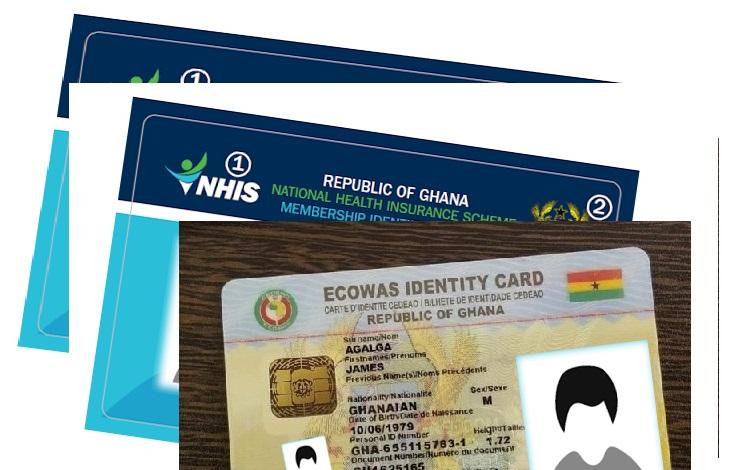
    In simple terms, Ghanaians with the Ghana Card and the NHIS card can now link their Ghana card to their NHIS card or vice versa. Upon successful completion, you can visit the health center with your NHIS card.

    Also, you can renew your health insurance card with your Ghana card. This means that when you misplace your NHIS card, you can use your Ghana card for everything you that you would have used the NHIS card for.

    Enough of the plenty talk, let’s jump right into it.

    How To Link Your NHIS To Ghana Card For Fast Renewals

    How to link your NHIS to your Ghana Card

    To get started, you need to have your Ghana Card and your NHIS card with you. Once you have these two documents, follow the steps below:

    1. Dial the shortcode *929# on your mobile device
    2. From the list of the options provided, select option 4 (Link Ghana Card).
    3. Enter your 13-digit Ghana Card Identification number (GHA *************). (Please include the GHA, and the 10 digits after the GHA, without the hyphen).
    4. Check to see if the ID number you enter matches the one on the Ghana Card. If so, press Send.
    5. Enter your 8-digit NHIS identification number.
    6. Check to see if the ID number you enter matches the one on the NHIS Card. If so, press Send.
    7. Wait for a confirmation message stating that your operation has been successful.

    Conclusion

    Now that you have successfully linked your Ghana Card to your NHIS card, make sure to enjoy all the benefits that come with it. There’s no need to join a long queue only to renew or replace your NHIS card, link Ghana to your NHIS card for far renewals.

    Since this is a new deployment, please make sure to try it out and write your feedbacks in the comments section below; this will help the team to address any mistakes they make.

    Also, if you face any difficulty feel free to write it down in the comments section below and I will attend to you as soon as possible.

  • List of Top websites for importing cars to Ghana fast & easy

    List of Top websites for importing cars to Ghana fast & easy

    Importing cars into a country is a very expensive thing to do, therefore needs to be done well without any mistakes if you don’t want to lose your money. You need to make sure you get the correct and exact car you ordered for especially if you are in the market for a used car.

    To ensure this, you need to make sure you’re dealing with very legit websites and platforms.

    These platforms buy the car on your behalf using your money and calculate how much duty you’re going to pay for the vehicle when it gets imported into the country.

    Whether used or brand new vehicles, these sites can import them for you. However, before importing cars into Ghana, you should know how to get your vehicle through customs and register the vehicle upon arrival.

    These are very important things to know when you want to import vehicles to Ghana. They also have very good payment plans. With these payment methods, you pay after ordering the car and getting the necessary documents in place. 

    You’re offered a variety of car brands to choose from and purchase. Brands like Toyota, Nissan, Kia and Hyundai. 

    The main reason why people are advised to use these websites for imports is that it’s safe, saves time and delivers your car for you. 

    List of Websites you can use to import Cars to Ghana.

    Be Forward Ghana

    On this Be ForwardGhana, you’re offered options for whichever model and type of car you want to buy. Tractors used vehicles, auto parts and whatever kinds are provided to you on this site. 

    You’re offered a chance to ask for a car to be reserved for you to purchase within 24 hours. Maybe you’ve seen a vehicle that you’d love to buy, but the money for payment is not available at that time. You can ask for the car to be reserved for you to purchase later.

    They have very simple payment methods. You can pay by bank transfers, with bitcoins, PayPal, credit/debit cards and through western union. Below are steps on how to buy and import cars to ghana on beforwardghana.com. 

    Step 1: Order

    Search for a vehicle you’d like to purchase. Once you select the car, follow the steps and click the inquiry button. Approve the price, and you’ll receive a purchase agreement and a proforma invoice.

    Step 2: Payment

    Once the purchase agreement and proforma invoice are sent to you, you’ll be asked to make the payment with the method you want. Once the payment is made, send a copy of the payment slip to be forwarded. 

    Step 3: Shipment

    Once the payment has been completed, you’ll receive a shipping schedule to deliver your vehicle. Once the date is confirmed, beforward.com will ship your car and send your b/l and documents to DHL. 

    Step 4: Delivery

    Your vehicle will be delivered to you at the exact date stated in the shipping schedule. 

    Shipoverseas.com

    This platform has been in business for over 35 years with much experience and reviews from people who have shipped cars from abroad to Ghana using their website.

    Its website is designed for anyone whether it’s your first time or tenth time, you can know your way about purchasing and shipping a car for yourself.

    To start shipping a vehicle to Ghana from the USA using shipoverseas.com, obtain a free quote right here on their website. You’ll also need to provide the Year/Make/Model of your car, Pickup Zip Code or Departure Port, Destination Country (in this case, Ghana) and shipoveeseas.com will handle everything else.

    The cost of the vehicle and shipping will all be governed by the website, and you’ll be provided with a payment method to make payments. You’ll also be allowed to choose whatever shipping method you want to use, whether the “container shipping” method or the “RORO shipping” method.

    You’ll receive a shipping schedule with a date on when your car will arrive at your destination port, Tema port. 

    auctionexport.com

    This is a web portal to the world of North American wholesale auto auctions. This site allows buyers worldwide to search, order, and buy any vehicle of their desire.

    To be eligible to buy cars on this website, you need to register an account and deposit to validate your account. Below are steps to follow to purchase vehicles from auctionexport.com to save time and money. 

    Step 1: Register an account and make a deposit. 

    Register your account with accurate details, and you’ll receive a validation link in your email to verify you’re the owner of the account. After that, make a deposit. This deposit is very important as it helps you in the bidding process. You need to a 10% deposit of the bidding amount first.

    The deposit is to ensure trust in the process of bidding. 

    Step 2: Purchasing

    This process also involves bidding. In this step, you join the auction of a car and make a bid. When your bid wins the auction, you’ll go through the payment process and have your car shipped to you. 

    Step 3: Payment

    Once the auction is over, and you’ve won the bid for a vehicle, you’ll go through the payment stage. You have three days to pay full price for the vehicle after purchase. All payments are made through bank wire on auctionexport.com. 

    Step 4: Shipment.

    Once the payment for the vehicle is completed, the shipment process will begin. Your car will be picked up and delivered to one of the exit ports or warehouses in the USA or Canada. Auctionexport.com in the USA or Canada will handle all the documentation. The original title will be sent to the USA or Canada Customs, cleared, and sent to you by express courier mail services (DHL, FedEx or TNT).

    You will be notified about the date of the arrival by email or phone call. You’ll need your identification and original title with you to clear the car at the port upon its arrival. 

    Autoauctionmall.com

    If you’re looking to get into the car business and make a lot of profit, then auctionmall.com is the best site for you. On this site, you get involved in the US used auto market is to participate in an online used car auction.

    This offer helps you save a lot of money. To start buying on this site, you first need to create an account and make a deposit. You bid on the US online car auctions, so your deposit size determines your bidding power.

    Once you’ve created an account and made a deposit, you’ll be assigned an agent who can help you through the entire process. Bidding for the cars is handled just any other online auction. You can manage to bid process yourself or have your agent handle it for you.

    So after you bid and win an auction, the rest will be about arranging a shipment to Ghana and getting the proper documents for your vehicle in order.

    Your deposit size is 10% of your total bidding power, so a $500 deposit would yield a maximum bid price of $5,000.

    Shipping To Ghana

    You’ll be given a choice to choose between traditional container shipping or “roll-on roll-off” shipping, known more commonly as RORO shipping. RORO shipping is less expensive but not very secure.

    A few ports in the US offer services to Ghana’s Tema Port like Newark, New Jersey, Miami, Florida, Houston, Texas, Oakland, California, and other ports. 

    Like I said earlier, Shipping cars is a very expensive thing; therefore, one needs to do it right to make sure everything goes well. It would be best if you used the avenues to achieve your ultimate goal of having your car shipped to you successfully without any faults and complaints.

    These sites are trusted for the experience due to their many years of providing and providing good services. 

  • Here are settings and features every Smartphone user should have “on”.

    Here are settings and features every Smartphone user should have “on”.

    Who doesn’t use a smartphone? Well, not me. We all got one of those fancy gadgets and every now and then, we realise our phones are giving us one problem or the other.

    However that may seem, it’s also very possible to use your smartphone over a long period of time without having much of a problem.

    Well, there are some things that are likely to happen once you own a smartphone. This includes theft, hardware damage, wear and tear, etc. No matter how careful you are, you can’t prevent some of these things from happening.

    Sad, yet true.

    So what if you are struck by any of the above-mentioned issues? What are you going to do? What if you lose your phone at a party or you have a software issue and you need to reset your phone? Would you lose everything?

    Well, over the years, I’ve lost and switched phones, but I have never lost any of my data – contacts, photos, even text messages. This has been largely due to some settings and feature I always keep active on my devices.

    GPS Location

    Although some articles advise you to keep your location disabled to extend battery life, it’s not always in your best interest to do this. No matter how careful you are, losing a smartphone is easier than you assume.

    Keeping your GPS location disabled eliminates whatever chance you have of recovering your phone. Whether you have an iOS device that uses iCloud’s Find My iPhone or you own an Android device that relies on Google’s Find My Device, you need to keep location enabled on your device at all times.

    If you’re worried about applications always tracking your location, you can selectively adjust app permissions to control location access.

    Contacts Sync

    It’s sad when you see people complaining that they have lost “all their contacts”. To me, that sounds like they’re saying they’ve lost access to their email or unless they lost their contacts using a feature that could not sync contacts.

    If you are on the Internet, you probably have a Google Account. On Android and iOS, Google lets you add your account to your phone and you can sync all your contacts under settings.

    Even if you lose your phone or it gets stolen, you only need to enter this same Google account and password on your new phone and your old contacts automatically appear.

    For iPhone users, there is also the additional option to sync your contacts to your iCloud account.

    You need to ensure contacts synchronization is enabled. Do not disable it for whatever reason. For a comprehensive guide on this, read this previous article.

    Google Photos

    Unlike the other two features earlier mentioned, this is actually an app.

    Google Photos is so great and I enjoy using it daily. It takes your entire photo library — every photo you’ve ever taken on your phone, as well as screenshots and photos taken within Instagram and whatever else — and uploads it to the internet.

    The photos remain private, hidden behind your Google account information, but now you can access them anywhere. On your laptop? Yep. On a new phone? Yep. On your tablet? Yep, there too.

    I really cannot think of a reason why anyone would not use Google Photos. It offers free unlimited storage for your photos. Yes, unlimited. And yes, free.

    And when you lose your phone, you can always get all of your photos back.

  • How To Reset Your Mobile Money Pin In Ghana

    How To Reset Your Mobile Money Pin In Ghana

    Mistakenly, have you blocked your mobile money pin, or have you forgot your MoMo pin? I know the panic involved when you forget your MoMo pin whereby there are a lot of funds on it. You start to lose hope and the stress involved is something else.

    The only option people are familiar with is to visit the network service center for assistance to regain back our pin. But do you know, you can reset your MoMo pin yourself?

    In this article, I will show you the steps to follow in order to reset your MoMo pin.

    How To Reset MTN Mobile Money Pin

    The steps that I will be listed here are highly focused on MTN MoMo, however, the steps are not restricted to MTN MoMo only.

    Before you can perform the MoMo reset, you need to set a recovery number first or else you cannot reset your MoMo pin when you lose it.

    Below are the steps to reset your MoMo pin.

    1. Dial *170# and select Option 6 (My Wallet)
    2. Select Option 5 (Change & Reset Pin)
    3. Select Option 2 (Reset Pin)
    4. Select Option 1 (Self Pin Reset)
    5. Select Option 1 (Add Recovery Contact)
    6. Select Option 4 (Reset Pin) A temporary password will be sent to your recovery number.
    7. Input the temporary password
    8. Now input four-digit new numbers you would like to use as your pin code and repeat

    Note that, you can’t use a code you have previously used for the MoMo service twice.

    How To Register Mobile Money Pin Recovery Number

    1. Dial *170# and select Option 6 (My Wallet)
    2. Select Option 5 (Change & Reset Pin)
    3. Select Option 2 (Reset Pin)
    4. Select Option 1 (Self Pin Reset)
    5. Now type any number that you own. It could be any other network but it should be an active number and not the same number you are resetting the pin code on.
    6. Enter your current Mobile Money pin code to confirm
    7. Enter OTP (One Time Password) which is a code that will be sent to the number you entered so you will have to check your other number to confirm the code.

    The above procedures help you to self reset your MoMo pin when you forget it. I always say, forgetfulness is part of everyone and so sometimes you have to know some of these tech tips in order to sort yourself out anytime you encounter any difficulty.

    The MTN Mobile Money service offers a lot of services just like using a bank. There are steps you need to take when you forget your Mtn Mobile Money pin.

    Conclusion

    Forgetting your Mobile Money Pin is nothing new. It happens to most of us and we become so frustrated that you have lost your pin. Most of the time, all you need to do is visit the nearest customer care service offices of the network provider in order for them to reset your pin for you.

    In this article, I have provided ways in which you can follow to self reset your pin.

  • How to watch YouTube Videos without an Active Internet Connection

    How to watch YouTube Videos without an Active Internet Connection

    YouTube. Apart from being regarded as the second largest search engine (very debatable), YouTube has become a platform where you can find just about any video to watch as well as enjoy some great music.

    One reason why a lot of people “fear” YouTube is its high data usage. And it becomes particularly annoying if you are the kind of person that goes on YouTube to watch just about the same kinds of things all the time.

    Today, I’m sharing a very legal and useful way you can use to watch YouTube videos offline, without having to worry about data charges.

    The feature I will like to speak about is YouTube’s Offline Feature.

    It’s actually very simple. If you so much like a video on YouTube and you would want to watch it while there is no internet, YouTube will allow you to download the video onto your phone/tablet and then watch it later.

    Once the video has been downloaded, you can watch it as many times as you want without using up your mobile data or WiFi. You should, however, note that not all videos can be downloaded. If the Publisher made the settings so that the video can be downloaded (most publishers enable this), then you can go ahead and download it.

    If you have internet problems and that is the reason you want to watch youtube videos offline, you should check out the wonderful usave broadband deals. There is a deal for everyone.

    How to Watch YouTube Videos Offline

    1. Go to the YouTube app and tap on the video of your choice. Below the video, you will see the option of Download, touch on it.
    2. After downloading the video, the video will start downloading. Here Youtube will ask you about the quality of Download Video, which you can set according to your liking.
    3. After scrolling down the notification bar, you will be able to see the size and download status of the video.
    4. As soon as the video gets downloaded, you will see a notification for the video being downloaded in the Notification bar.
    5. You will see the Downloaded option of blue colour below the video of your choice, which means that your video has been downloaded.
    6. Now to watch this video without internet, you have to go to YouTube’s Library. There you will see the option of available offline, tap on it – you will find the downloaded video there.

    You will see the downloaded video. You can now watch the video without the internet for a month. If you have internet within the period of one month, you can still continue to watch the video without any interruptions.

    Are there any ways you watch YouTube videos offline? You can share with us in the comments section below.

  • Ways To Know If Someone Has Saved Your Contact

    Ways To Know If Someone Has Saved Your Contact

    Knowing whether someone has saved your contact or not can be a little bit difficult depending on where you are looking and how you are looking at it. But after reading this article, you are going to find out some ways to know if someone has saved your contact or not.

    At times, we all want to know if someone we are chatting with or have known for some time has saved our contacts or not. Even though it is debatable, this situation usually happens when you meet someone for the first time, and you have been chatting with him or her for some time.

    This is usually the point where you check to see if the person really enjoys chatting with you or he/she is just pretending to enjoy chatting with you. Also, it could be that you have to chat with someone for a long time but suddenly, they seem to be ignoring your chats, etc. and you want to find out if they have saved your contact on their device.

    Whatever your reason may be to know if someone has saved your contact, it is good that you know the right way of going about it without causing any incidence between you and the person or paying any amount of money for it to be done for you.

    Ways To Know If Someone Has Saved Your Contact

    There are several ways of telling if someone has saved your contact or not; some of them are considered a little bit technical whiles the others are considered a little bit easy and straightforward. After doing my research, these are some of the effective ways you can go about checking whether someone has saved your contact or not.

    How To Know If Someone Has Saved Your Contact Using WhatsApp

    Currently, WhatsApp is one of (if not) the biggest social media messaging platforms in the world. Almost everyone in every country uses WhatsApp on their device; whether iPhone, iPad, Android phone, Tablet, and even personal computers (PCs).

    Aside from the messaging and call features in the WhatsApp app, there are several other features available in the app, some of which can help to check whether someone has saved your contact or not.

    If you use Android, follow the steps below:

    1. Open the WhatsApp app on your Android device
    2. Click on three vertical lines at the upper right corner of the screen
    3. Tap on New Broadcast and add the contact (s) you think has not saved your contact and also add someone you are sure has saved your contact (for example, your mum, dad, or best friend)
    4. Send a short message to the Broadcast List, for example, good morning, hello, hi, etc.
    5. Once the message has been sent, press and hold the message you sent. Next, click on the three vertical lines and select Info
    6. Check to see if the person’s name is written under either Read by or Delivered. If the name is written under either of these headings, then it means the person has saved your contact on his/her device or vice versa.

    If you use an iOS device, follow the steps below:

    1. Open WhatsApp on your iOS device
    2. Click on Broadcast Lists on the upper left page of the screen)
    3. Click on New List at the bottom centre of the screen
    4. Add the contact (s) you think has not saved your contact and add someone you are sure has saved your contact (for example, your mum, dad, or best friend)
    5. Send a short message to the Broadcast List, for example, good morning, hello, hi, etc.
    6. Once the message is sent, tap and swipe (to the left) of the message you have sent

    Check to see if the person’s name is written under either Read by or Delivered. If the name is written under either of these headings, then it means the person has saved your contact on his/her device or vice versa.

    How To Know If Some Has Saved Your Contact Using A Third-Party App or Software

    There are several third-party apps and software available on the internet that tells you whether your contact has been saved by someone or not. Most of these apps are free and the rest are paid.

    Truecaller and Telegram can also be used to tell if someone has saved your contact or not. But all of these are sometimes a little bit technical. Therefore, to save you the time and money of using these third-party apps, just use WhatsApp and you will be good to go.

  • How To Apply For Vodafone Cash Ready Loan

    How To Apply For Vodafone Cash Ready Loan

    Are you in need of a quick loan in your Vodafone Cash wallet in just a few minutes? If you do, then this article is going to show you how to apply for Vodafone Cash Ready Loan. In addition, I am also going to show you everything you need to know about the Vodafone Cash loan.

    Obtaining a loan in Ghana at this time is very easy, quick, and free. Due to the high number of banks and credit institutions, people who are looking to get a loan in Ghana have several alternatives to choose from.

    But almost all these banks and credit institutions have their own requirements and interest rates they require from each borrower. One of the main requirements that people are usually scared about is collateral, which is usually in the form of a car, land, house, or any valuable property they can sell to get back the money should you fail to pay the money on time.

    All these issues are somehow resolved when it comes to online digital lending platforms like the Vodafone Cash Ready Loan.

    What is Vodafone Cash Ready Loan?

    Vodafone Cash Ready Loan is a quick, easy, and convenient method by which very active customers of Vodafone Cash can access low-interest loans using the Vodafone Cash wallet. Unlike the traditional methods of acquiring loans, Vodafone Ready Loan does not require you to bring any bank statement or collateral.

    Ready Loan was established by Vodafone Cash in collaboration with Consolidated Bank Ghana (CBG) to help Vodafone Cash users with quick financial assistance on their mobile phones. The least amount you could get is GHS 10.00, but the maximum amount is not known yet.

    Requirements for Vodafone Cash Ready Loan

    Before you can be offered a Vodafone Cash Ready Loan, you must meet the following requirements:

    • You need to be 18 years and above.
    • You need to be an active Vodafone user.
    • You have to be registered on Vodafone Cash and actively use your wallet for transactions, i.e., sending money, receiving money, buying airtime, paying bills, etc.
    • You must repay your already existing loan before you can apply for a new one (if it applies to you).

    How To Apply For Vodafone Cash Ready Loan

    1. Dial *110# on your Vodafone mobile device
    2. Choose option 5 (Financial Services) from the options
    3. Choose option 3 (Loans) to access the Loans option
    4. Choose option 1 for Ready Loan
    5. Select option 2 (Ready Loan Request)
    6. Select option 1 to opt-in
    7. Enter your four-digit Vodafone Cash PIN to confirm that you understand all the terms and conditions relating to Vodafone Cash Ready Loan and Consolidated Bank Ghana (CBG).
    8. If you qualify, a confirmation message will be shown in the next window. If you do not qualify, a message will be shown asking you to perform more transactions with your Vodafone Cash wallet.

    Afterward, a confirmation message will be sent to you via SMS to show you the amount, the repayment date, and the amount you are supposed to repay on the due date (30 days after the day of borrowing).

    How To Repay Your Vodafone Ready Loan

    Before you begin, make sure you have enough money in your Vodafone Cash wallet to repay your loan. If not, visit the nearest Vodafone Cash vendor to deposit money into your account for free.

    1. Dial *110# on your Vodafone mobile device
    2. Choose option 5 (Financial Services) from the options
    3. Choose option 3 (Loans) to access the Loans option
    4. Choose option 1 for Ready Loan
    5. Select option 4 (Ready Loan Repayment)
    6. Enter your four-digit Vodafone Cash PIN to proceed
    7. Follow the remaining steps to complete your payment.

    What Happens When You Fail to Repay Your Vodafone Cash Ready Loan on Time?

    Your Ready Loan repayment is fixed for 30 days; however, you can always make payments before the due date. If you fail to repay the loan on the due date, a late payment charge will be applied, and your information submitted to credit-related institutions and blacklisted.

    Therefore, it is advisable to pay the loan on time to avoid paying extra charges and also to increase your chances of attracting higher loans in the near future.

    Conclusion

    The Vodafone Cash Ready Loan is a good initiative from Vodafone and Consolidated Bank Ghana (CBG) to help Vodafone Cash users. Its introduction is going to help a lot of people to get loans in the comfort of their loans.

    Before you decide to apply for the loan, make sure to read and understand the terms and conditions involved in it to avoid any future regrets.

  • How to Set Casio Touch Watch

    How to Set Casio Touch Watch

    Do you have a Casio touch watch you want to set the time on? If you do then this article is going to show you how to do exactly that.

    In the olden days, clocks were what was used to tell the time in homes, offices, churches, and even schools. Even though we still use clocks in our homes, offices, churches, etc. you will agree with me that almost 50% of the population now have clocks on their smartphones.

    As a result, most people prefer using their smartphones to the clock. Due to the gradual “disappearance” of clocks, watches, and smartwatches manufacturing companies are now taking over the industry.

    One of such brands is Casio. Casio is known for its excellent manufacturing of calculators, watches, etc. In their watch series, one of the most popular watches is the Casio Touch watch.

    Unlike the normal watches that have buttons for setting the time, the Touch watch, just as the name suggests does not have any button for setting the time. As such, you need to use touch the screen to set the time.

    Although setting the time on the Casio Touch watch is not that difficult, most people find it difficult to set the time; and that is the reason why we decided to write this article to guide you through the process of setting the Casio Touch watch.

    How To Set Casio Touch Watch

    Obviously, the only thing you need before you set the time on your Casio Touch watch is the Casio Touch watch itself. So, if you have it, then you can follow the steps below to set the time on your Casio Touch watch.

    1. Tap the touch once to show the digital time display.
    2. Touch and hold the Hour area for 4-6 seconds to change the Hour. It can only go forward and not backward.
    3. Once the Hour is set, touch and hold on to the touch screen to change the Minute. (Likewise, you can only go forward and not backward)
    4. Again, touch and hold to switch to the Date
    5. Similar to setting the time, tap on the Day to change the day.
    6. Tap on the Year and the Month to change the year and month also.

    Once it is set to the correct date and time, then you are done. That is all it takes.

    Some features of the Casio Touch Watch

    • It is unisex (this means both males and females can wear it)
    • It is made of stainless steel.
    • In terms of the display, it has an LED and it is water-resistant
    • There are several colours available for you to choose from.

    Conclusion

    Casio Touch watch is one of the sleekest watches that is available on the market. Unlike some of the fake Touch watches, you will agree with me that Casio is one of the leading names in the watch manufacturing industry.

    Also, in terms of the price, the Casio Touch watch is unbelievably cheap as compared to the other touch watches we have.  Whether you are a male or female, you can get yourself the Casio Touch watch and enjoy all the amazing features that come with it.