Category: Guides

  • Ways to never lose your contact on your Android or iOS Device

    Ways to never lose your contact on your Android or iOS Device

    We often see posts on their personal social media pages “lost all contacts please DM with your names.” Phones get lost or get damaged, or you can lose them one way or the other. The physical device itself is just a body that can be damaged. You can easily transfer your phone book to another device. 

    Save them on your memory storage

    You can save your contacts in a few ways, and you’d never have to worry about losing them ever again. They can be saved in both local memory, that is, your device’s storage or on a memory card.

    There are also cloud storage like iCloud and google drive storage. If you keep an account synced to a device, you may never have to worry about your contacts getting lost ever again.

    If you lose your device, you can sign in to a new device with your credentials, and your contacts will get synced. It’sIt’s as simple as that.

    You save them directly on your Android phones

    There are specific functions on android phones that can help you save your contacts on your device and never lose them.

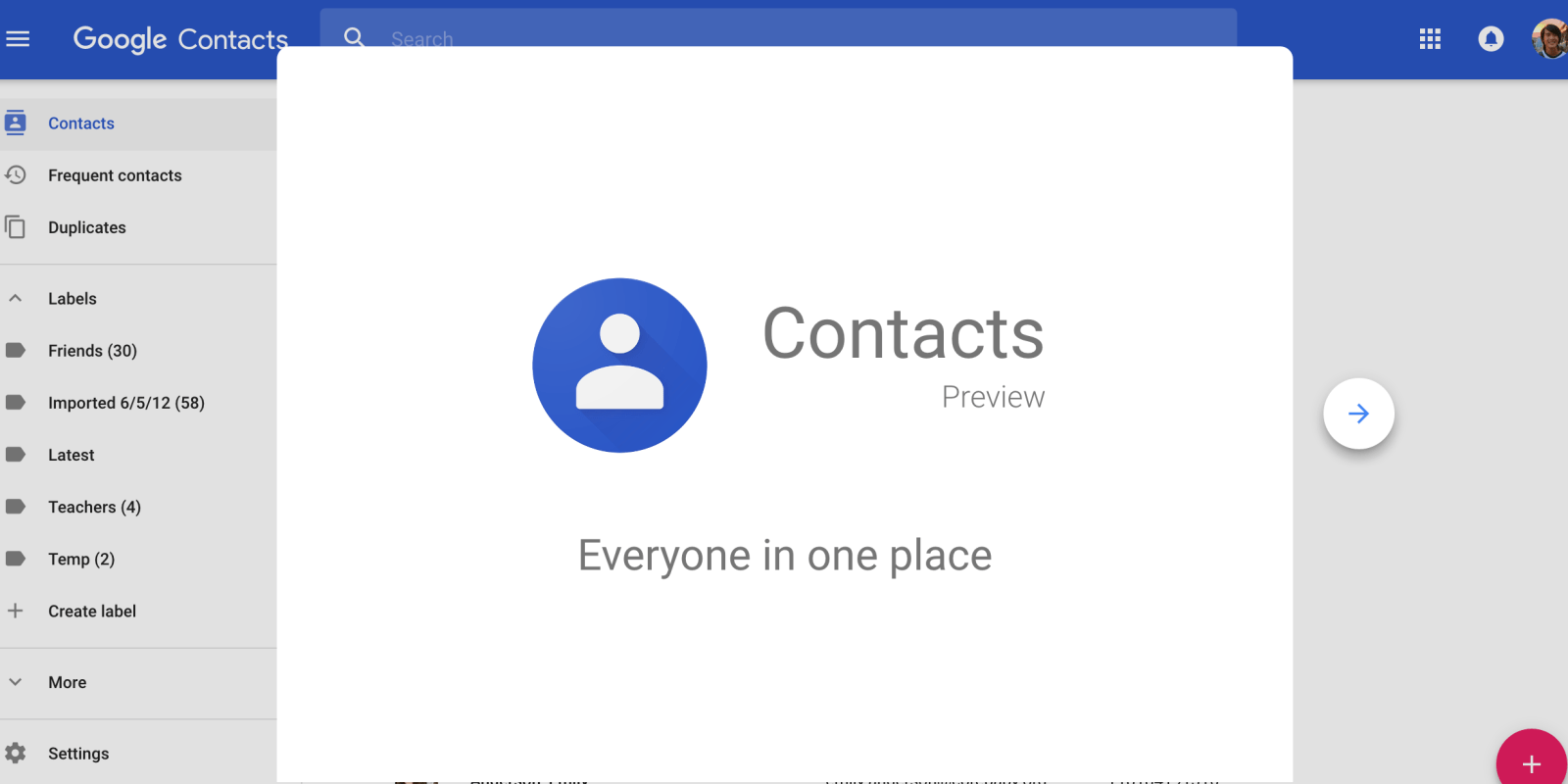
    You can even log into another while still holding your old device and have all your contacts displayed on the other device. You can go to contacts, look into contact settings, and look for the export option. You can export all the contacts to your phone’s local memory (or microSD card) and save it in a CSV (comma-separated values) or VCF (vCard files) format.

    Exporting a contact saves your contacts on your micro SD( external memory card). But your device can get misplaced along with your memory card. So you can also sync your contacts onto a cloud. Upon syncing, make sure you sign into any new devices with the same Gmail; iCloud will make sure your account always has all the latest contacts that you have saved.

    Apple iCloud storage

    If you have an iPhone, you also save your contacts without any worry or whatsoever. There are few ways of making sure your contacts end up on any IOS device you use. Be it a MacBook, iPad or a different iPhone.

    On your iPhone, you can sign into the Gmail app using your Google account, which has all your contacts, and you can select what all to sync, which includes contacts. Once you’ve done that, go to Settings, tap on Contacts, and you’ll be able to choose which accounts you need to sync for contacts.

    If you change your default account to Gmail, the iPhone/iPad will continue saving all new contact cards to the Gmail account. On a different IOS device, If you already have a cloud account, head over to the iCloud website, log in, and go to Contacts.

    On the bottom left corner, you can find a little tool button – once you click on that, you’ll get the option to import the entire address book in VCF format. You can upload either a local copy of the contacts from your old phone or the VCF file that you have exported from your Google account.

    Create a Google Account/Drive on your phone

    You may find Google Drive in some phones, but not all. If you can find it on your phone, you are good to go, but if you cannot find it, you can go to the website on “www.google.com.”

    But if you can download the app on your phone, go to the play store and search google drive and download it. It’sIt’s a 12 MB-sized app.

    So you install the app and then create an account if you don’tdon’t have a Google account already. Now that you’ve installed your “Google Drive,” you will search for “contacts” now select all contacts by clicking on one, then look at your upper left-hand corner and click on “select all,” When you have clicked on one number then after it you clicked “Select” then “Select all” as you are instructed, then mark all your contacts and share the selected numbers to your Google Drive by looking up at your upper-hand right side and click on the “…” (Three dots) which is computer called “Dropdown,” which is Emerge, Share in some phone is usually not the same but whatever be the case all you need to do is just this button called “Share.” Now, click on the “share” button, and a page will be prompted up.

    When you have shared it, it will take you to your Google Drive page. Still, you are a first time user, and you will need to scroll down a little before you see the Google Drive application after chosen “share.”

    Sometimes you will need to click “See all” to see all the softwares that you have not chosen this “share” for previously whatever deem suitable to you.

    In the document title, chose any name you will like your file to be back up with. On the account, you may change it or leave it, but ensure it is set to your current email address, which you used to sign in to your Google Drive (Google Account products such as; Google +, Gmail etc.) after all this now click on “Save.”

    After you’ve saved it, you’ll be moved to Google but not yet been saved because it will be awaiting you to connect to a Wi-Fi network, or you can do it with your cellular data network and save it. You’reYou’re done. So you’ve just created a google drive account and backed up your contacts on it to access anytime you want. 

    Conclusion

    Keeping your contacts safe without losing them is essential. I’m not sure anyone relishes the idea of always having to think of ways to reach their loved ones because they lost their contacts.

    In this article, I’ve discussed different ways to save your contacts and never lose them.

  • Top Parental Control tips in 2021 for Parents

    Top Parental Control tips in 2021 for Parents

    Parenting in this century has become a difficult task due to how life has been structured in this century.

    This isn’t the old days that transport was not rare, personal mobile phones were not available to kids. These days almost every kid has a mobile phone.

    And as a parent, you wouldn’t know what goes on on that device. In this article, I’m going to discuss a few tips you learn to control your kids. 

    Be a good example to your kids

    This is one of the best forms of training to give your kids. Setting a good example for them to follow. Kids learn what they see around them.

    So as a parent, you have to act well at home so your kids will learn from you. Kids at very young ages see their parents as role models. As a role model, set good examples for those who look up to you to follow.

    Parental controls you can use right now

    As a parent who wants to look for your kids, you should use tools to supervise your kid’s devices and what they do on the internet.

    There are many tools and technology available to guide parents in this quest. We’ll talk about a few of these parental control technology.

    Parental control for YouTube Kids

    This application is very simple to set up. It allows you to create up to (8) profiles to configure and assign to each child.

    In this app, you can do the following; 1: save the viewing history of videos your kid has watched. 2; activate or deactivate the video search option. 3; report a video that should not be accessible by your kid. 4; block videos or channels you don’t want your child to watch.

    Now let’s talk about how to configure this app to use. 

    Step 1: Download a YouTube kids app from the google play store. 

    Step 2: Add your birthday and log in with your Google account because it’s already linked to your phone. 

    Step 3: Create a profile for your child. It’s going to ask for your child’s name and birthday. 

    Step 4: Activate or deactivate the video search option. This option makes sure that your child cannot search for videos of his/her choice but watches videos YouTube suggests that are appropriate for their age. 

    Step 5: Create a password to the app’s settings. With this function, your child will not be able to access the app’s settings to change things. He/she will require the password to do that. 

    Step 6: Finally, you can set a time limit on the app. A time limit controls the amount of time your child spends using the app. When the time is exhausted, the app will automatically shut down. 

    Set up parental control on gaming consoles and other hardware.

    Most of these modern gaming consoles have been connected to the web, so you have a chance to play with other people online. Most of these people kids play with online are total strangers.

    These consoles consist of cameras that allow both parties to see each other. These gadgets have settings parents can utilize to create a safer environment for their kids while playing online by blocking certain content. 

    iPhone parental controls

    There are specific features on iPhones designed to help parents block specific apps, restrict some web searches and other functions of the phone.

    The screen time feature lets you know how much time your kid spends on the phone, sites they visit, what they watch, and the apps they use. Parents have a lot of transparency with this feature.

    A parent can set the time he wants his kid to spend using the phone using the screen time feature. This means when the said time you’ve assigned for the screen time is up. The device shuts down automatically. 

    Android parental controls

    If you purchase an Android phone for your child, there are also ways you can restrict some functions of the phone from your child. Android phones are easier to use hence the need to restrict them.

    Everything you want to restrict them from doing on the device you can. From downloads on the google play store to website restrictions. Their setup is also easy to follow and implement. You can apply restrictions to watch they watch on YouTube, music choice, and other explicit content. 

    Conclusion

    As a parent, I hope this article has guided you to know some common parental tips to learn in the modern world. They’re very much elaborated, providing some easy-to-do steps. Parents just need to read and see which tip is fit and appropriate for them to use at home and implement them at home to ensure their kids don’t have access to all the explicit and appropriate content on the internet that kids are not supposed to see. 

  • How to quit  watching porn by using helpful online resources

    How to quit watching porn by using helpful online resources

    While many health and psychiatric professionals do not consider porn addiction to an “addiction” in the clinical sense of the word, the signs and symptoms are often strikingly similar to those of alcohol or drug addiction. Because one gets so caught up in the act and can’t seem to let go of it no matter how hard they try.

    Porn addiction always moves with masturbation. About 80% of people who watch porn masturbate and feel very bad about themselves and want to quit but find it very difficult to quit. Let’s talk about possible ways experts have come up with to quit porn using the internet.

    Filter some websites on your phones and other devices

    You’re going to need to gain some self-control in the face of sexualized images everywhere, but that doesn’t mean you can’t give yourself some reprieve when you can.

    You can make the settings on your phone so that when you feel like watching porn, some sites specific sites won’t open for you to access those sites. If you want to be successful in this quest, you need to do this on every device you use — phone, tablet, laptop, work computer — and don’t forget to put some safety controls on your TV, as well.

    These will help you avoid gateways to binge sessions and find some space to focus on more important things, like reading books or engaging yourself in a skill like playing your guitar or any other thing.

    You can also exercise after you cannot access the sites on your device because such things can make you feel uncomfortable. Playing football with friends also helps a lot because once you’re alone, you’re a liability to yourself.

    Filter all sexual content on your social media accounts

    Another medium where pornography is also easily accessed is social media. Social media platforms like Instagram, Twitter, and Facebook have a large inflow of pornographic content daily.

    It can be recorded that an average of 4000 pornographic content is uploaded daily on these mediums. However, one can argue that you’re not forced to view such content as everyone has their reason for being on that platform. You might have business purposes for being on that platform, so you can filter them in your settings to avoid coming across such content. For instance, Twitter has features that can enable you to filter such content and enjoy the platform without viewing a single pornographic content.

    Playing games online

    It is said that the devil finds work for the idle mind and has proven to be true and many ways. This is because when you find yourself sitting down with nothing doing, that’s where you start getting ideas of what watching porn.

    But when you keep yourself, even if not by studying or doing something lucrative, but rather by playing video games online, you can prevent yourself from watching porn.

    When you occupy yourself with the video game, you’ll be so deep into the game, and so thoughts of pornography will barely cross your mind. Pornography has a way of having a firm grip on you, and once it does, it’s very difficult to get your mind off it.

    So during these video game sessions, try to invite friends over to be with you and play with you because when you’re playing the game and thoughts of pornography crosses your mind, you may be tempted to pause the game and watch porn and end up entirely forgetting about the game.

    Find something lucrative to do online

    Will you rather be busy making money or be busy watching pornography? When I say lucrative, I mean doing an activity online which will earn you money.

    Many online lucrative things like content creation and content writing can keep you busy and make you money. Such innovations can go a long way to take your mind off pornography.

    It can eventually make you entirely forget all about pornography and be a better person mentally. Pornography messes with a person’s mind slow your productivity down. Some people who have a very chronic attitude toward watching porn see themselves as losers.

    Conclusion

    Pornography has become a social menace that is also too accessible. But as the saying goes, life is what you make it. So no matter the situation you find yourself you can utilize tools at your disposal to your advantage. Such as using your smartphone devices to avoid pornography through digital means. It’s not going to be easy as you’ll be sanctioning yourself from the acts. Very few people succeed in that.

  • How Does Betway Compare to Other Betting Sites in Ghana?

    How Does Betway Compare to Other Betting Sites in Ghana?

    Both online casino gambling and online sports betting activities are fully legal and regulated in Ghana. These activities, alongside land-based casino gaming and in-person sports betting, are regulated by the main, sole gambling authority, the Ghana Gaming Commission. It became operational in 2006 following the introduction of the main piece of legislation, the Gaming Act 721 that was enforced the same year.

    The Gaming Act 721 from 2006 legalized iGaming activities within the country’s borders, so today, Ghanaian online gamers have excellent iGaming opportunities at their disposal. Since 2006 when those activities were legalized, the Ghanaian iGaming industry has expanded massively as numerous international iGaming operators emerged on the scene, and one of them is Betway.

    Online Sports Betting in Ghana

    To start with, let’s take a look at Betway operations and services in Ghana and how they compare to other sports betting sites operational in the country. If you are interested in learning more about Betway, its bonuses and promotions, sports market coverage, and betting odds, make sure you take a look at a reliable review here.

    Ghana has several land-based casinos with most of them located in the capital city of Accra. In Accra, sports betting fans have also several in-person or retail sports betting places while at the same time, Ghanaian gamers get to enjoy online casino gaming and online sports betting activities. Speaking of sports betting, these activities are very popular in Ghana, especially football sports betting that all renowned Ghanaian sports betting sites offer.

    Besides licensed brick-and-mortar venues offering sports betting activities, Ghanaians enjoy online and mobile sports betting activities at numerous foreign, international sites. Not so long ago, Ghanaian gamers were quite limited when it comes to enjoying such activities due to the fact that not many people in the country had access to the internet. From 2020 to the beginning of 2021, internet penetration rates in the country increased by over 6.4% or by almost one million.

    As estimated in January of 2021, internet penetration rates in the country stood at 50%, so fifty percent of the entire population had access to the internet, despite the government’s wishful claims. Add to this a greater availability of cheaper mobile and other gaming devices, there is no wonder why more and more Ghanaian people turn to online casinos and online sports betting sites. Even retail sports betting activities are still the most popular form of sports betting in the country, Ghanaian sports bettors are doubtlessly more and more interested in exploring online sports betting activities.

    International Sports Betting Brands Operational in Ghana

    As mentioned in the previous section, many different foreign, international sports betting companies have already entered the thriving Ghanaian online sports betting market. Some of these include Betway that we will discuss in detail further, Unibet, Betfair, William Hill, 10Bet, 22Bet, 1XBet, 888 Sport, LSBet, and Betsson, among several others. All of these have certain things in common, including:

    • Reliable and safe payment options
    • Excellent bonuses and promotions
    • Great sports market coverage
    • Competitive betting odds
    • First-class customer support
    • In-play betting options
    • Mobile-gaming friendly platforms

    With such an excellent selection of international sports betting sites catering to Ghanaian gamers, the Ghanaian online sports betting industry has something for everyone. While those international sites offer quite similar services and products, some are still better than others. Further, we take a look at Betway and its offering in comparison to the products and services offered by other international sports betting sites operational in Ghana.

    Betway and Its Services and Products in Ghana

    Betway is not only one of the most renowned sports betting sites in Ghana but also one of the most renowned sites of this kind in the world. Betway was launched back in 2005, so it has been active in the industry for quite a while now. It is licensed by two of the most eminent gaming regulatory bodies in Europe, the Malta Gaming Authority and the United Kingdom Gambling Commission. Today, Betway is operational across the globe with only several countries where it is not active, including Iran, Israel, the United States, and Russia.

    In Ghana, the website is operated, and Sports Betting Group Ghana Limited is registered in Accra. Just like other reputable online sports betting sites in Ghana, Betway is also licensed and regulated by the Ghana Gaming Commission. When it comes to its extensive sports coverage, all of the most popular sports and sports leagues are covered including:

    1. Soccer
    2. Basketball
    3. Tennis
    4. Motorsport
    5. Football
    6. Field Hockey
    7. Snooker

    Ghanaian online sports bettors who register at Betway can also wager on other sports including biathlon, ice hockey, eSports, table tennis, handball, golf, baseball, volleyball, rugby, MMA, and cricket. In-play or live betting is also featured in cricket, baseball, table tennis, tennis, and of course, soccer remains one of the most popular sports in Ghana. All international and domestic sports leagues and competitions are covered as well such as Bundesliga, La Liga, English Premier League, UEFA Champions League, NBA, Eurocup, Lega A, NHL, SHL, and much more.

    Fans of eSports who register at Betway can place real money bets on the biggest professional tournaments in Dota 2, League of Legends, Hearthstone, and Counter Strike Global Offensive. Special bonuses and promotions are not missing either, with Ghanaian players entitled to a welcome offer in the form of a Free Bet worth up to 15 Ghanaian cedis. Bettors can also enjoy cashback bonuses and odds boosts alongside highly competitive betting odds and other perks and benefits.

    Betway Vs Other Sports Betting Sites in Ghana

    One of the biggest Betway rivals in Ghana is 22Bet. 22Bet also offers real money betting on various sports such as baseball, handball, table tennis, ice hockey, football, and basketball. In-play betting is also featured, and of course, bonuses and promotions are offered. Ghanaian sports bettors who register here are entitled to an awesome 100% first deposit bonus up to 750 GHS. 1XBet is another excellent Betway rival with highly competitive betting odds, an excellent selection of banking options, and great sports coverage.

    888 Sports is also operational in Ghana and it is one of the best options for fans of tennis. As expected from such renowned sports betting brand, welcome bonuses and ongoing promotions are featured as well. Ghanaian players can also register at Betfair that features and extensive sports coverage alongside loads of international and domestic payment options, and of course, great in-play betting opportunities. Another Betway rival in Ghana is William Hill that specializes in horse racing, so Ghanaian players can place wagers on the biggest horse racing tournaments any time and any place.

    LSBet is another renowned sports betting site that caters to Ghanaian bettors. Thanks to its extensive coverage of sports and sports leagues, Ghanaian bettors can easily place wagers on their favorite sports. Despite the fact that Betway came across some issues and obstacles in the past, it remains one of the best options for Ghanaian sports bettors who are looking for a renowned, great international sports betting site. It offers the most competitive odds, bigger odds boosts, an excellent mobile sports betting app, and a great variety of betting types.

  • Ways you can save data while watching YouTube

    Ways you can save data while watching YouTube

    YouTube as a medium is a means of entertainment for a lot of people worldwide.

    People tend to get so engrossed in what they’re watching and forget their internet data. Meanwhile, there are ways we can save data while watching videos on YouTube. If that sounds like the sort of thing you need in your mobile life, read on for practical tips on minimizing YouTube’s data “sucking.”

    Most users have been looking for a way around their YouTube data usage, especially those who watch movies on the platform. So join me, and let’s take you through ways you can save data while using YouTube on your phones and PCs.

    Restrict HD streaming on your mobile phones

    HD streaming is a high video quality that drains a lot of your data when streaming. HD videos can clean out your mobile data in a hilariously short time, and you’ll be left in awe, wondering how it happened.

    However, there’s a way you can restrict this HD quality in your settings when your phone is connected to WiFi. Tap on your YouTube app settings and scroll down to select (play HD on WiFi only).

    This function enables you to watch videos in normal quality, which is not so prone to data draining. Also, it’s a good idea to turn off the Autoplay next video option in case you play a video and happen to leave your phone unattended for some time.

    Lower the video quality

    When you launch YouTube to stream videos, they give you the best video quality for you to stream on by default. But sometimes, you can manage a normal video quality if you’re looking to save some data.

    You can do this in the app by tapping on the video playing so that the controls appear at the top of the video. Then, tap on the three dots at the top right corner.

    The first option will be Quality. So in the options that will show, try to pick a video quality that’s ok for you to stream videos in. I use 360p when I want to save data; that video quality is very good to watch videos without even noticing that it’s not the best quality. You can also go for 144p, which barely uses any data at all.

    Limit your use of data

    You can directly put a limit on the data you can consume with your device.

    To do this, on an Android device, go to settings and the data usage option, select the maximum amount of data you can use in a month, and when you want Android to notify you that you are approaching that limit.

    Setting a data limit helps in many ways, as you’ll be monitoring the amount of data you use. 

    Save videos offline when connected to WiFi

    You are downloading YouTube videos to watch them offline. You can save YouTube videos in advance when you use WiFi. Or you can download Youtube videos in lower video quality.

    Let me take you through the steps to download videos from YouTube;

    Step 1. Launch the browser app to access YouTube and copy the URL of the video you want to download.

    Step 2. Open the YouTube downloader – y2mate.com and paste the link in the search box. Then it will take a few seconds to convert the URL automatically.

    Step 3. When the process is done, choose 360p from the following video quality and click on Download. 

    You can watch these videos offline later in your gallery. 

    Download the YouTube Go App

    YouTube Go is an Indian-inspired app designed to help users with a low data plan. It also lets you preview a video before watching it.

    This helps so that you don’t waste your time watching a video you’re not interested in. With the preview, you see what the video is about. The best part about this app is how a person can choose a particular amount of data that will be used to view the video.

    The app also gives the user an option to download videos that they can view later. It also possesses a special feature where users can exchange videos with nearby people without spending excessive data or even a WiFi connection.

    Conclusion

    Data is one of the things most mobile phone users complain about the most these days. They claim it’s so expensive and drains very fast. Well, indeed, it drains fast a lot. In this article, I’ve discussed how to prevent your data bundle from draining fast when watching videos on YouTube.

    It’s as simple to do this as all you have to do launch the YouTube app and open settings to make those changes.

  • 5 useful things you can do with Google Maps right now

    5 useful things you can do with Google Maps right now

    Google maps are just used to help move around with ease.

    But there’s more to it than we know of, such as checking current and future traffic, adding stops to your trip, and showing you a way to navigate around a building, amongst other fantastic stuff it can do. 

    Add stops to your trip

    As a traveler, you can’t make a 4/5 hour trip without a few stops on the road to take a piss or have lunch or fill your fuel tank.

    Once you program the destination of your trip using the map in your car, you can also add stops on the map and choose from various Gad stations and grocery shops and restaurants to stop at on the map.

    For planned stops, tap on the three dots in the top right corner of the app and select “Add stop.” Tap on the empty slot, and you can search, add from the map or select from “Gas stations,” “Groceries,” “Restaurants,” “Cafes,” “Fast food,” and “ATMs.”

    Check current and future traffic

    If you want to check the traffic in your area, you need to turn on “traffic” by tapping on the diamond-shaped layers icon on your phone app or by selecting the menu button (three bars) on your desktop.

    The main reason for doing this is self-explanatory as one would not love to be late for to anywhere at all they are going to.

    For computers, you’ll see a box with “Live traffic” and an upside-down triangle. Select the triangle, and you can choose “Typical traffic” to see what traffic will be like later in the day or week. 

    Avoid paying tolls

    It also helps you in saving some money on a trip.

    Usually, on a trip, you might meet about 3-4 tolls on your way, but instead of going to pay for those tolls, you can tell your map to show you free access routes.

    Just tap “Route Options” while searching for directions and toggle “tolls” off. Be careful, though: This could add a lot of miles to your trip!

    Share your location

    There are certain times that you want to share your location with someone who wants to come to your current location; you can send them your live location using Google Maps to get the directions to where you are quick.

    Also, when you are somewhere, and you want others to see where you are, sometimes in cases of safety.

    You can also share your location while you’re driving. Once you’ve started a trip, swipe up from the bottom, and you’ll see “Share your trip progress” as your first option. 

    Save your favorite locations

    You visited a place one time without planning to, and you loved the place and so would love to visit again but don’t want the risk of forgetting the name of the location or routes to the place?

    Or want to save information about a store or restaurant to review later? You can save the location on your google map. Maps lets you set Favorites by selecting the “Save” icon. Choose it as a “Favorites,” “Want to go,” or “Starred places,” and it will show up on Google map.

    And you want to consult your list, head over to the left menu inside the app, then choose “Your Places” and “Saved” to consult your lists.

  • How to become a successful YouTuber and earn money

    How to become a successful YouTuber and earn money

    YouTube content creation has also become one of the fast-rising digital marketing ways many people earn money through these, be it young or old persons.

    People miss a few things in trying to create content and make money off it and end depressed and give up in the end because they realized it’s not as easy as it looked. 

    It would be best if you were very patient.

    Being a YouTuber is not something that will get you money at once; it requires a lot of time and patience.YouTube is such a competitive platform that demands much patience to get to your destination. Having patience and so much focus is very painful on YouTube.

    You should be able to learn new stuff as the days go.

    It would help if you considered learning new stuff from those in the game before you for a new YouTuber. Watch the videos and see how they do things because they’ve been around for a long and are making huge numbers. Watching other videos can teach you a thing or two on how to be successful as a YouTuber.

    Develop unique content.

    YouTube is full of similar videos of what you want to do, so what you’re bringing is nothing new to the viewers. But that doesn’t mean you break out and also be successful.

    It’s all about craft and how you do your work. It would help if you had a different approach to your content, for example, creating a breakdown of music videos. Know that hundreds if not thousands of YouTubers are also into the analysis of music videos.

    And the possibility of another YouTuber breaking down the video you’re planning on working on is very likely, but still doesn’t you can’t work on that exact video. You can work on that same video, and that’s where you have to prove your uniqueness to your viewers.

    Set up SEO

    YouTube is a very sophisticated search engine, and people use it a lot to discover new content. Because people are always searching on YouTube, you have a better chance to be found, seen, and enjoyed by choosing the right keywords.

    If there are videos similar to the one you’re looking to create, look at the exact words you typed in for the results. Then try a different one to see how the results change so that you can see what a word or two of difference can make. Research the keywords you’d like to use, their popularity, and the keywords your competition uses.

    All this is done just so when users search for videos on YouTube, and your similar content will also pop up as a suggestion.

    Don’t be a time waster and make the video boring.

    Some YouTubers spend minutes explaining a simple thing that can take just seconds sometimes. If you do that, most users will be bored and search for another video to watch.

    For instance, you make a video on how to make a fruit smoothie. You don necessarily need to make a 15-to 20-minute video explaining teaching how to make a smoothie.

    You can make it a short video of a maximum of 3-5 minutes because many YouTube users don’t like to waste time on a single video like that, most times because of data usage.

    Identify a topic or aspect not majored by anyone and make it your major

    Do you have a skill or knowledge of a specific topic that doesn’t already have a significant YouTube channel dedicated to it?

    Or maybe you love assembling and dissembling a computer, and you feel like not many people prominent in that. Focus on that with good tactics. You’ll soon attract people who love the anatomy of computers to your page. 

    Make sure you get the tools/gear to make and edit YouTube videos.

    Another essential part of establishing yourself to be a successful YouTuber is to make sure you have a set of tools ready to record your videos and edit them.

    Having these tools will enable you to make your content how you want it at its total capacity. Having your tools and editing skills is vital because many YouTubers don’t have their gear, so they go out to borrow.

    What happens when you don’t the complete kit, but you record the videos anyway because they come out with low quality. No YouTube user would watch a video with low quality when they can get other videos with good quality.

    Know how to monetize your page

    First, you create a channel and give it a name. Secondly, you need to have an Adsense account, sign the terms and conditions, and comply with YouTube’s community guidelines.

    After all that, you must have at least 1000 subscribers and reach 4,000 valid public watch hours in the past 12 months. Those are the main things you require to join YouTube’s partner program and earn money through your YouTube channel.

    Conclusion

    YouTube content creation can be very lucrative if taken seriously. Know the requirements needed to monetize your channel, have a different style with your content, try not to be a time-waster when explaining things in your video, go straight to the point, and don’t make the video too long to lose viewers and subscribers. 

  • MTN Free Facebook: How to Subscribe

    MTN Free Facebook: How to Subscribe

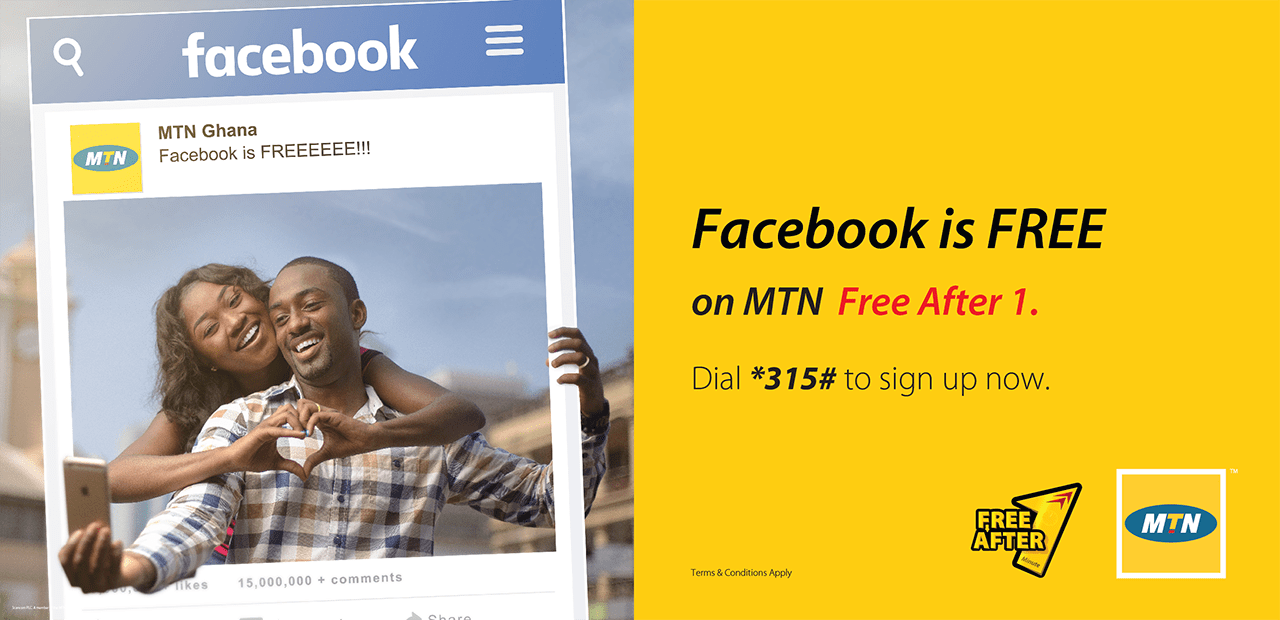
    MTN Free Facebook can be enjoyed daily by all subscribers who are on the MTN Free After 1 promo.

    MTN Ghana’s “Free after 1” aka “MTN Nkomode” promo will continue to run till the end of 2017. The promo enables subscribers to pay GHS 0.25 for their first call and the remaining minutes are free.

    How to Activate MTN Free After 1 and Enjoy MTN Free Facebook

    1. Dial *550# or Send a blank message to 550
    2. When dialing, remember to follow the prompts to activate
    3. Once activated, you will receive a message confirming Subscription
    4. After subscription, make a call that lasts more than 1 minute to either an MTN number or on off-net number
    5. You will then receive 50MB free to browse Facebook

    Kindly remember that if you have a lifestyle data plan on MTN Ghana, it should be used up first before you can enjoy the free 50MB.

    You can only enjoy the MTN Free Facebook after the first minute of the first call in a day. The amount of data you get is 50MB. The data is valid until midnight and making more calls will not result in more data.

    There you go: MTN Free Facebook and the chance to talk more. Don’t forget to read about aYo, Insurance from MTN Ghana.

    Will you subscribe to this? Let us know in the comment below.

  • How To Check If Someone Is Spying On Your WhatsApp or Calls

    How To Check If Someone Is Spying On Your WhatsApp or Calls

    There are several reasons why someone will hack into your WhatsApp or calls. Reasons like suspected cheating, parental control, fun, and many other reasons known to the hacker.

    Your friends, parents, or partner may want to spy on your chats to know whom you chat with and what you discuss most. Though WhatsApp chat is end-end encryption that doesn’t guarantee that your chats can’t be spied on.

    WhatsApp is the widest app used by many and has all types of messages including private ones you would not want anyone to have their eyes on.

    It is vital for you to understand that your WhatsApp chats can be spied on. However, developers of the app have implemented a high level of security to the extent that, for a hacker to break into your account, they will have to spend a huge amount of resources and time.

    This simply means that, for an intruder to get into your account, they have to get access to your device or any other device you use for WhatsApp. You can realize your account has been hacked if you notice the signs below.

    Signs Of A Hacked WhatsApp Account/Calls

    1. Temperature hikes. If there is a sudden hike in temperature and your smartphone gets warm frequently, you need to beware. Most at times, strong apps running on the background causing these hikes. Mostly, these are caused by Spywares.
    2. Sudden Battery Drain. Spy apps significantly use your battery power causing drastic battery drain. Once you notice you have to constantly charge your battery even when you rarely use the device, you have to be on alert. It’s possible there is a hidden spyware or app on your device. This spyware uses your device location and data to track your current location and device info which uses your battery at the highest level causing sudden battery drain.
    3. Increased Data Usage. Since Spywares uses your device data to relay information to the hacker, your data will reduce quicker than it supposes to last. Some Spyware even auto-download third-party apps to extend its services. If you realize increased data usage, be on the alert.
    4. Background Noise. One of the ways to note if your account has been hacked is hearing background noise in calls. These spy apps not only hack your device but also hack your call. Your calls will be recorded by these spy apps whenever you make or receive a call. If you notice unusual background noise in your calls, be on alert.

    Methods By Which Your WhatsApp/Calls Can Be Hacked

    1. WhatsApp Web. WhatsApp web is an extended feature of WhatsApp which allows a user to access his/her account on the computer. With WhatsApp web, you would have to scan a QR code from the mobile device, then you can easily access your WhatsApp account on your computer in real-time. Your WhatsApp account in another way can be accessed on different mobile devices with an app called WhatScan using the same scanning method.
    2. Your WhatsApp Backup File. The backup file can be accessed using your File Manager. Once the hacker has access to your phone, they would first find your Backup file and transfer it via Bluetooth or Xender then convert it to plain text and read all your chats.
    3. Spy Apps. There are some third-party apps available that are used to spy on your WhatsApp conversations. Once the hacker gets access to your device, they would install the spy app and hide it. This spy app will then spy on your chats and automatically send the chats to the hacker on the background.

    When you start to realize these instant changes to your device, then you have to be on the alert your device has been hacked.

    Tips To Secure Your Whatsapp/Calls From Being Hacked

    • Always lock your device
    • Always logout from the WhatsApp web.
    • Lock your WhatsApp
    • Don’t connect to any unknown Wifi Network
    • Don’t install apps from unknown sources.
    • Don’t let anyone get access to your phone
    • St-up two-step verification on WhatsApp

    Conclusion

    There are several reasons people will spy on your WhatsApp account or calls. In this article, we looked at ways you can follow to check if someone is spying on your WhatsApp or calls.

  • How To Borrow Airtime Or Credit On MTN, Vodafone, AirtelTigo & Glo In Ghana

    How To Borrow Airtime Or Credit On MTN, Vodafone, AirtelTigo & Glo In Ghana

    Talking in the middle of the night with someone important to you and later seeing the call hanged up just because your credit got finished is one of the most painful things to ever happen to you aside from getting a broken heart.

    That day might be your lucky day for that the guy or girl you’ve been crushing on will tell you to call him or her and in the middle of the conversation, you see the call hanging up.

    When this happens. what you will mostly hear when calling back is “you have no call credit in your MTN account please recharge”, “sorry your account balance is low please top up your account” and many more depending on the network you are using.

    Now Telcos have made it possible for you to borrow airtime and then later pay it with a small fee, in this article, we are going to look on how to How to borrow airtime or credit on MTN, Vodafone, AirtelTigo and Glo in Ghana.

    Before we get started kindly take note that this service is not available for new sim cards as this service requires you to use the sim card for some months before you will be eligible to borrow.

    How To Borrow Credit Or Airtime On MTN Ghana

    1. Dial *506#
    2. Select the option available for you, starting from1Cedi to your limit.
    3. If you don’t want the available amount they have given you, then select Request Advance Options to select lower amounts.
    4. You can also request for data Advance that’s if you are browsing and all of sudden your bundle got finished and you really need to go back and continue browsing, MTN has made it possible for you to request a data loan.
    5. After selecting the amount you want to borrow, you will be prompted with the fees attached to the amount you are borrowing, press 1 to confirm.

    How To Borrow Credit Or Airtime On Vodafone Ghana

    Vodafone makes it easy to borrow air airtime by making a call and they will tell you “your credit is low, please press1 to accept SOS credit” I will not recommend borrowing using this method as you don’t get to choose what you want.

    To borrow airtime on Vodafone Dial *505#

    And choose from the available options, also take note that with some sim cards, dialling *505# will automatically give you an airtime loan that you are eligible for and you will not get to choose the one you prefer.

    How To Borrow Credit Or Airtime On AirtelTigo

    1. Dial *558#
    2. Select the amount you want to borrow.
    3. Press 1 to confirm your transaction.

    How To Borrow Credit Or Airtime On Glo Ghana

    1. *5321#
    2. Select the amount you want to loan, remember if your sim card is not more than 3 months old, you will not be eligible.
    3. Press 1 to confirm your transaction.

    Conclusion

    Now telcos have made it possible to borrow airtime and pay later, now you don’t need to worry about your credit getting finished at midnight in the middle of a conversation or chat.

    Although you can borrow airtime or bundle anytime kindly take note that each telco has a requirement to be eligible for this service.