Category: Guides

  • MTN Midnight Bundle Packages; Price, Subscription, Details, Benefits And All You Need To Know

    MTN Midnight Bundle Packages; Price, Subscription, Details, Benefits And All You Need To Know

    If you are a night owl like myself then you know there is nothing more fun than surfing the internet at night.

    Although this sounds interesting, one of the worst things that could happen to you is running out of data bundle in the middle of the night.

    Lucky enough for you if you have airtime or money in your mobile money wallet; other than that, you are doomed. Because, where are you going to get airtime in the middle of the night?

    On the bright side, there is a special bundle that is made for night owls like yourself and me. This bundle is not only ideal for night owls but also comes with good data bundle bundles at a very cheap cost.

    What Is MTN Midnight Bundle?

    The MTN Midnight Bundle is a special type of data bundle that has been provided to MTN users to enjoy browsing the internet at a relatively cheaper cost.

    As the name suggests, this bundle works only at midnight; it starts at 12:00 midnight and ends at 5:00 am. Interestingly, this bundle does not expire, therefore if you are not able to exhaust your package, you can always use it when you have the time.

    What Are The Prices and Packages of The MTN Midnight Bundle?

    Just like all data bundles, the cost of the MTN midnight data bundle depends on the size of data you want. Below are some of the standard prices:

    • GHS 1 = 2.87GB
    • GHS 1.99 = 5.72GB
    • GHS 2.00 = 5.74GB

    Finally, there is this special hack that I have for you as a Christmas gift. When you are entering the amount you want to buy, enter GHS 2.99 and you will get 8.59GB.

    Who Can Subscribe For The MTN Midnight Bundle?

    The MTN midnight bundle is available for all registered MTN users. Simply put, as long as you have a registered MTN SIM that is functioning properly, you are good to go.

    Also, you buy this type of bundle using both airtime and MTN mobile money.

    How To Subscribe For MTN Midnight Bundle

    Enough of the plenty talk, lets jump right into the main reason for writing this article. Once you have enough airtime or money on your phone, you can follow the steps listed below to subscribe for the MTN Midnight bundle.

    How To Buy MTN Midnight Bundle Using Airtime

    1. Dial *138# on your phone.
    2. Select option 2 (Midnight Bundle).
    3. Select option 1 (Buy for Self) if you are buying for yourself or 2 (Buy for others) if you buying for someone.
    4. Choose option 1 (Flexi).
    5. Enter the amount you will like to buy (between 0.1 – 2.99).
    6. Details of the bundle you chose will be displayed, one they match what you chose, select option 1.
    7. Choose option 1 (Airtime).
    8. Once the transaction goes through successfully, a confirmation message will be sent to you via SMS.

    How To Buy MTN Midnight Bundle Using MTN Mobile Money (MoMo)

    1. Dial *138# on your phone.
    2. Select option 2 (Midnight Bundle).
    3. Select option 1 (Buy for Self) if you are buying for yourself or 2 (Buy for others) if you buying for someone.
    4. Choose option 1 (Flexi).
    5. Enter the amount you will like to buy (between 0.1 – 2.99).
    6. Details of the bundle you chose will be displayed, one they match what you chose, select option 1.
    7. Choose option 2 (Mobile Money).
    8. You’ll receive a  prompt to confirm your purchase. Enter your four (4) digit Mobile Money PIN and then choose option1 to confirm your purchase.
    9. Upon successful completion, a confirmation message will be sent to you via SMS.

    Can You Use MTN Midnight Bundle During The Day?

    The question about whether it is possible to use your midnight bundle during the day has been asked by a lot of people. The answer to this question is YES; there is a way you can use your midnight bundle during the day.

    But, this basically depends on the device you use and your luck. This is because some people try and it works perfectly but others try and it doesn’t.

    How To Use Your MTN Midnight Bundle During The Day

    To do this;

    1. First of all, you need to turn off automatic time update or Use Network Provider Time (depending on your device) in your settings.
    2. Once you have done that, you then change your time to 12:15 am.
    3. After that, restart your phone to see if the changes you made have been applied successfully.
    4. If it has, you can now enjoy your MTN Midnight Bundle during the day.

    NOTE: THIS METHOD MIGHT WORK OR MIGHT NOT WORK.

    What Are The Benefits Of Buying MTN Midnight Bundle?

    To wrap up, I would like to share a few of the numerous benefits you enjoy from the MTN Midnight Bundle.

    You enjoy huge internet data for a very cheap price.

    You have enough data to stream and download your movies, songs, books, applications, etc.

    You enjoy fast internet speed due to the low number of active users, and a whole lot of other benefits.

    With all these, you can now see that the midnight bundle is one of the cheapest and best internet data packages available for MTN users. Make good use of it and have fun surfing the internet at midnight.

  • 4 Ways You Can Become Popular On Snapchat In Ghana And Nigeria

    4 Ways You Can Become Popular On Snapchat In Ghana And Nigeria

    Social media has become one of the safest places where young people are at ease of doing whatever they like without any parental supervision. There are over a hundred social media platforms available for use.

    One of these popular social media platforms is Snapchat. Snapchat has one of the easiest and user-friendly UI (User Interface) that allows everyone to enjoy contents they like.

    Just as the name suggests, Snapchat is a social media platform where you take photos, videos, and share them with the rest of the world; you just snap and chat. Also, entrepreneurs and other business owners use Snapchat to grow their business and business ideas.

    There are several reasons why you may want to become on Snapchat and whatever your reasons are, I’m here to give you some tips on how you can become popular on Snapchat in Ghana and Nigeria.

    NOTE: The points that are going to be listed are just tips and recommendations.  This means that the fact that you heed these tips doesn’t mean you will become 100%.

    4 Ways You Can Become Popular On Snapchat In Ghana And Nigeria

    As I stated earlier, there are over a million reasons why you may want to become popular on Snapchat. With over 170 million average active users daily, you have a high chance of becoming popular on Snapchat in Ghana and Nigeria.

    Similarly, there are over a million ways you can also become popular on Snapchat in Ghana and Nigeria. But these four (4) ways are the ones that have proven to be working perfectly especially for those who are starting from scratch.

    Post entertaining videos that will gain an impression

    As you might be aware already, videos are one of the best ways you can drag a lot of people to follow you on Snapchat; hence, giving you a high chance of becoming popular.

    But, the fact that you post videos does not mean that a lot of people will watch them or follow you. So, you need to stand out from the rest of the users who post videos.

    To do this, your type of videos should be entertaining and educative at the same time. Also, you need to know when people are active so that you post and also, the type of videos they like best.

    For you to know the type of video people like, post different types of videos and take note of the one that gains more views or likes. Once you can find that, always post those types of videos and you will start gaining followers in no time.

    Post memes that will get people to talk

    Secondly, if you want to become popular on Snapchat in Ghana and Nigeria, you need to post a lot of memes. Memes are text or photos that contains funny picture or messages; mostly about trending issues.

    Recently, a lot of people like reading memes because they are short funny and can be easily shared. This means you need to know the trending issues and post memes that are related to them.

    Once you start posting interesting memes, you will start getting a lot of followers who will share your memes and then drag other users to come and follow you also. This will in return make you popular as the “The King of Memes” or “The Queen of Memes”.

    Copy content ideas from the accounts that are already popular

    According to one of the world’s most successful digital marketers and SEO (Search Engine Optimization) experts Neil Patel, one of the best to become popular on Snapchat is by copying (not stealing) content ideas from those who are already ahead of you.

    Almost everyone has a particular account they look up. All you need to do is to monitor that account and copy ideas from the type of content they post and try to create some unique out of that.

    If you can make something unique out of that, you will soon start coming for the followers from that particular thereby leading to become popular.

    Use Bitmoji and augmented reality to create viral content

    Finally, one other way you can become popular by using Bitmoji and augmented reality to create videos and content that will go viral. Bitmoji is one of the Snapchat tools that allows you to create interesting content.

    With Bitmoji, you can create avatars that look exactly like you based on your preferences. They work just like Facebook avatars and Memoji on iOS devices.

    Bitmoji helps in the use of augmented reality features on Snapchat. Augmented Reality (AU) features on Snapchat are one of the types of content that goes viral on Snapchat.

    Therefore, using both Bitmoji and AR at the same time helps to create contents that go viral easily. And if you can consistently provide these types of content over a period of time, your account will start blowing with followers who will convert you to become a Snapchat celebrity.

    Conclusion

    To wrap up, I urge you to follow the recommendations given above in the article and you might become the next popular person on Snapchat in Ghana and Nigeria.

    Also, if you have any other ways you think can help someone become popular on Snapchat in Ghana and Nigeria; make sure to write it in the comments section below and I will make sure to add it to the article.

  • How To Backup All Your WhatsApp Messages To Google Drive

    How To Backup All Your WhatsApp Messages To Google Drive

    WhatsApp backup is one of the most important things every WhatsApp users need to do. But why is that so? Let’s keep that question, for now, we discuss it later.

    Due to unforeseen circumstances, such as loosing of phones, mobile phone faults, and others, it is always ideal to have a backup.

    A backup is a copy of the data on a computer or device so that it may be used to restore the original after a data loss event.

    So basically, a WhatsApp backup is a copy of your WhatsApp data that is used to restore your WhatsApp after you lose your data or mobile phone.

    These include media, messages, and some WhatsApp settings that were used on the previous device. Now, you know the answer to the question I asked in the introduction; Why is Backup important?

    Similar to iPhone users who can back up their WhatsApp data to iCloud, Android devices can also backup their WhatsApp to Google Drive. As a result, you always a copy of your WhatsApp data on your Google Drive account.

    What Do You Need Before You Can Backup Your WhatsApp Messages To Google Drive

    Before you can backup your WhatsApp, you’ll need the following:

    • Google account activated on your device.
    • Google Play services installed on your device. Google Play service is an app that is used to update Google apps and apps from Google Play Store.
    • Also, you need enough space on your device to create the backup.
    • Finally, you need a strong and stable internet connection.

    How To Backup All Your WhatsApp Messages To Google Drive

    There are two main ways you can backup your WhatsApp messages to Google Drive and these are:

    1. How to backup all your messages to Google Drive automatically, and
    2. How to backup all your messages to Google Drive manually.

    How To Backup All Your Messages To Google Drive Automatically

    Once your device meets all the requirements, follow the steps below:

    1. Open WhatsApp on your phone.
    2. Tap More options (the three dots) > Settings > Chats > Chat backup > Back up to Google Drive.
    3. Choose your preferred backup frequency (Daily, Weekly, Monthly).
    4. From the list of Google accounts listed, chose the one you’d like to back up your WhatsApp data.
    5. Tap Back up over to choose the network you’d like to use for backups.
    6. After that, WhatsApp will automatically back up on the chosen frequency.

    How To Backup All Your Messages To Google Drive Automatically

    1. Open WhatsApp on your phone.
    2. Tap More options (the three dots) > Settings > Chats > Chat backup > BACK UP.

    Conclusion

    In this guide, I have shown you how you can easily backup your WhatsApp messages to Google Drive.

    Once you follow the steps listed carefully, you will be able to do that. But, if you come across any challenge feel free to write it in the comments section below and I will attend to you as soon as possible.

  • How To Recover Your TIN (Taxpayer Identification Number) Online in Ghana

    How To Recover Your TIN (Taxpayer Identification Number) Online in Ghana

    Have you forgotten your TIN (Taxpayer Identification Number)? Or do you need to recover your TIN for something important as soon as possible?

    There’s no need to worry, I am going to show you how you can recover your TIN online in Ghana in less than 24 hours.

    What is a TIN (Taxpayer Identification Number)?

    TIN (Taxpayer Identification Number) is a unique number issued to individuals, institutions, or companies to identify them as registered Ghanaian taxpayers.

    Once you apply for a TIN in Ghana and you become a registered taxpayer with Ghana Revenue Authority (GRA), you will now be able to register a vehicle, register a company, etc.

    Currently, before you can even open a bank account with some banks, you need to have a TIN before you can proceed. This was as a result of the government announcing that all forms of allowances need to be taxed.

    How To Recover Your TIN (Taxpayer Identification Number) Online in Ghana

    Once you lose your TIN (Taxpayer Identification Number) you will need to recover it. Since the TIN (Taxpayer Identification Number) is issued by only the Ghana Revenue Authority (GRA), they are only the only company that can help you recover it.

    NOTE: Do not be fooled by any third–party that claims to recover TIN (Taxpayer Identification Number) for you at a fee.

    There are several ways you can recover your TIN (Taxpayer Identification Number) online in Ghana. These are:

    • How to recover your TIN (Taxpayer Identification Number) online in Ghana via WhatsApp, and
    • How to recover your TIN (Taxpayer Identification Number) online in Ghana via email.

    Now let’s look at each of the ways you can recover your TIN online in Ghana.

    How to recover your TIN (Taxpayer Identification Number) online in Ghana via WhatsApp

    1. Open WhatsApp on your phone, iPad, tablet, or any device you want to use.
    2. Start a chat with the official Ghana Revenue Authority (0200631664, or 0552990000) explaining the reason for sending them the message.
    3. Send the following details to the number stated above:
    • Full name
    • Date of birth
    • Mother’s maiden name
    • The type of ID you used to register your TIN and the ID number
    1. GRA will review the submitted information and recover your TIN for you in a few hours.

    How to recover your TIN (Taxpayer Identification Number) online in Ghana via email

    1. Submit the following information to [email protected]:
    • Full name
    • Date of birth
    • Mother’s maiden name
    • The type of ID you used to register your TIN and the ID number
    1. Use “TIN Recovery” as the subject for the email.
    2. GRA will review the submitted information and recover your TIN for you as soon as possible.
  • How To Recover Data From Corrupted SD Card In Mobile

    How To Recover Data From Corrupted SD Card In Mobile

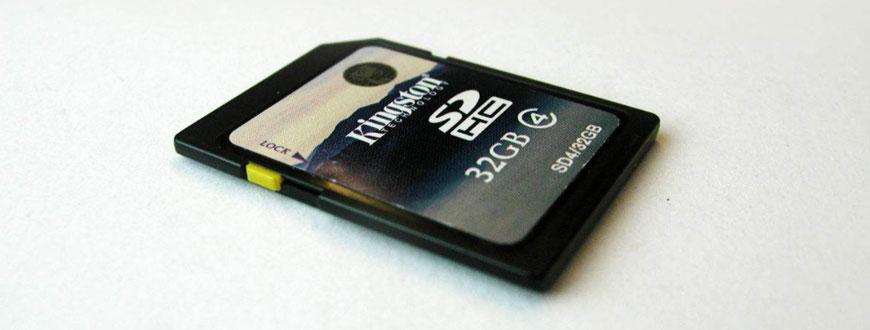
    SD (Solid State Digital) cards are astounding bits of technology. Especially when it comes to the little, fingernail-sized Micro versions. These little cards can contain tens, hundreds and even thousands of gigabytes of data!

    Unfortunately, the little size of SD cards comes with a price. Not only can SD cards be fragile and simple to lose, but they even have a horrible tendency to halt working or offer corrupted versions of your data.

    If that’s happened to you, let’s check out the way to recover data from a damaged SD card.

    Is My SD Card Corrupted?

    Before we glance at recovering a corrupted SD card, let’s quickly point out the symptoms that indicate that your SD card is really corrupted at the first place.

    Here are some common signs that your SD card has been corrupted:

    • You can see the files on the card, but can’t read and/or write to them
    • The SD card shows up as empty, even though you know there are files there
    • You can see files such as photos, but when you open them they are corrupted
    • Copying from the card shows an impossible completion time, usually ending in copy failure
    • The Windows 10 Disk Management Tool shows the drive but says it’s empty or unreadable

    If that’s the behavior you’re seeing, chances are high that your data has become corrupt or the SD card itself is in trouble.

    Basic Diagnostics

    Before attempting data recovery or doing something drastic like formatting the SD card, there are a couple of basic diagnostic steps you ought to go for so that you recognize which device is truly the problem.

    • Try the SD card in another device
    • Try a known working SD card within the same device
    • Try reading the SD card with a special reader
    • Try reading the SD card via the first device employing a cable

    If the problem is indeed the SD card, then read on for further advice.

    SD Card Issues Vs Corrupted Writes

    It’s entirely possible that your SD card is simply fine, but that the device that reads and writes data from the memory messed up somehow. Maybe it lost power while writing or there’s another problem with it.

    In these cases, after you’ve recovered what data you’ll be able to, you’ll be able to simply reformat the card to make it usable.

    Fake SD Cards

    If this is a brand new SD card or one that you’ve never really filled up before. There’s an opportunity that you’ve actually bought a fake SD card. “Fake” in the sense that the capacity you were sold isn’t what’s actually on the memory card.

    Fake SD cards are a plague of recent technology. Since small capacity SD cards are so cheap but larger ones are persistently costlier, scammers create cards that report false capacities. So, for instance, your “128GB” SD card might only have 16 GB of actual capacity.

    What happens is that when that 16GB SD card fills up, the cardboard just starts overwriting the primary data in a loop.

    This can actually fool us for an extended time since we’re likely to examine only the most recent files we’ve saved or may not reach the utmost capacity of the real SD size for quite a while.

    If you think that your SD card is fake instead of corrupted, try using one of the various fake SD card testers available for download. FakeFlashTest is one popular solution which will tell you if your SD card is simply broken or actually counterfeit.

    Use a Disk Checker Tool

    Sometimes it’s not your actual SD card or data that’s gone corrupt, but something about the card’s file system. Simply using the disk checker tool in your OS can recover data from a corrupted SD card. Windows 10 users can follow the below steps:

    • Open Windows Explorer
    • Right-click on the drive in question
    • Click on Properties
    • Select Tool
    • Click on Check
    • Follow the next instructions

    If your actual data isn’t damaged and therefore the SD card is physically fine, the disk checker will rebuild its logical structure and therefore the disk should be usable again.

    If the card isn’t working properly, the disk checker will prompt you.

    Using Specialized Recovery Software

    If none of your DIY diagnostics yields any results and therefore the SD card still displays once you insert it, then think about using specialized SD card data recovery software.

    These software packages go round the limitations of the typical drive management standards and examine the SD card bit-by-bit using brute force methods.

    Sometimes you’ll recover corrupted data fully by this manner or a minimum of recovery of files of your data partially Which is best than losing all of it.

    However, these programs can’t perform the duties of “God”. If the data has been physically destroyed or can’t be accessed the least bit, then there really is nothing the software can do.

    A good place to start out is Recuva, an excellent general-purpose data recovery tool that has saved our own data repeatedly in the past.

    Hire an Experienced Recovery Specialist

    Let’s say that the data on your SD card is totally critical. Perhaps you only filmed a once-in-a-lifetime event for a very important project and after you got home it seems the SD card doesn’t want to work or the info is unreadable.

    When data is effective , you’ll want to contemplate getting the assistance of an information recovery specialist to recover data from a corrupted SD card.

    These companies have access to equipment and software far beyond the common consumer. They’ll rebuild broken hardware components and directly read data from the media.

    This includes not only common corruption errors but electronics failure, chip failure, fire damage, water damage, physical damage and regarding anything you can think of.

    Sounds great, right? Well, it certainly is, but engaging the services of those specialists is pricey, therefore the data in question must be worth it to you.

    Prevention Is Always The Best

    Look, you’re probably reading this writing because you’ve suffered a loss when it involves your corrupted SD cards. Hopefully one among the solutions above has recovered some or maybe all of your data.

    However, sometimes data is just lost forever. So to prevent yourself from becoming a victim of SD data loss again, consider doing the following:

    1. Use automated cloud storage to copy SD card data like photos or videos
    2. Manually use services like Google One, DropBox or OneDrive
    3. Move SD card contents from devices like drones and cameras to your computer ASAP
    4. Keep a minimum of two copies of irreplaceable data in two separate places
    5. Only buy high-quality SD cards from reputable brands if data integrity is critical

    Conclusion

    SD cards are moderately sturdy, but they still seem to corrupt more often than other kinds of solid-state storage. Particularly if you use them in applications where they’re written too constantly.

    Using your SD cards in a remarkable way that acknowledges their weaknesses will help you prevent losses in the first place.

  • How To Monitor Your Heart Rate With An Apple Watch

    How To Monitor Your Heart Rate With An Apple Watch

    Among all the exciting and amazing things, the Apple Watch does, you can monitor your heart rate. In this article, I will show you how to monitor your heart rate with an Apple Watch.

    The heart is the most organ in the body. According to scientists and from personal experiences, we all know that the heart is the only organ in the human body that stops ONLY when you die.

    As a result, regular monitoring of your heart and heart rate can go a long way to help your health. Before the coronavirus (COVID-19) struck, everyone taught they could never care more about their health.

    Just some few months after the coronavirus became a global pandemic, almost everyone in the world is now concerned about their health; especially, their circulatory system (the heart, lungs, etc).

    With the help of your smart Apple Watch, you can monitor your heart rate to prevent any unforeseen situations. Enough of the plenty talk, let’s jump right into it.

    How To Monitor Your Heart Rate With An Apple Watch

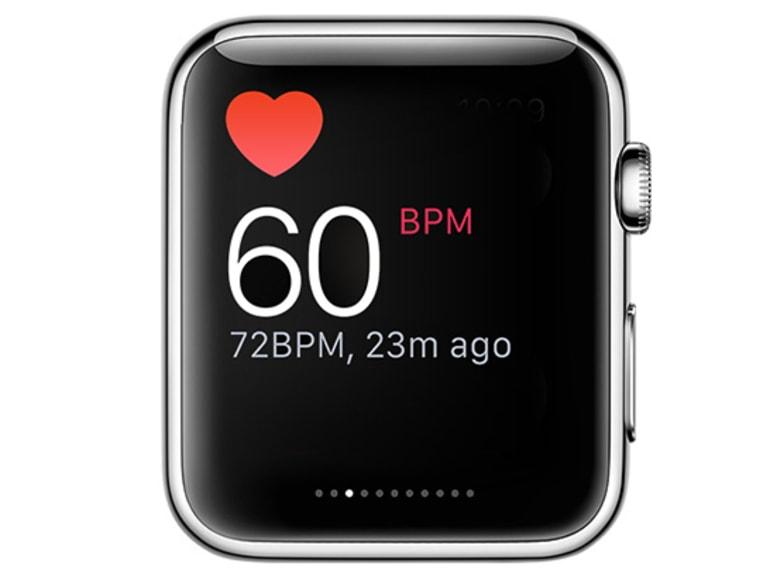
    The Apple Watch heart rate monitor can display your current, sleeping (resting) and walking heart rates. Also, you can instruct the Watch to notify you of any rise in your heart rate during a period of inactivity.

    To get started:

    1. First of all, update your Apple Watch to the latest watchOS version.
    2. To confirm this, you can open the Apple Watch app on your iPhone, and go to General and then Software Update. This option will show you to either install the latest version or inform you that you have the latest watchOS version.
    3. On your Apple Watch, open the Heart Rate app.
    4. Tap on Next and then another message will tell you how the Heart app can notify you when your heart rate rises over 120bpm (beats per minute).
    5. After you agree to this, tap Turn On. From then, the Apple Watch will alert you whenever your heart beats more than the normal 120 beats.
    6. Also, the Watch will alert you if there’s an increase in your heart rate after 10 minutes of being inactive.
    7. To get more details about the heart rates, swipe up the screen to see your resting heart rate for the day. Also, you can swipe up once again to see your average walking heart rate for the day.
    8. Finally, to see all the heart rates together (current, resting, and walking) at the same time, tap the Current link at the top of the screen. All these three heart rates will be displayed together.

    Conclusion

    The heart as I stated earlier, is the most important organ of the human body. Therefore, if you have the Apple Watch, I entreat you to follow these simple steps listed above and get your heart rate monitored.

    If you don’t have or cannot afford the Apple Watch, make sure to exercise daily and check your heart rates at least once every week to know where you stand.

    NOTE: Heart attacks do not affect only the old or the young. Everyone is at risk of having a cardiac arrest (heart attack). So take good care of your health.

  • How To Create An Anonymous Facebook Account in 2021

    How To Create An Anonymous Facebook Account in 2021

    While nothing on the web is actually private, having a public Facebook account comes with extra privacy risks. Every picture you upload, friend requests and event invitations you agree to increase – all of it is monitored by the corporate.

    If you’re done worrying about what that information could potentially be used for, there are a couple of answers apart from deleting your Facebook account permanently.

    You’ll either deactivate your Facebook and switch to Messenger to stay in-tuned together with your friends, or – if you’re not able to stop using the Facebook app – create a replacement anonymous Facebook account.

    Also, you can delete messages from your old account before creating the anonymous account or better still leave the messages in your main account.

    Why Create an Anonymous Facebook Account

    Staying anonymous on Facebook protects your privacy in diverse ways. Should Facebook ever be compromised, you’ll be within the clear if you used a fake name and knowledge when registering your account.

    Meaning you don’t need to worry about your personal data falling into bad hands.

    Another reason to be anonymous is to avoid unwanted attention from your work colleagues or people from school.

    With an anonymous account, you don’t need to add acquaintances and other people you barely know out of politeness and permit them to pay attention to your private life on Facebook.

    At the same time, your friends and other people that you simply actually want to maintain on your friend’s list will still know who you actually are, so you won’t be totally disconnected from the digital world.

    Finally, you would possibly want to make an anonymous Facebook account for professional reasons. For instance , if you’re running a Facebook page for a business and need to be an admin, you’ll need to tie it to your Facebook account.

    How to Make an Anonymous Account on Facebook

    When creating an anonymous Facebook account, remember to make it simple. That’s the simplest strategy for when you want to blend in. Follow the steps below to line up your anonymous Facebook page.

    • Create a Burner Email or telephone number – You’ll need an email address or a telephone number to register a new Facebook account.

      If you employ your personal email address, especially one you have once used to check-in for other websites, they are often tied to your data.

      The simplest course of action is to use a short-lived burner email or phone instead. To create a burner phone number, you can use a service like Google Voice or Burner app. Alternatively, create a new email account without adding any personal details.
    • Create a Facebook Account –

    Now that you simply have a burner telephone number or email address, you’ll use it to register for Facebook.
    Go to Facebook.com and choose to Create a New Account.

    Use a fake first and surname, fill in your email or telephone number, add a fake birthday and gender.

    Confirm to not use any of your real details to avoid accidentally revealing your identity. Select register to verify. You’ll then receive a confirmation email or a text message from Facebook.

    Facebook also will ask permission to access your contacts. Select No to deny access, otherwise, your profile will appear within the People you Know section of other Facebook users.

    • Start Adding Friends – Now that your new Facebook account is confirmed, you’ll add a profile picture or an avatar and begin adding friends.

      Confirm you simply add people that you recognize personally and who are trustworthy. You don’t want your contacts to share the link to your new Facebook page with other users.

      To avoid other users guessing your identity by watching who you’ve got in your friend’s list, set it to non-public in your Facebook settings.

      To try and do that, follow the trail Settings & privacy > Settings > Privacy > How people can find and contact you. Under Who can see your friends list, select Friends or Only me to limit other Facebook users’ access to your friend’s list.

    How to Keep Your Privacy on Facebook

    Once you begin using your private Facebook account, you ought to be mindful of your actions on Facebook to keep your presence on the platform anonymous.

    Apart from simple things like not adding a photograph together with your face as your profile picture, there are other setbacks that you simply can make which will jeopardize your anonymity on Facebook. Here are a couple of tips which will assist you stay truly anonymous.

    Check Your Privacy Settings

    One of the primary things to try to do after you create your anonymous account is to try to do a privacy checkup on Facebook and adjust your privacy settings in order that you’re not discovered by other users.

    Stay Anonymous While on Facebook

    In the privacy settings section, you’ll be able to review who can see your Facebook posts and your friends list, likewise as who can contact you on the platform. this can help you keep your activity on Facebook as private as possible.

    Never Use Your Real Name on Your New Facebook Page

    One of the primary things Facebook will ask you to try and do is to fill in your first and surname . However, after you create the account, you’ll be able to also customize it by editing your id handle (or username) and changing it from random characters to your name or nickname.

    It’s best to avoid using anything that may be linked back to your real identity.

    Keep Your Personal Details Off Your Bio

    When you create a brand new account, Facebook will consistently prompt you to fill in your About section. even if you don’t think the data you’re sharing has relevancy , it’s best to keep any real personal details off your Facebook page to keep it anonymous.

    Conclusion

    Having an anonymous Facebook account could be a great solution for anyone who’s concerned about their online privacy but also isn’t able to quit social media.

    Rather than deleting your Facebook account, you get to maintain it and preserve your digital social life. All without endangering your personal data.

    Do you have an anonymous Facebook account? What does one find the most difficult about maintaining anonymity on Facebook? Share your Facebook experience with us within the comments below.

  • How to quickly tell if someone has blocked you on WhatsApp

    How to quickly tell if someone has blocked you on WhatsApp

    WhatsApp is one of the most popular messaging apps nowadays in Ghana and across the world. We use WhatsApp to stay in touch with family, friends, colleagues, etc. Whatsapp also has a host of rich features that take conversations to a whole new level.

    Although WhatsApp is here to help us communicate, sometimes, you just want to avoid talking to some people for this, WhatsApp has “the blocking feature”.

    There comes a time when someone gets blocked on WhatsApp. It could be you.

    Why do some people Block?

    Blocking is useful when you want to avoid chatting with a person on WhatsApp. Sometimes, some people also want to avoid chatting with you. But how do you know when somebody blocks you?

    If you’re using WhatsApp, you can easily tell that someone has blocked you since there are several indicators you can look for.

    One of these is that you won’t be able to see the person’s “last seen” or “online” status in the chat window. However, some people do disable this feature, so it’s possible to remain friends with someone without seeing their “last seen” status.

    If someone has blocked you, you won’t be able to call him nor see any changes he has made to his profile picture. You can still send him messages but, instead of seeing two checkmarks (one for the message sent and another for the message delivered), you’ll only see one check mark to indicate that your message has been sent.

    The Fool Proof way to check if you have been blocked on WhatsApp

    In order to verify that the person has really blocked you, use a friend’s (whose contact your suspect does not have) device to send a WhatsApp message to the person. If that message gets delivered (two checkmarks), then you really have been blocked.

    It is always advisable to use this Fool Proof way because

    • People can hide or not use a profile photo, so you may think they have blocked you.
    • Some people can block you and your friends as well as your family members, It is always best to use a number he/she doesn’t have to test for “blocking”

    Update: Some modded versions of WhatsApp allow users to disable double ticks even though they receive messages.

    Hopefully, next time you are blocked, you are able to notice early enough. However, be cautious. This is because anyone who does not have a profile photo, hidden his/her about and has failed to come online in a long time will exhibit “symptoms that he/she has blocked you”.

  • How To Save Snapchat Videos To Camera Roll

    How To Save Snapchat Videos To Camera Roll

    Snapchat may be a great platform for sending discrete, timed videos and photos to friends and family. You’ll share candid scenes and important messages, safe within the knowledge that the content you share can’t be saved unless you permit it.

    Unfortunately, that isn’t always an honest thing, especially if you’re looking to save lots of a Snapchat video yourself. If you would like to understand the way to save Snapchat videos, you’ve got to know there are some limitations.

    This guide has everything you would like to understand about saving Snapchat videos. Also here are so many ways you can follow to grow your Snapchat followers.

    Can You Save Snapchat Videos From Someone Else?

    It is possible to save lots of Snapchat videos, depending on the source. If you created the videos yourself, you’ll export them to your camera roll so you’ll keep them indefinitely and use them outside the platform. This works for both Android and iPhone devices.

    You can also export videos you receive from other users, but as long as they’ve sent the videos as attachments during a Snapchat text chat. You can’t save short, timed, and full-screen Snapchat videos within the app itself.

    You can’t save videos that appear as a part of a user’s Snapchat story too.

    You can only save these videos by taking a screenshot or a screen recording in line with a mobile screen recording app. However, trying to require screenshots or recordings like this may alert the opposite user.

    Snapchat may be a platform for disposable videos, so you ought to use caution if you are trying to save loads of Snapchat videos when you shouldn’t.

    Not only can this alienate your relationships with the video senders, but it’s going to even be viewed as a violation and place you in breach of Snapchat’s terms of service.

    Saving Your Own Snapchat Videos

    If you’ve recorded a video (or take a photo) within the Snapchat app, you’ll be able to easily reserve it before it’s sent on both Android and iPhone devices.

    • To do this, open the Snapchat app and record a video by pressing and holding the Record button within the center of the app’s camera view.
    • To save a Snapchat video you’ve recorded, tap the Download button within the bottom-left corner.
    • The recorded video will now be available in your device’s camera roll for you to use elsewhere.

    How to Save Your Own Snapchat Story Videos

    Snapchat Stories provide an outline of the last 24 hours for that user, showing a curated list of activities, messages, and more. You’ll be able to export these videos, but you’ll only do that before the videos expire unless the videos are set to be saved automatically to your Snapchat Memories section.

    • To save a Snapchat Story video, open the Snapchat app and tap the Bitmoji or Story icon within the top-left corner.
    • In the Stories section of your Snapchat user profile, you’ll prefer to save one Snapchat Story video or a whole day’s worth of Snapchat Story videos directly. To save lots of Story videos from an entire day, tap the three horizontal dots menu icon next to the My Story section.
    • In the bottom menu, tap Save Story to save lots of the videos to your camera roll.
    • If you would like to save lots of a private Snapchat Story video instead, tap the individual video listed under the My Story section in your user profile area to look at it.
    • Tap the hamburger menu icon within the top-right corner to access the settings for that video.
    • To save the Story video, tap the Save button at rock bottom.
    • As with videos you’re taking privately, any videos you save from your Snapchat Story are going to be exported to your device’s camera roll.

    Save Attached Snapchat Videos From Other Users

    If you receive a video as an attachment during a Snapchat text chat, then you’ll be able to save and export it (assuming you’ve got permission to). Doing this may alert the sender, so you ought to only do that if you’ve received permission to do so.

    To save an attached Snapchat video, open the Snapchat chat, then tap and hold the attached video. Within the pop-up menu, tap the Save to Camera Roll choice to export the video. This will save the video to your camera roll for you to use anywhere.

    Save Full Screen Snapchat Videos and Stories

    Unlike added Snapchat videos, you can’t save full-screen Snapchat videos sent from other users. These are standard Snapchat messages that are temporary as intended. Likewise, Snapchat Stories from other users can’t be saved by other users within the Snapchat app itself.

    The only way around this problem is to use a mobile video recorder (or to require a screenshot if you would like to save lots of images instead).

    If you are doing this, the opposite user is going to be immediately alerted, and there isn’t any way around this without breaking Snapchat’s terms of service.

    iPhones have built-in screen recording technology, while Android device owners with Android 9 or less got to install a third-party app like AZ Screen Recorder. Android 10 device owners can use the built-in screen recording feature instead.

    • Android 10 users can begin a screen recording by swiping down their notifications menu and tapping the Screen Recorder icon.
      With this mode active, you’ll then play a received Snapchat video or Snapchat Story to record the content you would like to save before tapping the Screen Recorder icon again to prevent recording.
    • iPhone users need to open the Settings app on their phones to start screen recording. From there, tap center> Customize Controls and tap the + (plus) icon next to the Screen Recording choice to add it to the center menu.
    • With screen recording enabled, open the center by swiping up from the top-right corner (or bottom, depending on your iPhone model). Within the center, tap the white circular icon, then tap Start Recording to start the recording process.
    • Record the received Snapchat video or Snapchat Story, then re-open the Control center. From there, tap the red circular icon again to prevent the recording.
    • As mentioned, Android 9 (and older) users will get to install an app like AZ Screen Recorder to record other user’s Snapchat videos and Stories. Within the AZ Recorder app window, tap the Record icon in the bottom-left to start recording.
    • With the app recording, open the Snapchat Story or video to play and record it. Return to the app, then tap the Record icon again to finish the recording and reserve it to your camera roll.

    Conclusion

    Now that you know how to save Snapchat videos, you can go and save your favorite videos with no hassle. Always be sure to abide by the community guidelines of Snapchat to prevent your account being blocked.

  • How To Get Verified On Instagram in 2021

    How To Get Verified On Instagram in 2021

    Getting confirmed on social networks are often an excellent deal for anybody hoping to grow their followers and use social media in their profession.

    All of the major networks now have their verification signs. There is often a white checkmark on a blue background on Facebook and Twitter, a custom emoji on Snapchat, and a crown icon on TikTok.

    On Instagram, the verification badge seems like a blue checkmark displayed next to your username.

    Nevertheless, getting verified on Instagram is not any easy process. The choice to get verified isn’t available to everyone.

    If you are determined to get that blue checkmark, learn what you’ll do to extend your chances of getting verified on Instagram.

    Why Get Verified on Instagram?

    Many people see getting that blue tick next to your Instagram name as a symbol of status. As if it’s something which will tell other users that you’ve “made it”. However, the first purpose of verification on any social network was to stop other users from stealing your identity.

    If a particular account is confirmed, it means Instagram took the time to make sure that the author the account is who they assert they’re. Verification also helps other users to inquire out the account they’re trying to find rather than a fan or fake Instagram account.

    Once your account is verified, a blue checkmark will appear next to your name on your profile, in DMs, in search, and within the comments section.

    If you’re unsure whether undergoing the method of verification on Instagram is worthwhile, here are a couple of additional benefits that you simply get by receiving the verification badge.

    Some people try to purchase likes for Instagram so they can get verified.

    Be the First to Try New Instagram Features

    Once you pass the verification process, you would possibly get a touch of unique treatment from Instagram. Verified users are often the primary ones to undertake and test new features before they’re extended to the remainder of Instagram users.

    Instagram always shows verified accounts first in search results. So when somebody’s searching on Instagram and your account matches the search criteria, it’ll appear at the very top, leaving other accounts lower on the list.

    Verified accounts even have better chances of appearing on the Suggestions of your lists and the Explore page.

    Become a Thought Leader

    When users see you’ve got a verified account, they automatically trust that the content you post is authentic, even if there are many other similar Instagram accounts, yours is going to be the primary they are going to.

    On top of that, you’re sure to see a rise of followers and engagement on Instagram once you get the verified badge.

    Get Sponsorship Offers

    Many brands use Instagram as their central marketing channel. As a verified user, you’re likely to drive better sponsorship offers from big brands that are looking to partner up with Instagram influencers.

    Who Can Get Verified on Instagram?

    Instagram won’t verify just any user. They only give verification badges to the accounts that symbolise a popular figure, celebrity, or brand that appears in news and media and is very searched on Instagram.

    On top of that, there are a variety of requirements that you simply got to meet to be eligible for Instagram verification.

    • You need to follow Instagram’s Terms of Use and Community Guidelines.
    • Your account must be the unique and authentic presence of the person or business it represents.
    • The account must be public and have an entire bio, profile photo, and a minimum of one post on Instagram.
    • Instagram doesn’t verify any general-interest accounts, like people who feature popular memes or funny dog pictures.

    How to Get Verified on Instagram

    If you opt that you simply want to use an Instagram verification badge, follow the steps below.

    • Log into Instagram from your smartphone. You can’t apply for verification from the Instagram web.
    • Go to your profile page.
    • Select Menu to open settings.
    • Select Settings.
    • From the Settings menu select Account.
    • Scroll down and choose Request Verification.
    • Fill within the application, attach a photograph of your ID, and choose Send.

    There’s no exact time-frame for when you should expect to receive feedback from Instagram. However, if your application’s declined, you’ll then be able to reapply for verification in 30 days.

    Tips & Tricks for Getting Verified on Instagram

    While there’s no perfect strategy for getting a verification badge on Instagram, there are still a couple of tips and tricks which will help improve your chances of getting verified.

    Personalize Your Posts

    Adding more personality to your account will aid you to distinguish your content from what other similar accounts post. It’ll also help personalize your brand and make it more relatable for other users.

    Grow Your Followers and Engagement

    You don’t need to be famous to get verified on Instagram, but you need to have a large following on the network. A high-profile account with an outsized number of followers appears on search results more often.

    This may tell Instagram that yours is an account that individuals are frequently checking out.

    One sure method to increase engagement on Instagram is to use popular hashtags. You’ll take it one step further and build a hashtag for your brand. The more you get people to use it about your brand, the more visibility you’ll get on Instagram.

    Build Up a Presence Outside Instagram

    You’re more likely to get verified on Instagram if you have already got a longtime presence and/or an enormous following on another platform, whether it’s your blog or other social media site.

    In addition, if you have already got a verified account on another social media platform. One of the most eligibility requirements for Instagram verification is being mentioned in the media and news. Instagram will certainly be checking the net for any content associated with your brand.

    Conclusion

    Getting the verification badge takes time and enthusiasm, but it’s useful if you wish to stay developing your brand on Instagram.

    When getting verified, you ought to even be wary of imposters and hackers who typically target growing brands and influencers who depend upon Instagram for income.

    Do you think you qualify for an Instagram Verification? Give it a try and share the feedback in the comment section.