Category: Guides

  • How To Report Someone On WhatsApp

    How To Report Someone On WhatsApp

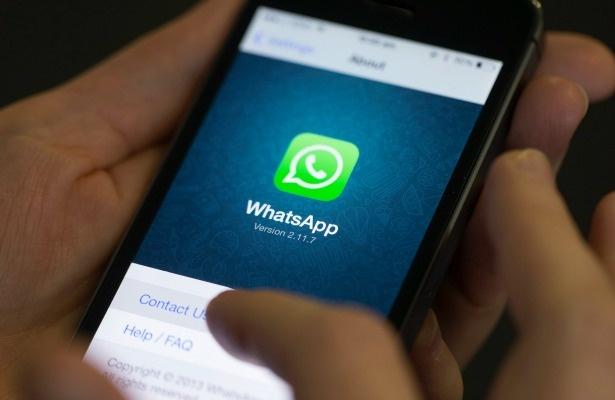
    Are Spam messages on WhatsApp continually bothering you? You often receive messages in most times of the day containing links, advertisements or promises of discounts and offers that congest the notification panel of your smartphone.

    You have even considered swapping your number, but it’s the last thing you’d wish to do because it’s an active number you’ve been using for a long time and you’ve shared it with friends, families and colleagues.

    So how are you going to solve this problem? Nothing might be simpler!

    I will show you shortly! In today’s article, as a matter of fact, I will be able to show you ways to get rid of spam from WhatsApp or reporting someone, so you won’t be disturbed and overloaded with useless messages that are just a nuisance to you.

    I will show you ways to try to do this both on your smartphone, using the official WhatsApp app for Android and iOS.

    Continue following the post to understand the way to report someone on WhatsApp.

    Report Or Block A User On Android

    If you’re consistently receiving messages on WhatsApp from anonymous users that annoy you, I will recommend that you simply submit a report.

    This will let you immediately block the user in order that you’ll not receive any of their messages and reporting to WhatsApp in order that they will take action to suspend the user’s account if they have violated the terms of use of this messaging service.

    As an alternative to the previous method, to stop the spam you receive on WhatsApp, you’ll simply block the user, an action almost like the one described above, but which does not require you to report the user to WhatsApp.

    Before confirming this request, check that there’s a checkmark within the box next to the words Block the contact and delete messages from this chat.

    At now, you only need to tap on the “Report option” to send the report back to WhatsApp and block the user. This may also delete the whole conversation.

    As an alternative to the above method, you’ll separately report or block a user by using WhatsApp’s Block feature. to try to do this, open the conversation with the user who is bothering you and click on on the three-dot icon, located at the top right corner.

    Now, within the menu that appears, select the More options > Block. you’ll be prompted to choose between two options:

    Block, to stop the user without reporting them or Block, to stop the user and also send a report back to WhatsApp.

    You can also access user reporting and blocking options through the contact information tab. To try to do this, you would like to access the chat and click on the telephone number or username at the top.

    On the tab that appears, scroll through the options to discover the Block and Report Contact options.

    In addition to the above methods, once you are first contacted by a user who isn’t in your contact list, you’ll block and report directly within the conversation.

    To do this, after opening the chat, click the Report button, to stop and report the user to WhatsApp or click the Block button to block the user without reporting. A lot happens when you block/report someone on WhatsApp.

    Report Or Block A User On iPhone

    On the iPhone, you’ll report a user as easily as within the previous paragraphs on Android.

    • First, launch the WhatsApp app by tapping on its home screen icon.
    • When you launch the app, tap on the Chat icon within the bottom bar and locate the conversation with the user who is bothering you.
    • After clicking thereon, tap on the person’s name or the button within the top section to access the contact information.
    • In the tab that appears, scroll through the various options until you discover the one named “Report Contact”.
    • From there, all you’ve got to try to do is tap on this feature for a replacement screen to appear: click on the “Report and Block” choice to send the report and block the contact, in order that you’ll not receive any messages from the contact and also deleting the whole conversation within the process; alternatively, tap on the Report choice to only report the user.

    The same procedure is often followed by tapping on the Block option within the Contact Information tab. you’ll have the choices to Report and Block, to dam the user and report them or Block, to easily block them.

    As an alternative to the above methods, you’ll block or report a user directly from the conversation screen. once you first receive messages from a user who isn’t in your contact list, you’ll have options to limit their interaction with you.

    By pressing the Block button, as I even have already explained, you’ll block the user in order that you’ll not receive any of their messages while clicking on the Report option will block and report the user to WhatsApp.

    Conclusion

    WhatsApp spamming is on the increase as time pass by. In today’s article, I have shown you how you can report or block someone on WhatsApp either Android or iPhone.

  • How To Decide Whether To Repair Or Replace Your Phone

    How To Decide Whether To Repair Or Replace Your Phone

    Are you finding it difficult to decide on whether to repair or replace your faulty smartphone? Don’t worry, I am going to help you decide on whether to repair or replace your faulty smartphone.

    One of the several intra-personal conflicts we have is the decision to repair or replace our mobile phones. Although people don’t see it as such, it is very serious and can even stress you up.

    There are some minor damages that even a young child knows that this one needs repair not replacement. Sometimes also, there are some serious damages that the obvious solution is by replacing it.

    Sometimes, the signs and factors are not too clear for you to decide on whether to repair or replace your phone. This is where I am going to help you decide on which one to go for.

    Should I Repair Or Replace My Faulty Smartphone?

    There are some three (3) main questions you need to ask yourself before you decide on taking any decision.

    What is the problem with my smartphone?

    This is one of the most important questions you need to ask yourself. What is the problem with your smartphone; is it your speaker, battery, etc.

    First of all, you need to personally check to see if there’s any fault, if you can’t you can then send it to a trusted repair service to check it out for you.

    What is the cost of repair against the cost of replacement?

    Just as the name suggests, you need to get a quote from both the repair service (Smartfix) and the shop you will like to buy the new phone from.

    If the replacement will cost just a little above the repair, I suggest you go for that one. Also, if the repair costs much lesser than the replacement, then I suggest you go for the repair.

    How long does my phone have a warranty?

    For every new smartphone you buy, there’s a warranty in the box. Some last two (2) years and some last more or less than that.

    If you have a fault with your smartphone, you can check your warranty to see if it is still valid. If it is you can send it to them for either a free repair or a discounted repair. If you are lucky, you could even get a brand new phone.

    How To Decide Whether To Repair Your Phone

    Some features show that you need to repair your phone. Below are some of the main factors:

    • You just want the latest model for no reason.
    • You ran out of storage (this depends on how you use your storage and what you use it for).
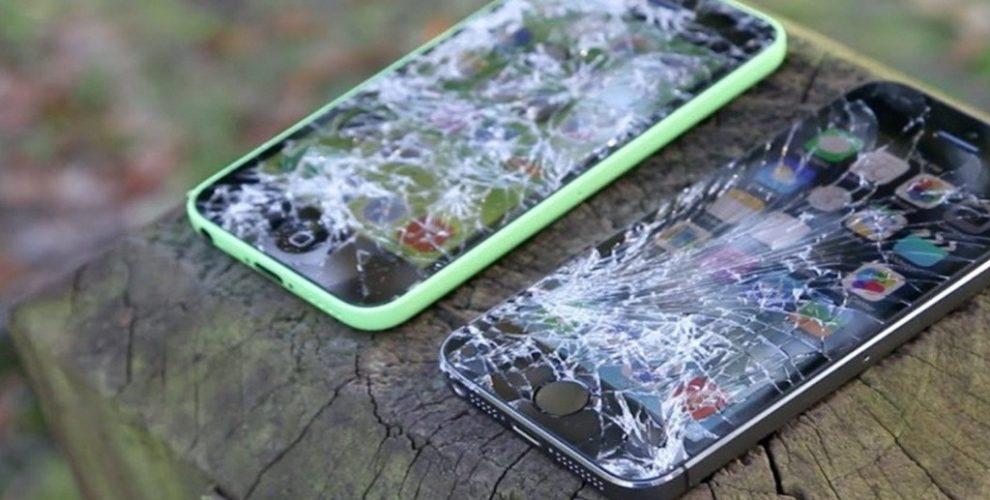
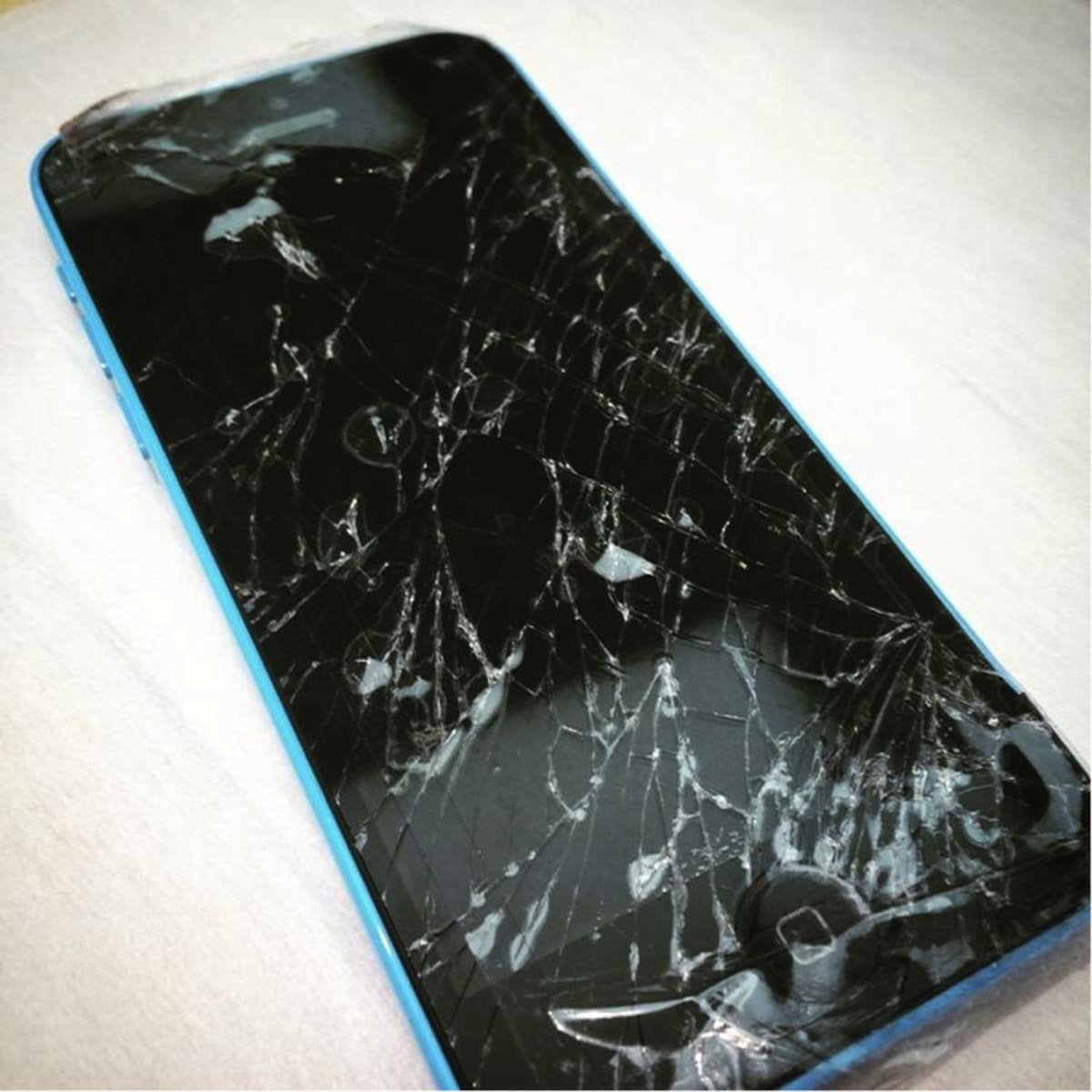
    • Just a little screen crack.
    • You just don’t know how to use your phone.

    You can clearly see that all the points raised above are just minor issues that could be resolved by repairing your faulty smartphone.

    How To Decide Whether To Replace Your Phone

    These are some of the features that show that you need to replace your phone.

    • The damage to your phone is beyond repair.
    • You need an upgrade for an important reason.
    • You definitely don’t know how to use the phone.
    • Your battery cannot be replaced with an original one.
    • You have repaired your phone more than 3 times since you bought it.

    Also, you can clearly see that these signs show that you need to replace your smartphone.

    In conclusion, I want you to sit down and analyze these reasons and decide if it will favour you in the long term, not the short term.

  • How To Get Healthy With Your Apple Watch

    How To Get Healthy With Your Apple Watch

    Apple Watches are one of the smartest wearable technologies that have ever been manufactured in the world. This tiny watch can perform some things that some human beings would have found difficult to do.

    Among some of these attributes given to the Apple Watch is its ability to help you keep healthy. Healthy?? Yeah, you read it right, that tiny thing on your hand can help you stay healthy.

    The Apple Watch can monitor your heart rate and some other vital health information; some of which could cause some serious health conditions when not look at properly.

    But how exactly does this happen, well I am going to show you exactly how to get healthy with your Apple Watch.

    The Apple Watch Series 4, 5, and 6 comes along with an ECG app that can take an Electrocardiogram of your heart rhythm. On normal, you need to visit the hospital and pay some amount of money before you can receive an ECG.

    How To Get Healthy With Your Apple Watch

    Monitor your heart rate

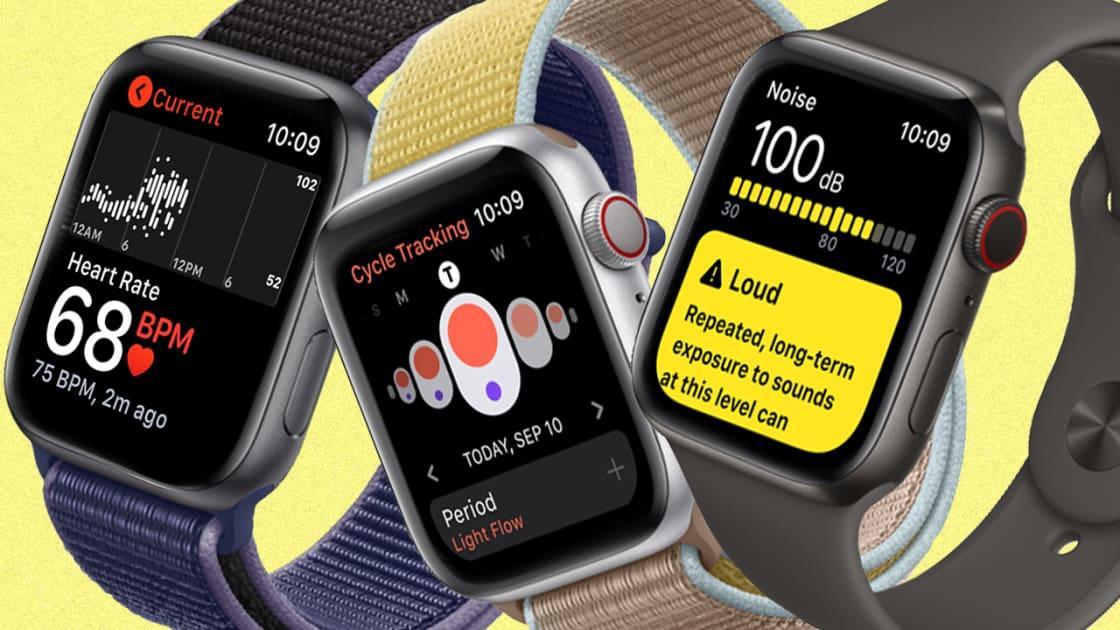
    The Apple Watch comes along with an already existing Heart Rate app which can be used to measure your heart rate.

    Also found in the app is the feature to display your current, your resting, your average, and specific heart rates. If the feature in the Heart Rate app is not enough, you also download other third-party apps to check your heart rate.

    Track your menstrual cycle

    Also installed on your Apple Watch is the Cycle Tracking app which is used to check menstrual cycles. Before you can use this app, you need to set it up. To set up your cycle, open the Health app on your iPhone and tap on Browse > Cycle > Tracking >Get Started.

    Once you are done setting it up, you then need to enter the day you had your last period, the duration it lasts, and the length each of your cycle’s last. The app will then perform the calculations and alert you when it’s due. Other controllable options are Period Prediction, Period Notification, Log Fertility, Log Sexual Activity, etc.

    Wash your hands for 20 seconds

    This feature is not supposed to shock you because of the times we live in now. As the popular saying goes: “we don’t live in normal times”. If you have Apple watchOS 7 and above, Apple has added this feature to help you protect yourself against this virus.

    The timer detects when you are washing your hands under running water and then gives you the timer. You can simply go to Settings and turn Handwashing Timer on.

    Measure your blood oxygen level

    This feature is available on Apple Watch Series 6 and watchOS 7 and later. The app measures to see if the amount of oxygen entering your brain is enough or not.

    This feature can be turned on by opening the Apple Watch app on your iPhone, tap on the Settings option for Blood Oxygen, from there turn on Blood Oxygen Measurements.

    Conclusion

    With the above things you can do with your Apple Watch, there is no doubt that the Apple Watch is one of the smartest watches in the world.

    If you have other ways of getting healthy with your Apple Watch, feel free to write it in the comments section below and I will add it to it. Also, make sure to share this post with your friends and loved ones.

  • DStv Ghana Subscription, Packages, Channels & Prices

    DStv Ghana Subscription, Packages, Channels & Prices

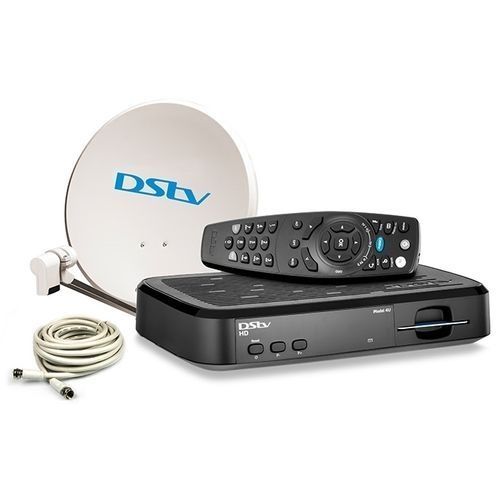
    DStv Ghana is one of the best paid-tv in Ghana. It’s a satellite service introduced by MultiChoice Ghana. DStv Ghana comes with a lot of packages with subscriptions.

    It comes loaded with a lot of interesting channels airing from Political, Sports, News, Entertainment, and Socio-economic information around the world.

    This service helps the average Ghanaian keep in touch with the happenings of the world in terms of news.

    In this article, I will provide all subscriptions, packages, channels & price information of the DStv Ghana service. Keep following the post. DStv packages are not only available in Ghana but in Nigeria too.

    DStv Ghana Packages, Channels And Subscription

    DStv has various packages with unique channels that provide different information in Ghana and beyond. The costs of the packages aren’t fixed and sometimes are decided by multichoice Ghana.

    Understanding the DStv Ghana subscription packages is necessary. Here are a number of the common packages in Ghana you should know:

    DStv Packages in Ghana

    DStv Premium Package

    DStv premium is one of the best DStv packages in Ghana and no doubt about that. It offers a wide range of entertainment from all corners of the world.

    It offers about 100 television channels with great programs, news, entertainment, and advertisements which make the service more lively and exciting.

    It also comes packed with about 30 audio channels with more exciting stories, entertainment, and more breaking news all across the borders of Sub-Saharan Africa, West Africa, and therefore Africa as a whole.

    It also covers channels airing sports news from all prominent leagues of the planet like the English premier league, Spanish La Liga, and others. Generally, the premium package has about 187 channels. It offers a monthly subscription of GHS 340.00

    DStv Compact Plus

    This service is one of the common DSTV packages in Ghana. Compact plus is considered among the best packages due to how exciting it is.

    It offers about 150 channels which mostly air local entertainment, movies, and top stories. There also are multiple games especially football from several top leagues of the world.

    Channels from this package also are divided into several sections, a number of which are synonymous with those of premium package. Most of those channels air local and international entertainment, news, and top stories. It comes with a monthly subscription of GHS 210.00

    DStv Compact

    This pack offers a broad variety of information and is very lovely to the users If you want to find a place where you can get your kids amused.

    Lots of entertainment shows like jokes, live sports, and political discussions are all included in this package.

    The compact package is the best for you. It has around 166 channels. It comes with a monthly subscription of GHS 140.00

    DStv Family

    DStv family package in Ghana has on the brink of 140 channels. These channels offer a range of entertainment, news, trending stories which are home-based.

    They offer friendly programs and tons of top stories with children channels. It addresses many diverse issues from different regions of the world. The monthly subscription is GHS 75.00

    DStv Access

    This is a package of fun. this is often what most of the people from Ghana would call it. It’s a little package which has amazing music, stories, and documentaries.

    It serves as an introductory package item in DStv family package. It offers about 50 plus channels from categories starting from social lifestyle, sports, music to local content from Ghana. It comes with a subscription pack of GHS 50.00

    DStv Add-on Packages

    There are add-on packages included in the DStv Ghana services and they are listed below,

    • DStv Great Wall Africa Bouquet. This comes with a GHS 50.00 monthly subscription with about 12 channels.
    • DStv Great Wall Bouquet. This also comes with GHS 29.00 monthly subscription with about 5plus channels.
    • DStv India Bouquet. This comes with GHS135.00 monthly subscription with about 15plus channels.
    • DStv French Touch Bouquet. This comes with GHS 29.00 monthly subscription with about 5plus channels
    • DStv French Plus Bouquet. This comes with GHS 180.00 monthly subscription with about 10plus channels.

    Conclusion

    For the best entertainment, news, movies, sports DStv Ghana cannot be left out. It’s one of the best subscription services in Ghana and Africa as a whole. In this article, I have provided enhanced details about DStv Ghana.

  • 3 Ways Of Preventing Your Phone’s Screen From Scratching

    3 Ways Of Preventing Your Phone’s Screen From Scratching

    Do you know that there are some easy ways you can save yourself the stress of buying new screens for your iPhone each time?

    Well, if you didn’t know, that’s not a big deal because I am going to show you 3 effective tips to prevent your iPhone screen from getting scratched. Thus, saving you the cost of buying new screen replacements each time.

    Mobile screens are very fragile and because of that they usually break easily and once they are not taken care of carefully, easily you can visit the phone repair shop very often.

    3 Ways Of Preventing Your Phone’s Screen From Scratching

    1. Use screen protectors

    As you might already aware, screen protectors are one of the most effective ways of preventing your iPhone’s screen from getting scratched. Mostly, people do not feel the need to just spend something small to buy screen protectors for their phones.

    Screen protectors are protective coverings that take the scratch that was supposed to be on the original iPhone screen, thus keeping the screen safe from scratches. Also, they come at very cheap and affordable prices.

    2. Use liquid armour

    Liquid armours are also similar to screen protectors. But, unlike screen protectors, screen armours are sprayed on the screen and allowed for some time before cleaning it off. The recommended time to allow the solution to dry is 24 hours.

    The advantage that liquid armours have over the screen protectors are the fact that screen protectors usually leave bubbles under the screen making it not that comfortable when using it.

    Liquid armours protect your iPhone’s screen from scratches and makes the screen neat after several fingerprints on it.

    3. Practice personal safety measures

    Finally, the best way to keep your iPhone’s screen safe from scratches is by practicing personal safety. This simply means that you should watch how you handle your phone and where you put them.

    You need to keep your phone away from coins and other sharp materials that can easily scratch the screen of the phone. Also, when you handle your phone, make sure to have a firm grip on it when you are in a busy place.

    For example, when you are in the market someone could easily hit you for your iPhone to fall. Thus, firm grips become very important.

    Conclusion

    All these tips given below are not 100% effective, but if you practice them, you will be on the safer side. Because, as the saying goes, it’s better to be safe than sorry.

  • How to Use iMessage On Your iPhone And iPad Without a SIM And Phone Number

    How to Use iMessage On Your iPhone And iPad Without a SIM And Phone Number

    Are you thinking of how to use iMessage on your iPhone and iPad without a SIM and phone number?

    One of the questions I have been getting from most people is how to use iMessage on your iPhone and iPad without a SIM and phone number. Well, I am going to show you the detailed method of doing that in a bit.

    iMessage is the easiest and cost-efficient way of sending text messages to your friends and loved ones who have iPhones and iPads. Unlike normal text messages that charge from your main account, iMessage uses internet data instead.

    For parents who would like their children to use iMessage without paying for a SIM card for them, this article is going to be really helpful. Now enough of the plenty talk, let’s get right into it.

    How to Use iMessage On Your iPhone And iPad Without a SIM And Phone Number

    Before we begin, you need to have an active Apple ID and internet connection. The Apple ID is what you are going to be identified within iMessage. Once you have all these follow the steps listed below:

    • Add an iCloud account to your iPhone or iPad (if you haven’t done that already). To do this, you can go to Settings and you will be asked to Add account, follow the on-screen prompts and sign in with your Apple ID and Password.
    • Open the Settings app on your iPhone or iPad.
    • Scroll to the bottom and select Messages. After that, make sure the toggle next to iMessage is turned on.
    • Tap on Send & Receive. If your iMessage was initially set up using a phone number, you will find it together with your Apple ID. From here, tap on your Apple ID under the ‘You can receive messages to and reply from’ option.
    • If no Apple ID shows up under the ‘You can receive messages to and reply from’ option, tap on Use your Apple ID for iMessage and then select your Apple ID.
    • Go to the Message app and try sending an iMessage to see if it works. If you followed the steps very well, it will work perfectly.

    Conclusion

    There you have it, you can send and receive iMessages directly to your iPhone or iPad without any SIM or phone number. But, as I stated earlier, you need to connect your device to WiFi before you can send and receive iMessages.

    Now that you are all set, have fun chatting with your friends and loved ones on your iPhone or iPad using iMessage, play iMessage games, etc.

  • How To Make A Memoji On Apple Watch

    How To Make A Memoji On Apple Watch

    Do you want to make a memoji on your Apple Watch? This guide will show you how to make a memoji on your Apple Watch.

    Apple Watches are one of the smartest mobile watches in the world and as such, performs many smart things. You can use your Apple Watch to listen to music, get healthy, make appointments, and a whole lot of other interesting things that even some mobile phones cannot perform.

    One of the other things that the Apple Watch can do is make a memoji. For Apple WatchOS 7 above, you can create a memoji that looks exactly like you on your Apple Watch without using your iPhone.

    Initially, the Memoji app was available only on iPhones but Apple introduced it on the Apple watchOS 7 and above.

    What Are Memoji?

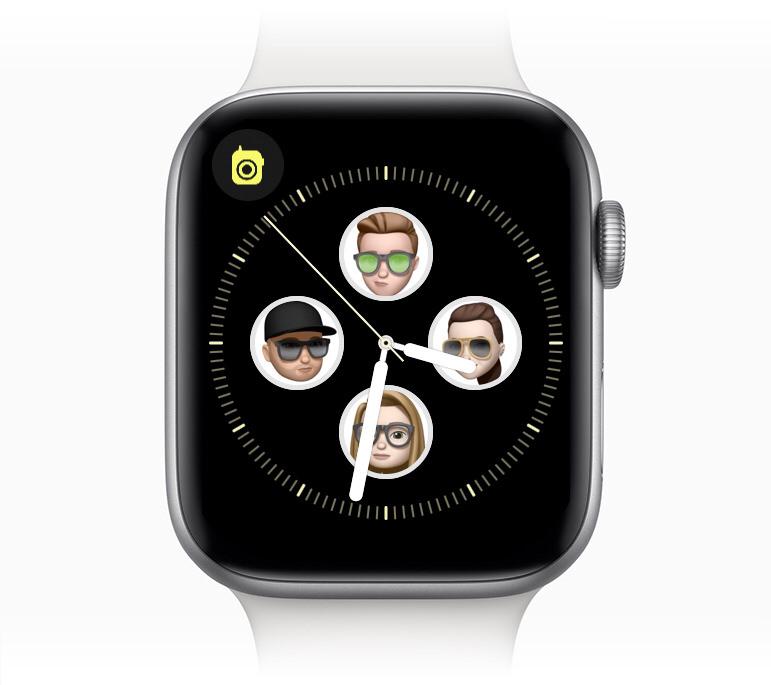
    Memoji are small avatars you can create to use your voice and replicates your facial expressions. Memoji is similar to Snapchat’s Bitmoji and Samsung’s AR Emoji.

    These Memoji can look exactly like you (or a version of you with, say, black skin, black hair, rasta, man bun, afro, or a cowboy hat, etc). You can send your Memoji on Messages, WhatsApp, FaceTime, etc.

    How to Make a Memoji on Apple Watch

    To make a memoji on your Apple Watch, follow the steps below:

    • On your Apple Watch, open the Memoji app. This app looks like a Memoji.
    • If you have created a Memoji before, you can tap on it to edit.
    • If it’s your first time you are creating a Memoji or you have created one already, tap on the “+” icon.
    • Tap “Skin” and then use the Digital Crown to choose your preferred skin colour. After that, swipe up to select the additional options.
    • Once the Skin setting matches the one you like, tap on the Skin label at the top to go back to the rest of the settings.
    • Continue through the list to customize the entire Memoji, following the same instructions that you used to customize the skin. You can tap the Memoji on the display to view different expressions, and also use pinch gestures to zoom in and out.
    • When you’re done with the customization, tap on “Done” to add the Memoji to your list of Memojis in the app.

    How to Delete a Memoji on Apple Watch

    In case you have an existing Memoji that you want to delete, you can follow the steps below to delete your Memoji on your Apple Watch.

    • Open the Memoji app on your Apple Watch.
    • Use a swipe gesture or the Digital Crown to see the Memoji you want to delete. (Depending on the number of Memoji you have).
    • Tap on the Memoji you want to delete.
    • Use a swipe gesture or the Digital Crown to scroll to the bottom of the options.
    • Tap on Delete and then Delete again to confirm your deletion of the Memoji.

    Conclusion

    Some other options are available for you. You can duplicate your Memoji, set it as the face of your Watch, etc. Once you are done, you can use it whenever you are using Message, FaceTime, and the other social media platforms that accept Memoji.

  • How to Change The Default Web Browser on iPhone & iPad

    How to Change The Default Web Browser on iPhone & iPad

    Are you tired of using Safari over and over again as your default web browser on your iPhone or iPad? Then, I am going to show you exactly how to change the default web browser on iPhone & iPad from Safari to Chrome, Mozilla, or vice versa.

    For a long time, Safari has been the default web browser on iPhones and iPads. Although you could download other web browsers from the App Store, it wasn’t possible to make them your default browser.

    This meant that, before you could open an automatic redirect link from an app in any other browser other than Safari, you had to copy the link from Safari and paste it in the browser you wanted to open the link with.

    It was annoying and frustrating, but thankfully, if you have an iPhone or iPad running iOS 14 or iPadOS 14, or above respectively, you can change your default web browser. This has come to relieve the worries you would have faced a few years and months ago.

    Now you can look on the Apple App Store on your iPhone or iPad and look for any web browser you want to use as your default browser and it will be possible.

    How to Change The Default Web Browser on iPhone & iPad

    First of all, before you proceed with anything, you need to make sure that you have downloaded the web browser you would like to use as your default browser. These browsers are mainly, Chrome, Firefox, and Edge. Also, make sure that the browser has been updated to the latest version.

    • On your iPad or iPhone, open the Settings app. If you have a lot of apps and cannot find it, use the search bar and type Settings.
    • Scroll through to locate the browser you’d like to use as your default browser. Once you locate it, tap on it.
    • In the app’s settings, tap on Default Browser App.
    • A list of all installed web browsers will be shown. Tap on the browser you want to make your default browser and see if a blue check sign appears next to it.
    • Once it is done, tap the Back button and exit Settings.
    • Open an app and try to open a link to see if it will open in the new browser you have set as your default browser.

    NOTE: This works on iOS 14, iPadOS 14, and above ONLY.

    Conclusion

    Well, Apple has now attended to the cry of their users and has removed the monopoly power that Safari had on the iPhone and iPad.

    This guide has been written to help everyone, whether you know a lot about tech or not. But, if you face any challenge, feel free to write it down in the comments section below.

  • How To Measure Someone’s height On iPhone 12 Pro & 12 Pro Max

    How To Measure Someone’s height On iPhone 12 Pro & 12 Pro Max

    Do you know you can measure the height of someone on iPhone 12 Pro and 12 Pro Max? This article will show you exactly how to measure the height of someone on iPhone 12 Pro and 12 Pro Max.

    Whenever there’s a new Apple product release, you know that something new is going to be introduced into the world.

    Unlike some mobile phone brands that only add just one or two new things to the already existing models, Apple tries to add something significant to the already existing brands.

    The iPhone 12 Pro and iPhone 12 Pro Max which was launched not long ago, has added something significant to the already existing iPhone brands. With these two new models, you can use the already existing Measure app to measure the height of someone from the ground to hair or wherever you want it to end.

    It does this by using the iPhone’s camera and the new LiDAR (Light Detection and Ranging) scanner. Not only are the LiDAR sensors available on the iPhone 12 Pro and 12 Pro Max but it is also available on the iPad Pro (2020 models).

    The Measure app on iPhone’s can be used to measure shapes and figures, but only the 2020 iPad Pro models and iPhone 12 Pro and 12 Pro Max can be used to measure the height of a human being.

    How To Measure The Height Of Someone On iPhone 12 Pro & 12 Pro Max

    Measuring the height of someone is very easy and can be done in less than 5 minutes. Because the Measure app is already installed on your iPhone, there’s no need to download anything new.

    You can jump right into it by following the steps listed below:

    • On your iPhone 12 Pro or 12 Pro Max, open the Measure app.
    • Find the person you want to measure his or her height inside the viewfinder of the camera. Depending on how you want it, the person can be seated or standing. But to get the most of it you can try both and chose the one that you like most.
    • If you want the full measurement, position the iPhone so that the person you want to measure appears from the head to toe on the screen.
    • Wait for a few seconds and the height of the person will be written under the line that will appear on the head of the person.
    • To snap a photo of the measurement, tap on the shutter icon ( the Take Picture button) located on the right of the central “+” button.
    • To save the photo, tap the screenshot in the lower-left corner, tap Done, then choose Save to Photos or Save to Files.
    • In case you want to take a new measurement, turn your iPhone away from the person for some few seconds to reset the height

    Conclusion

    That’s it, you are all set now to measure the height of anyone using the steps provided to you above. These steps are simple and quick and you can use it as many times as you want without any restrictions.

    Now that you know how to measure the height of someone on iPhone, have fun while measuring the heights of different people on your device.

  • How To Download Updates To GBWhatsApp

    How To Download Updates To GBWhatsApp

    GBWhatsApp is the modified version of the official WhatsApp. In some way, it is the unofficial version of WhatsApp. You get many extra features in GBWhatsApp more than the official WhatsApp version.

    Features like hiding online status, airplane mode, themes, contact toast display, and many others are the core benefits of GBWhatsApp. GBWhatsApp can be used across Android and IOS device. The app is very popular among users due to its unique features.

    There are many unofficial WhatsApp mods available on the internet, but the best and popular of them all is GBWhatsApp. In this article, we are going to look at how to download updates to GBWhatsApp.

    To download updates to GBWhatsApp,

    • Click on the three-dot menu option at the far right
    • Select FMMods
    • Choose Updates
    • Select Web Downloads

    GBWhatsApp always puts the update on his website and you can download it once the update is available. You can bookmark the website once it’s open for easy access in the near future.

    One amazing thing about GBWhatsApp is that he provides regular updates just like the official WhatsApp and here is how you can restore your WhatsApp chats if you lost them.

    Features Of GBWatsApp

    There are so many features of GBWhatsApp that cannot be found in the stock WhatsApp of which we are going to look at few of them in the below list.

    • Hide Online status
    • Airplane mode
    • Add custom fonts/stickers
    • Status Character length
    • Themes support
    • DND mode
    • Freeze last seen
    • Disable Forward tag
    • Disable/customize calling
    • Anti-Delete Status/messages
    • Security lock
    • Fully customize

    This and many more features are present in GBWhatsApp but few are listed above.

    Pros And Cons Of Using GBWhatsApp

    Pros

    • Anti-delete message/status. Whenever someone accidentally or intentionally delete a message or remove a status, you can still view or see it.
    • Enable Airplane/DND mode. This will let you use your phone without being disturbed by WhatsApp messages
    • Custom themes will enable you to have fresh looks in the app.
    • More images can be shared in one click
    • The forward tag will not show whenever you forward messages from other people.

    Cons

    • Cloud backup is not supported. For example, your data can not be backed up by Google Drive.
    • Risk of security involved when using because is unofficial.
    • Works a bit slower than official WhatsApp

    Currently, GBWhatsApp is not available for iPhone devices.

    Permission Required By GBWhatsApp

    • Kill background tasks
    • Internet access
    • Access device location
    • Access Wi-Fi, Bluetooth, Camera, Mic, NFC
    • Get accounts
    • Read Contacts
    • Modify Audio Settings
    • Record Audio
    • Send SMS
    • Vibrate
    • Write Contacts
    • Write External storage
    • Use maps services

    Conclusion

    Freedom is one thing everybody loves and that is exactly what GBWhatsApp offers. With its massive features it offers in one app, everyone would love to use the app. You can check the pros and cons of the app before deciding to use it.

    In this article, I have shared with you the steps you can take to download updates for GBWhatsapp.