Category: Guides

  • Ways To Change Fonts On Android Without Root

    Ways To Change Fonts On Android Without Root

    Fonts are a graphical representations of text that may include a different typeface, point size, weight, color, or design. I graphic design, fonts are used to produced wonderful designs.

    There are many and different kinds of fonts. Many applications have default fonts and sizes to create documents and designs. Though default but can be changed and tweaked to a user’s liking.

    Reasons Fonts Are Used

    Fonts are used to add style to a web page, document, or graphical designs. Simply put, they are used to set or match the tone of a text-based on the contents. Not just the appearance only, Fonts affects readability depending on the medium.

    As a Graphic design, we take due diligence with the type of fonts we use to provide professional designs that communicate our design to people.

    Default fonts and used by popular Applications and Operating Systems.

    • Google Doc – Arial
    • Microsoft Excel – Calibri
    • Microsoft word – Calibri
    • Microsoft Powerpoint – Calibri
    • Notepad – Consolas
    • Wordpad – Calibri
    • Windows OS – Segoe
    • Android – Roboto
    • iPhone IOS – San Francisco

    Each font on any application or operating system can be changed or tweaked to a user’s liking.

    What Is Root?

    Rooting in Android is the process whereby a user gets complete access to everything in the Android Operating System, to edit, change, or modify system files.

    Rooting has its own advantages and disadvantage of which we will cover in another article next time.

    As said, with root access, you can easily modify and change system files. Fonts can be easily downloaded and installed when using Root access in Android.

    This article is not about root, I will show you how you can install fonts using an unrooted android device. Keep following.

    Built-In Android Fonts

    Many phones have the ability to change fonts right on the phone. There is some selection of fonts to switch between. Original phone brands like HTC, LG, Samsung, and Nokia running Lollipop and above have this inbuilt feature.

    The steps below might differ in the different brands mentioned above but most likely synonymous.

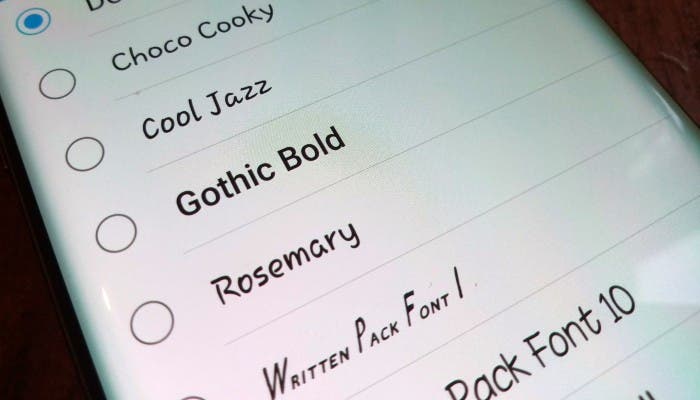
    Go to settings>Display>Fonts, if your Phone is supported, there will be a few fonts to choose from.

    Launcher

    If your phone does not support the in-built font changer, there is no cause for alarm as you have not run out of luck. Android launchers have the ability to switch/change fonts on non-root users.

    The only set-back is, the font will only affect the launcher only but not the entire system.

    Launchers I have used personally that supports font changing includes:

    • Apex Launcher – includes lists of fonts to choose from
    • Go Launcher – One of the best launchers available.

    Conclusion

    Without root access, sometimes making changes to some features of our mobile device is restricted. In this article, I have shown you some of the ways you can use to change your fonts.

  • Online Platforms Where Musicians Can Upload Their Songs For Free Download

    Online Platforms Where Musicians Can Upload Their Songs For Free Download

    Music has become one of the most vibrant ventures in the entertainment industry with thousands of artistes getting into the industry every year.

    As vibrant and lucrative as the music business may be, the commercial success of an artiste’s works depends largely on the number of people who know their songs and how good the song is.

    For most artists, making money is the first thing on their minds whenever they go to the studio to produce a song. While this mentality may be okay because music is a business, it has its own limitations too.

    This is especially true in the case of new or upcoming artistes who are not widely known. For such people, the ticket to their success is a wider audience and consistency.

    In order to get a wider audience as a new person in the widely-choked music industry, you should be able to give out your songs for free so people get to feel and connect with your music more before you start monetizing future ones.

    In this article, I shall discuss some online platforms where musicians can upload their songs for free downloads.

    AudioMack

    First on this list is Audiomack. For those who have already released one or two songs in the past, this is a name they might have heard from friends or people who care about their craft.

    Audiomack is a platform created for streaming and downloading new music for free.

    In order to benefit from this platform as an artiste, you need to create an artiste page or profile and then you move on to upload the songs you wish to put out for free.

    Youtube

    The world’s leading video streaming platform and search engine for everything video, Youtube is one of the oldest and still powerful streaming services available.

    Though Youtube is primarily for uploading and streaming videos, you can still upload your songs (audio) in the form of audio slides which can then be downloaded by your fans for free.

    However, in the case of Youtube, the fans need to use external software and web apps to download such songs and videos since there’s no direct button on Youtube.

    Soundcloud

    Just as the name suggests, Soundcloud is an online catalogue of songs, spoken words, beats and everything that has to do with sound.

    Also one of the longest-serving music streaming and download sites available on the internet today, Soundcloud provides musicians with the platform to upload their songs for free and allow their fans to also stream and download free of charge.

    Though there are premium versions of Soundcloud which enable artistes to make money from their music, the free version is largely used and is highly recommended for artistes seeking to reach a wide range of audience.

    Noise Trader

    Noise Trader is definitely a deserving addition to this list of websites and platforms for free music upload and download. Frankly, there is no better way to grow your music business than knowing where your fans are and getting to keep their contact details for promo purposes.

    If there’s anything more Noise Trader offers you than the other applications discussed above, it is the fact that before anyone listens to your song on the platform, they need to enter their email address and their location. And this information is shared with you.

    Meaning, you know the number of people listening to your songs, their contacts and their location as well.

    Also, you have an option to activate the tips button. Where people can leave some few dollars for you after listening to your free song. If they feel and connect with the song, you are likely to make some cool cash from tips.

    Personal Blog Or Other Blogs

    Aside from the websites and platforms listed above, there are thousands if not millions of entertainment blogs today which are into upload and promotion of music content online.

    With such blogs, you can submit your song, cover art and details to the managers and they’ll put your song up on their platform for free download or streaming.

    If you own your personal website or blog, then it is easier for you since you’ll be in charge of administering and monitoring the release. You can see the number of views, clicks and downloads from your dashboard.

    Conclusion

    Music is the food of the soul. In our daily lives, we use music at one point or the other. It could be for partying, for relaxation, for healing, for motivation, inspiration or any other purpose.

    With the thirst for music rising exponentially over the days, many new musicians are finding their ways into the industry.

    As such, there is a need for musicians to try hard to penetrate through the competition in order to stand out. One sure way to do that is by giving out their songs for free downloads.

    In this article, I spoke about online platforms which enable musicians to upload their songs for free downloads.

    If you have any questions, comments or reservations regarding this article, kindly indicate them in the comment box below or get in touch with us.

  • How To Delete Your Zoom Account Permanently

    How To Delete Your Zoom Account Permanently

    Zoom is a cloud-based peer-peer online video telephony and online chat service. Zoom is an American Communications Technology Company headquarter in San Jose, California.

    Zoom is popularly known for the numerous features it offers, in terms of Video Conferencing. Its founder is Eric Yuan and was founded in April 2011. Zoom is a cross-platform software. You can download Zoom on your Android and iOS stores. It also offers browser extensions.

    Features Of Zoom

    Zoom is a leading Videotelephony Service. Their wonderful services have garnered the popularity it is enjoying now. Most Businesses and enterprises use Zoom to organize their day-day virtual meeting. Below are some of the features of Zoom.

    • HD video and audio calls – The HD video and Audio call support allows classic webinars to be produced. Videos and audios are clear and well understood. This feature is what makes Zoom stand out and popular.
    • Group Collaboration Tools – Powerful group collaboration tools are provided to enable you to work more efficiently with others. Whiteboarding, Screen sharing, Remote access, Easy Content Sharing are all part of the group collaborating tools.
    • Easy Meeting Facilitation – One-touch controls, Host Controls, Easy Invites, Interoperability support enhances facilitation
    • Access robust security solution throughout
    • Inbuilt Screen Sharing tools – Screen can be shared with your external screen devices including your T.V.
    • Team chat – Team is able to chat which helps a lot when you are working on a project or assignment.
    • Inbuilt recording and transcript and many more.

    Uses Of Zoom

    Zoom can be used for many purposes. I share with you some uses of zoom below.

    1. Collaborative working – Zoom meeting is known for its wonderful collaborative working uses. You can collaborate with colleagues or teammates on projects or assignments virtually to produce satisfactory results.
    2. Training – Training services can be offered to clients, students or teachers, and everyone else. This solves the problem of the distance barriers between people living in different geographical areas.
    3. Client Presentations – You can offer presentations with clients at the comfort of your home, office, or any other place of convenience.
    4. Sales Meetings – Business sales meetings can be done virtually.
    5. Board Meetings – I remember our manager who had a board meeting with us on Zoom whiles he was away on holidays outside the country. It was successful just like as He would be there.
    6. Technical Support – Support to clients that do not demand physical work can be done using Zoom in a virtual assistant.

    Why Use Zoom?

    People and all-size Businesses choose Zoom for their day-day services because of the below reasons.

    • Simple to Use
    • Cost-effective
    • Very scalable
    • Reliability

    All industry players try harder and put more work into Privacy Protection. With the popularity of Zoom and the number of people interest in using Zoom day by day, one might see the need to delete their zoom account due to the problem of Privacy.

    If you see the need to delete your Zoom account due to privacy or any other reason, the following are the steps you can follow to delete your Zoom account permanently.

    Deleting Your Zoom Account Permanently

    1. Login to your Zoom account
    2. On the top right corner, click on the profile image/icon in the top right corner.
    3. On your profile page, scroll to the bottom and press on sign me out from all devices.
    4. Login back to your account and navigate to your profile page once more.
    5. Under the Admin section on the left section, click on the Account Management.
    6. Select the Account Profile.
    7. Click on Terminate my account.
    8. A confirmation dialogue box will appear. Choose Yes.

    After performing this, your account will permanently be deleted from Zoom.

    Conclusion

    There are many reasons as to why people permanently delete their account from websites and services. The major reason is mostly about privacy or other personal reasons. If you want to delete your Account from Zoom permanently, read the article and follow the steps promptly.

  • Safety Precautions To Take When Using An Online Dating Application

    Safety Precautions To Take When Using An Online Dating Application

    The number of people using online dating apps and websites is increasing rapidly day by day. According to Pew Research, an increasing number of people use dating apps with the mindset of meeting their true love or soul mate.

    Harry Reis, Professor of Psychology and Dean’s Professor in Arts, Sciences, and Engineering at the University of Rochester says, “Online dating is not for people easily discouraged or soft-hearted people”.

    As the saying goes, “Before you meet a handsome Prince, you’ve got to kiss a lot of toads“. This quote applies to Online dating in my view. In online dating, before you will meet the special someone, there are few fakes you will meet.

    If you have it in mind to use an Online Dating App, below are guidelines to follow to keep you away from swallowing a lot of toads.

    Suspicious Account Holders Actions/Behaviours

    • Financial Assistance – When a mate you just met a few days ago starts to seek for financial assistance in any way, mostly because of a sudden personal crisis, be on alert.
    • Vague answers to specific questions
    • Claims of being in abroad but currently working, living and traveling abroad
    • Excessive use of romantic and complementing on you in communication too early.
    • Requests your home address or work address in the pretense of sending you gifts.

    How To Stay Safe Using Online Dating Apps

    • Don’t Connect With Suspicious Accounts – Before connecting with people, make sure to check their bio, social media accounts, if mutual friends are connected, profile pictures. If you realize the person has only 1 picture and different pictures all together, be suspicious. At least the profile picture should correspond to the numerous pictures available.
    • Confirm An Account Before Sharing Personal Information – Never share your personal information including, Social Security Number, Credit Card Details, Bank account, Home address, and other personal stuff.
    • Reject Requests For Financial Help – No matter how convincing, moving, and sad words from someone maybe, never badge into offering financial help in online Dating Sites.
    • Video Chat Before Metting Someone – Video chatting before meeting someone you met online is very important. It makes you see the person virtually to identify him/her when you meet physically.
    • Schedule Meetings In Public Places – When there is the need to meet physically, always choose public places as it safer there.
    • Tell A Friend Where You Are Going – Never hesitate to tell a friend or someone closer to you where you are going. If things don’t go well, at least someone may know your whereabouts.
    • Background Checking – Before accepting to go on a date, do an excessive background check. Check all social media platforms if you can see the relevance of the person.

    Risks Involved In Online Dating

    1. Verbal Harassment – Many people with different characters are users of Online applications and websites. Some people intend to harass people verbally on the platform.
    2. Emotional abuse – More people have it in mind that, so far as it is about dating, everybody available on the platform seeks a relationship. With this in mind, people take advantage to emotionally abuse others.
    3. Fraud – When people realize you are wealthy on the platform, they create stories about an unfortunate incident that has happened to them to extort money.
    4. Spam – synonymous with fraud.
    5. Phishing – Unwanted emails sent by people using popular dating sites name in return for you to divulge personal information.

    If you realize any suspicious account with fake details or another motive mentioned above, instantly report the account or block it.

    Conclusion

    With the interest in Online applications and websites increasing day by day, I have put together safety precautions to consider when using online applications. Follow the guidelines provided and play it safe on the system.

  • How To Reply To A Whatsapp Chat Without Appearing Online

    How To Reply To A Whatsapp Chat Without Appearing Online

    We normally ignore Whatsapp messages when we are too busy to be online to have a long chat. Sometimes we might be interrupted from what we are doing immediately we get online to reply to a chat we don’t want at the said time.

    We mostly ignore chats in order to not let our contacts from seeing we are online and dragging us into long conversations. In fact, there are several ways of replying to a chat without being noticed you are online.

    There are two ways you can follow to reply to messages without being online. Continue reading to know the steps.

    Reply While Offline

    When you receive a message you don’t want to reply to lead you in long conversations, there are few things you can do to reply without anyone noticing your online status.

    Firstly, disable all connections to the internet be it WiFi or Mobile Network data on your phone. Open WhatsApp and tap on the chat you want to reply to. Write and send your message.

    Close WhatsApp and reconnect back to the internet. WhatsApp will automatically send the message without you being online. WhatsApp runs on the background and foreground.

    When running background, it is able to process your incoming and outgoing messages, that is why when you are not online and someone messages you, you receive a notification.

    Notification Reply

    Smartphones running Android 7 or higher, can reply to messages through their notification panel. Once you receive a Whatsapp notification, open the drop-down menu to reply to the message directly without opening the WhatsApp messenger.

    Messages will be sent just like you being in the app. Your online status will not show too.

    Reply Messages From Lock screen (Android)

    You can reply to messages on Android without appearing online. When you receive a notification whiles your phone is on the lock screen, tap on the down arrow of the WhatsApp message you want to reply to.

    Tap on reply, and type in your message you want to send. Some phones may demand you to type in your unlock code before you can reply.

    The message will be sent without you appearing online.

    Reply Messages From Lock screen (iOS)

    On iPhone, Swipe left to the message you want to reply to. Tap on the view option, type your message, and press send. Your message will be delivered without you being online.

    Conclusion

    In some days, we get too busy to stick to our phone in as much we even have to ignore certain messages we receive. Sometimes replying to those messages whiles online will lead to a long conversation.

    Some messages might be too important to reply, but going online will open the way for others to chat with you which we want to ignore. In such occasions or instances, we can make use of the solutions in this article to reply to your messages without going online.

  • Best Websites To Download Korean Drama Series Online (With English Subtitles) For Free

    Best Websites To Download Korean Drama Series Online (With English Subtitles) For Free

    Over the years, Korean Drama also known as Kdrama has increased in popularity worldwide. With its popularity, many people search for ways to download their favorite KDrama’s with subtitles.

    In my own experience, the reason for the popularity of KDrama is because of:

    1. Pretty Actors – The casts of K drama used by directors and producers are just like a blazing sunset. The prettiness and beautiful appearance of characters make people fall in love with Korean drama or serials.
    2. Different Culture – Korean Drama exposes different cultures to its viewers which makes fans love watching K dramas.
    3. Good and Clean Content – K drama is known for its clean content is produce.

    Below are the best websites to download K drama’s from at your own convenience.

    Best Websites To Download Korean Drama With English Subs

    1. Viki – Viki is one of the popular websites for downloading Korean Drama. The website provides subtitles to viewers in multiple languages. The only setback of the site is the many ads it offers which sometimes disrupt the user experience. Apart from the ads, the website is very good for downloading K drama.
    2. Dramago – Dramago is second on our list due to its popularity for Korean drama downloads. I personally have used this website on numerous occasions and I bet you would love it too. It has a search buttoned positioned for easy use. You can search for the top hit K dramas and download or view on the go. Subtitles are automatically generated in your video which makes users love the site.
    3. KissAsian – KissAsian is also one of the best Korean Drama downloading websites due to its easy to use design. It provides Dramas in a category based. categories based on Action, emotions, hatred, and love. All you need is register and start downloading.
    4. DramaFire – Dramafire provides High Quality (HD) Korean dramas for free. The website layout is very easy to navigate.
    5. MoviesHaven – MoviesHaven makes it 5th on our list due to its beautiful and easy navigation design. No annoying ads and one-click downloads to all its movies. The website provides a link to download subtitles for all Korean dramas and you don’t need an account to be able to log in. I personally use this website for all my downloads.
    6. LightDl – Another good website to download almost anything including Korean Dramas. It provides a one-click download to all its files. One set-back of LightDl is the too many ads it serves which disrupts the user experience. Apart from this, its one of the best sites for downloads.
    7. NewAsianTv – Easy navigation and design. The only set-back is, the website is not accessible in many countries.
    8. DramaBeans – One of the popular websites around. DramaBeans is one of the old Korean Drama downloading websites on the internet. It provides High-Quality videos with subtitles.
    9. GoodDrama.to – Very similar to Dramago. It provides a wide range of Korean Dramas and Japanese Dramas.
    10. MyDramaList – Dramalist provides High Definition Korean Drama videos for downloads. It’s one of the oldest on the internet.

    Conclusion

    If you are a fan of K dramas just like me, you can navigate the above listed Korean Downloading Dramas for view. All the above websites are free for use.

  • How To Change your normal WhatsApp To WhatsApp Business

    How To Change your normal WhatsApp To WhatsApp Business

    Whatsapp is a free social media network owned by Facebook Inc. Whatsapp was originally developed by Brian Acton and Jan Koum in 2009 and later sold to Facebook Inc in 2014.

    Whatsapp is a cross-platform available for Android and IOS. It uses your phone network to let you send messages to your friends and loved ones. Whatsapp has over 1.6 billion users making it the top most used messaging app followed by Facebook Messenger.

    Features Of WhatsApp

    Whatsapp is packed with lots of exciting features. Below are the highlighted features of Whatsapp.

    • Texts – With just your internet connection, you are just a text away from getting in touch with your loved ones. There is no limitation on the number of texts you can send. This makes Whatsapp very interesting to use.
    • Group Chat – You can keep in touch with a group of people that matters most to you. Groups about topics or entertaining subjects can be created to share ideas.
    • Whatsapp Voice and Video Calls – With a strong internet connection, you can call and speak freely to your loved once. Not just only calls, you can video call to feel the presence of your family or loved once like you are present in the moment.
    • Whatsapp Web and Desktop – Whatsapp can be synced to your web so that instead of using your phone to chat whiles using your computer, you can use the computer to perform the same function using the web. Whatsapp also has made available Desktop apps for an easy install.
    • Photos And Videos – You can share photos and videos with your loved ones at any moment.
    • End-End-Encryption – By default, Whatsapp secures your data and messages so only you and the person you had a conversation with can read or listen.
    • Document Sharing – PDFs, Slideshow, Spreadsheets, and other document types can be shared on Whatsapp.

    No wonder Whatsapp is the most used social messaging app.

    Introduction Of Whatsapp Business

    In early 2018, Whatsapp business was introduced. Whatsapp Business was introduced with small business and medium business owners in mind.

    For business owners connect easily with their customers and create some sort of easy connection with consumers and suppliers was the reason the app was made.

    Just like the normal Whatsapp, Whatsapp business has few extra features that make a business stand out. Just like Whatsapp’s personal profile option, Whatsapp business has a verifiable Business profile.

    Stats can be viewed and measured in open/read rates. Whatsapp Business has autoresponder messages that make it simpler to respond to customers when you are away.

    Broadcast list can be used to send messages to contacts or for business advertisement.

    If you are a business and want to migrate from your normal Whatsapp to Whatsapp business, follow below steps.

    Migrating From Normal Whatsapp To Whatsapp Business

    1. To begin with, first, create a backup of your normal Whatsapp account. It is highly recommended to do so in order to gain access to your previous data when inside Whatsapp Business.
    2. Download and Open the Whatsapp Business App. It is free and available in the Apple App Store and Google Play store.
    3. Review and agree to the Terms of Service and continue to accept the terms.
    4. Whatsapp business will automatically identify the number you are using in Whatsapp messenger. To proceed, tap on the option with your business number.
    5. The account transfer process will begin. Keep your Whatsapp Business App open and your phone on until the transfer process is complete. In the process where you are asked to restore from your Backup which is highly possible to be asked, Tap Continue or Restore.
    6. Allow Whatsapp Business access your Contacts and Storage so that Whatsapp Business can read from your contacts and storage.
    7. Create your Business Account. Fill out your Business name, Business category, and Profile Picture.
    8. Tap Explore to build your Business Profile. Business address and description can be added to the information to help your customers know about you.
    9. Business is now setup. You can begin using your account.

    Conclusion

    If you are business and looking forward to migrating your Whatsapp Messenger to Whatsapp Business, follow the above steps to move to Whatsapp Business to stay connected with your customers any day at any time.

  • The Best Data Recovery Software For iPhones

    The Best Data Recovery Software For iPhones

    Data loss is an unpleasant act in our digital world that is hurting many ICT users at one time or another. The most common reason for data loss is connected to our everyday lives, the way we save, store, and handle our data.

    iPhone data loss occurs when there is an accidental deletion or a failed software upgrade. Data loss can also be random. A lot of things can make your iPhone data inaccessible, in this post I will show you how you can recover your lost files.

    Below are some of the causes of data loss.

    • Human Error – Human error is a common cause of data loss. Accidental deletion of your IOS data is frequent among iPhone users. Sometimes you could accidentally delete a new iTunes backup or even restore data from a wrong backup file.
    • Software Upgrade Failure – Upgrade failure can make your iPhone unstable leading to Data Loss. Cable disconnection during an upgrade process can lead to instant data loss.
    • Physical Damage – Dropping your iPhone on the ground, mistakenly dropping your iPhone in water, and any other physical damage can cause data loss. It is advisable to always keep your device in a protected case.
    • Lost or Stolen iPhone – A lost or misplaced iPhone leads to instant data loss since you have no access to the device.
    • Factory Reset – Factory reset erases all your data from your iPhone which leads to instant data loss.
    • Virus and Malware Attacks – Security is a hallmark of Apple but installing or downloading files from unsecured sources may lead to virus disrupting your data.

    Losing data is not the end of your life. There are so many ways you can follow to recover your lost data from your IOS device. Follow below-highlighted software to use to recover files from your iPhone.

    Dr. Fone

    Dr. Fone is one of the oldest and popular recovery software in the system. You can install Dr. Fone on your computer or Mac. Connect your iPhone via lightning USB cable and Dr.Fone will start searching for your lost files.

    The software can recover files from IOS directly but can also scan iCloud or iTunes backups. For more features, you can upgrade the software at a cost.

    EaseUs Mobisaver

    EaseUs is synonymous with Dr. Fone. It can also recover dater from an iDevice or from an iCloud or iTunes Backup. Its capable of digging files we forget existed on the machine.

    Its free version is limited to 5 contacts recovery and 1 photo restore. Users can upgrade to Pro versions for full features.

    Stellar Data Recovery For iPhone

    Same as the above software, Stellar Data Recovery can recover files from iPhone or iPad. It’s also capable of recovering some iTunes and iCloud backups.

    The free version can help you know the files you can recover. For the recovery process, you will have to upgrade to the full version.

    This recovery software is the few highlighted once you can use to recover data from your iPhone device.

    Conclusion

    Data loss is a pain in the ass. Gone are the days when we lose data then we are left hanging up with no option of recovery but for now, there are numerous options available that can be used to restore our data.

    Share your experience in the use of these software’s in the comment section to help other readers. Thank you.

  • How To Convert Your Old Analog TV To Digital

    How To Convert Your Old Analog TV To Digital

    Change is the only constant thing that has existed in this world for as long as the world has existed.

    Many things have had to change over the course of the past centuries and millenniums.

    One thing that has however seen tremendous changes in the past century or so is technology and its impact on the livelihood of people.

    Some years back, television sets came as a box with a cover which had to be unlocked with a key before one could tune in to their preferred TV channel to watch.

    Eventually, there was a transition from black and white television sets to coloured television sets, therefore making viewing more pleasurable.

    Subsequently, TV sets and television transmissions have moved from the analogue age to the digital age.

    Today, you can capture all TV stations in the world by installing a satellite dish and connecting your TV set to it. This was never the case previously.

    Unfortunately, the old and analogue Television sets cannot benefit from the digital area of television transmission which comes with the satellite dish.

    However, there is good news for those who still have such analogue television sets. They can still have access to the digital system without necessarily having to change their TV sets altogether.

    In this article, I shall discuss with you how to convert your analogue Television into Digital Television.

    Converting Your Analog TV into Digital TV

    Naturally, this would sound rather impossible but don’t doubt anything in the face of technology.

    Since the TV set is analogue and the idea is for you to convert it into a digital TV, there is the need for a converter to convert digital data into analogue data for the TV set to read and interpret for the viewer.

    Every Satelite and digital tv comes with an in-built Satelite receiver and decoder which automatically receives signals from the satellite dish and interprets it for the TV to use.

    However, in the case of the Analog TV, there is no such in-built device or decoder hence the need to purchase and use an external decoder which functions perfectly as the in-built decoder used in Digital Television sets.

    So, for you to convert your analogue Tv into digital Tv, you need to follow the steps below:

    1. Purchase a digital and satellite decoder from any reliable electronic shops around.
    2. Purchase a set of satellite dish receiver.
    3. Get an accredited installer to install the dish for you and connect it to your TV.
    4. Turn on the decoder, turn on your TV and start enjoying digital television.

    Note: there is the need for you to get an accredited or a certified dish installer to take care of this so that you do not mess up the system. It requires some technical values.

    Types Of Tv Decoders Available

    When you are caught in a situation like this, there are lots of options for you to choose from in terms of your choice of a decoder to buy.

    However, some decoders are considered to be of more quality and last longer than others.

    Here, I’ll try to list some of the best decoders available on the market and how you can acquire them.

    1. The Multi TV Digital Satelite Combo Decoder. This decoder comes from Multichoice Multimedia, the owners of MultiTv, DSTV and many other TV production firms. You can get the Multi TV Digital Satelite Combo Decoder from any Multichoice office nationwide or any electronics shop around.
    2. Strong Tv Decoder. This is also free to air TV decoder which gives you access to all digital and satellite TV channels for free. You can get a strong Tv Decoder from all electronics shops across Ghana.
    3. Quality Syndicated Tv Decoder. It is also another Digital and Satelite Decoder which gives you access to thousands of channels at no extra cost. You can get it on all online electronic shops in Ghana and also in any electronic shop nearby.

    Conclusion

    The world has gradually turned to the digital way of doing things. Many things which once upon a time were analogue in nature, have tremendously changed to the digital era.

    Television signal transmission has also been affected by this change. When you go to most parts of the world today, Digital television has dominated their TV viewing experiences.

    The story is not any different in Ghana. This situation, therefore, leaves those using the analogue Television sets out of what is happening in the world presently.

    In order not to be left out, there is the introduction of Digital and Satelite TV decoders to help transform these TV sets into digital TVs.

    In this article, I took you through the steps involved in converting your analogue television set into digital television.

    I hope the content of this article was helpful to you and that it answered all the questions you had in mind.

    If you have any questions, comments and reservations regarding this article, kindly let me know in the comment box below.

  • Accessories To Make Your Phone’s Camera Powerful

    Accessories To Make Your Phone’s Camera Powerful

    Phone photography is on the increase in our Tech world. Many people prefer taking photos with their mobile phones because of its smart photographic features.

    Acquiring a professional camera for Photography and videos has not been busy. One would have to have a good amount of money to acquire a camera.

    It’s not like that with Mobile phones. With a few bucks, you would be able to acquire a mobile device and make use of its camera for photography.

    Samsung and iPhone has the capability to take high-end photographs like the DSLR cameras. The Media-Tech Devices are also doing well in the Mobile Photography field.

    Techno, Infinix, Itel, are few of the rest improving their camera qualities for Mobile Photography.

    The increase in the usage of Social Media like Facebook, Instagram, Whatsapp, and others, there is a need for Mobile Phones to improve their Camera qualities and that is exactly what it’s been done.

    In every release of Smartphones, there is a better performance than the last in terms of camera. Incredible Artificial Intelligence (AI), the use of multiple lenses, camera sensors, and software makes a little pro-shooter.

    An Avid photographer sees the need to get a phone that takes quality photographs since its easier to carry around.

    Some of the best smartphones with quality photography camera features include:

    • Samsung s20
    • Iphone SE
    • Huawei P20 pro
    • HTC U 12+
    • Xaomi Mi 8
    • Google Pixel 2
    • Huawei Mate 10 Pro
    • Samsung Galaxy S9
    • Xiaomi OnePlus 6 and many more.

    Having the best camera phones does not mean you can take quality photos. To take photos like the DSLR camera’s, you need accessories added to your Mobile phone to make you take the best photos. Below are the accessories you can use to make your phones’ camera powerful.

    Lenses

    Mobile phones also use external lenses. Adding external lenses to your smartphone device gives it extra power in taking photos or videos. With these add-on lenses, you can experience the fisheye, super-wide-angle, or macro shots beyond your existing camera.

    Some lenses also include filters such as starburst filter, radial filter, polarized lens filter, and many more. Most phones have their own external lenses specifically for their brand, but there are universal ones for almost all devices.

    Lights

    Having an extra light source reduces noise and grain in your photos. The inbuilt lights in most phones are too low for taking quality photographs. The front camera has a very low light to support quality photos at night with the rear camera with little improvement.

    There is a lot of portable LED light source around in the market that can be purchased to improve your mobile photography.

    Tripods

    If you are on a budget, tabletop tripods are the cheapest, lightest, and easy to carry tripods that make you take steady shots so that you never worry about shaky or blurry photos.

    The tabletop tripod can be adjusted to fit any surface. Alternatively, you can opt for the Gorillapod Stand. There a whole lot of tripods you can choose from, to make your photos study.

    Storage

    Storage space is very vital in mobile photography. A recent study shows quality photos take up 15% of storage spaces. With a lot of details, mobile cameras and even DSLR cameras take is something not to overlook.

    I took an image with my phone and checked the size, it was 6.06 MB file. Assume taking 50 photos and see the storage space it will take. With this, you don’t have to overlook storage.

    Most Android devices support the use of external storage devices like memory cards and pen drives. You can have an additional storage device to support your phone’s storage. There are up to 256 GB memory cards available in the market.

    Conclusion

    You can turn your mobile phone to a powerful camera device to shoot professional photos just like a pro. If you get the external accessories listed above, you are on your way to shooting professional images for your Instagram handles or personal use.