Category: Guides

  • The Number One Trick People Use To Hack WhatsApp

    The Number One Trick People Use To Hack WhatsApp

    We hear of hacking every single day. People have their social media accounts such as Facebook, Instagram and Twitter account hacked and they suffer a lot to get them back. For most people, they don’t even get their accounts back so they have to create new ones.

    Well, the good thing about those accounts is that once you get hacked, you’d know that someone else is using your account and then you can decide what next to do about it.

    The case is quite different in the case of Whatsapp accounts. In fact, most people don’t even know that Whatsapp accounts can be hacked in the first place.

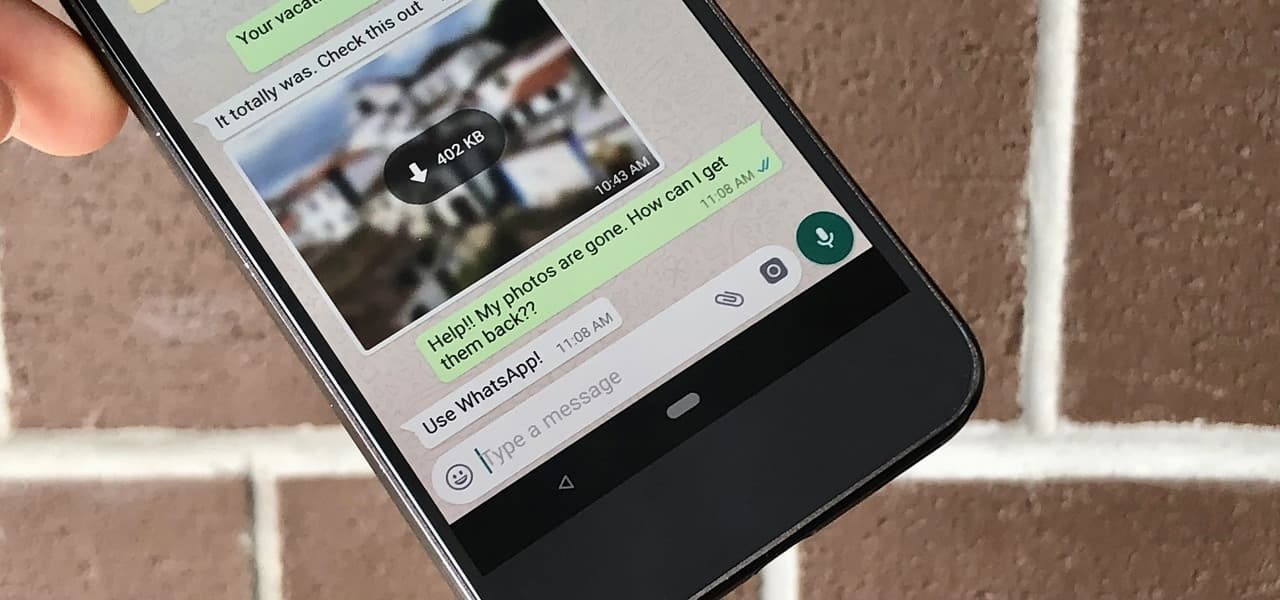
    The truth is that Whatsapp accounts can be hacked. And the most dangerous bit of it is that you wouldn’t even know because you’d be sharing the account with whoever hacked your account.

    In most cases though, it is lovers or spouses who hack Whatsapp accounts to find out what the other person is doing on the instant messaging platform.

    So, in this article, I shall tell you about the main trick that people use to hack your WhatsApp account and how to protect yourself from this act.

    What Is The Trick?

    So, the main trick used by many people for hacking a Whatsapp account is Whatsapp web.

    So Whatsapp has a desktop platform which enables people to access their WhatsApp accounts through their web browser.

    With this platform, you can do whatever you do on your Whatsapp application. However, you can only use an existing Whatsapp account on this platform.

    Meaning, if you do not have an already existing Whatsapp account, you cannot use the Whatsapp Web platform.

    So, hackers have taken advantage of this to have access to other people’s WhatsApp accounts while they are away.

    Now, in order for anyone to use this method to hack your Whatsapp account, they must have access to your Phone and Whatsapp account for at least 5 seconds.

    They would have to open the Whatsapp web platform and also open the WhatsApp application on the mobile phone they wish to hack. Then, they’d use the phone to scan a QR code which appears on the Whatsapp Web page.

    Once this is done, they have access to all your chats, contacts, media sent and received and all your future chats and messages.

    So, even when you go away, once your data connection is on and your phone is connected to the internet, they can have access to your WhatsApp account at all times.

    This also means that they can read your messages even before you read them and probably take actions ahead of you.

    How Can I Protect Myself Against This?

    The only way someone can hack your account using this method is by having access to your phone and your Whatsapp account for at least 5 seconds.

    So the sure way to ensure that nobody hacks your WhatsApp account using Whatsapp Web is by not allowing anyone to have access to your WhatsApp account on your mobile phone.

    In order to achieve this, you first of all need to ensure that you do not leave your phone with anyone while you wouldn’t be around.

    Carry your phone along with you wherever you want to go.

    Now, if you know that you are not capable of carrying your phone along all the time or if you don’t trust those around you that much, then you should secure your smartphone by adding some secure locks or passwords on the phone itself.

    To give it another layer of security, you can download and use some app lock software which can be used to easily lock your Whatsapp application.

    Conclusion

    Privacy is one thing we all crave especially as adults. The pain of watching your privacy being invaded is so much to be handled.

    It is worst when it has to do with hacking of your personal online accounts.

    Certainly, a hacked Whatsapp account gives you several fears because you may not know who has your information and what they may be willing to do with it.

    Aside from the obvious pain of thinking about the fact that someone has access to your account, there could be an actual occurrence of blackmail.

    I hope that with this article, you are well-informed about how someone can hack your Whatsapp account using the Whatsapp Web platform and how to protect yourself from such.

    Kindly leave your comments, reservations or questions in the comment box below. You may also contact us for more information.

    Please do well to share this all-important information with your friends and family.

  • 10 Online Skills That Can Get You Employed In Any Company [$35,000 annually]

    10 Online Skills That Can Get You Employed In Any Company [$35,000 annually]

    Acquiring skills in today’s world makes one stand out. A study completed in 2019 states that there are more than 4.7 billion people on the internet making up 59% of the world population.

    Most businesses operate online to gain more leads and customers due to the massive use of the internet by people online.

    According to Google, companies are said to boost their company’s income by 25% in a quarter when they take their business online. Having an online skill can get you employed in any company due to the risen need for businesses to operate online.

    Today, I will take you through the top 10 online skills that can get you employed in any company.

    Web Development

    Web developers are web programmers. They are the front-end developers. They deal with programming languages like HTML, CSS, Javascript, Java, PHP, SQL, etc. They create the code that brings a website to life. You can learn these languages by opting for online courses provided by Intellipaat, SQL certification online program being one of them.

    They also maintain and monitors website for any code break to fix. Businesses are all over looking for web developers to create a website for them so a skill here it’s a plus.

    Ideal Skills To Have Or To Learn

    A web designer must have practical knowledge of the following:

    • HTML and CSS – As a web developer you will need to understand the basics of coding and markup language. Of all markup languages, HTML is the standard. CSS interprets documents written in a markup language. You can’t write HTML without CSS
    • Javascript – Javascript makes websites more interactive and functional. It will allow you to create better experiences for web users.

    Median salary: $54,229

    Graphic Design

    Design communicates a message. Designers play essential roles in businesses today. The design speaks life to a business.

    It entails visual communication and problem-solving through the use of typography, photography, and illustration.

    Ideal Skills To Have Or To Learn

    • Photoshop
    • Illustrator
    • Indesign
    • Corel Draw

    Median salary: $45,677

    Email Marketing

    Email marketing is not just about writing compelling sales letters, it’s about understanding what types of emails get clicked on and lead to purchases.

    Email skills are something that you absolutely need if you want to be as effective as possible in your professional life.

    Search Engine Optimization (SEO)

    By understanding the power of SEO, one can send limitless traffic to a website freely without a huge advertisement budget.

    According to a recent study, people are more likely to visit your website if you are relevant in online searches. That is, appearing in the first pages of search engines and if better first 3. Examples of search engines are Google, Bing, and Yandex.

    Ideal Skills To Have Or To Learn

    • Analysis
    • Research

    Online Marketing

    Driving traffics through social media has not been easier. Having a skill here can get you employed in any company. Testing and creating ads to gain more leads and sales is something industries are running for.

    Facebook, Instagram, Twitter are social media giants where traffic can gain massively.

    Ideal Skills To Have Or To Learn

    • Facebook ads
    • Instagram ads
    • Twitter ads

    Copy Writing

    The skills of copywriting is one that takes time to acquire but is one of the best skills when learned. Having the skill to persuade people/customers to buy anything from you is one of the best you have to look on.

    Median salary: $35,677

    Data Analysis

    Data analysis is when one collect, process, and organize data in order to draw helpful conclusions from it. The data analysis process uses analytical and logical reasoning to gain information from the data.

    Ideal Skills To Have Or To Learn

    • Data Cleaning and Preparation
    • Statistical Knowledge
    • Data Visualization

    Median salary: $70,000

    Web Designer

    A web designer is responsible for conducting the overall look and feel of a website. A good website is responsive and user-friendly. In fact, the look of your website decides the number of times people visit there.

    Many business hire web designers to design a well looking and attractive website for them. A website is a representation of your business. The skill here is a plus.

    Ideal Skills To Have Or To Learn

    • Photoshop
    • HTML
    • CSS
    • JavaScript (bonus)

    Median salary: $50,171

    Web Editor

    I won’t say many, every site publishes content daily. As a web editor, revising articles and making sure they are better formatted for readers is your responsibility.

    Ideal Skill(s) To Have Or To Learn

    • Content Management Software (CMS) – WordPress

    Median salary: $50,591

    Microsoft Word

    Microsoft Word is part of the Microsoft Office Suite program from Microsoft. It can be used to manipulate, format, save, print, and share a text-based document.

    Many businesses use Microsoft word to complete their documentation task.

    Ideal Skills To Have Or To Learn

    • Formatting Documents
    • Organizing attractive layouts
    • Editing images and graphics
    • Creating and customizing tables

    Conclusion

    Having a skill is very important as most business recruits based on your skill. In this time of the internet era, one can learn many skills online to make them stand out in terms of employment.

  • How To Build Your Profile On LinkedIn To Get Jobs

    How To Build Your Profile On LinkedIn To Get Jobs

    LinkedIn is another social network that focuses on professional networking and career development. LinkedIn is owned by Microsoft.

    Just like any other social media, LinkedIn can be used to post articles, connect with friends, and posting of pictures.

    LinkedIn focuses on professional networking, that is, it is designed to make business connections, sharing of one’s+ experience and also posting your resumes to find jobs.

    LinkedIn has similar features like Facebook. Looking at both interfaces, you can simply describe the similarity between the two social networks. The LinkedIn profile represents your resume.

    When you are able to set up your LinkedIn profile accurately, it will be the avenue for employers to seek. In this article, am going to show you how you can build your resume to get jobs.

    To kick the ball rolling, go to LinkedIn’s website, and create an account if you don’t have an account. After the successful creation of your account, let’s delve in deep on how to set up your profile.

    How To Build Your Profile On LinkedIn To Get Jobs

    • The First Step Is Your Profile Picture. Set the right profile picture. Your profile picture is your virtual representation so it has to be perfect. The long distant shot is not advisable, make sure your face shows clearly.
    • Setup A Background Photo. The background photo is the second visual block of your profile. It’s also an attention grabber which makes your page stand out so make sure to set one.
    • Headline. Set your headline to be more than a keyword/title. Say something small about your role and why you do what you do. Remember its a resume you are building and that it should stand out.
    • Summary. Tell your story in this block. Write about how your skills matter and the difference it can make to the people you work with. Make sure you don’t use too many adjectives in this section or if better none. Try as much to be natural.
    • List Your Relevant Skills. Scroll through the list of skills and identify those that are relevant to you. This substantiates the description in your headline and summary section. Don’t choose skills that are not relevant to you.
    • Filling Your Services. The services section should not be ignored. It boosts your visibility in search results.
    • Fill In Your Background. The background section includes Work Experience, Education, Licence and Certifications, and Volunteer Experience. Make sure to fill all of those spots accurately.
    • Accomplishments. If you have any accomplished task/project, you can add it to this panel.
    • Recommendation. Adding a recommendation is a plus to your profile. Take the time to think about who you would most want a recommendation from, and go for it. The recommendation is personal testimonials written to illustrate the experience of working with you.

    After successfully following the above steps to set up your profile, LinkedIn will send you job alerts relevant to your profile. Moreover, you can also personally apply for jobs in the job section on LinkedIn relevant to you.

    Conclusion

    Just like walking to a company to submit your application for a job with your CV and cover letter, you can as well do it online through Linkedin. There is another aspect that is you may choose to buy LinkedIn followers to boost your account too.

    In this article, we looked at how to set up your profile on LinkedIn to receive Job alerts.

  • 3 Ways To Block Unwanted SMS Messages From Your Phone

    3 Ways To Block Unwanted SMS Messages From Your Phone

    Getting messages from spammers is one of the most annoying things. You will be expecting a mobile money message and then you will just get an alert.

    You will then think it is the money that has dropped, you will then open to see it is a spam message and not related to anything that will benefit you.

    Telcos are mostly fond of doing these, you will be receiving a message and some go like “Congratulations you have been added to the lucky draw send 419 to the shortcode 2020 to participate in the competition to win yourself a brand new car, house, motor and other home appliances, SMS cost GHS 0.40”.

    Really? I can just send a message that costs GHS 0.40 and then win a house? Nice one.

    Many people too after breaking up with our partners, we try to move on, we make sure we don’t come across them, we try to erase every memory we have about them.

    But some exes are so much stubborn, instead of them to also move on, they will not, and again make it difficult for you to move on by always texting you.

    In this article, I am going to enlighten you on ways to block unwanted SMS from your phone

    Send Block To 1309

    This is for MTN users, maybe you are like me who receive at least two spam SMS from MTN a day, then MTN themselves have made it easy to block all those annoying SMS and you won’t receive them again.

    To do this, open your message app, hit on writing a new message, then type ‘Stop’ and then send it to 1309.

    Phone Blocking Settings

    Do you know you can also block spam messages using your phone? If you don’t know, then let me show you

    • On your phone open the messaging app
    • Now on the top right, tap on the three vertical lines
    • Go to Spam and Block
    • If you have already blocked someone, you will see it there if you haven’t that place will be empty, now tap on the three vertical lines on the top right again
    • Hit on blocked contacts
    • Now select ADD A NUMBER
    • You will then be asked to type the number you want to block

    Truecaller

    Truecaller is an app that is used for identifying unknown numbers. This is when a new number calls you, all that this app need is an internet connection and it will tell you the caller’s name.

    Aside from identifying callers, this app too can help you block spam messages. True caller by default have a tab for spam messages, things they can decide for you, they will tell you they suggest these messages are spam and when you go there you could see all these messages are messages from these telcos.

    To block unwanted messages, all you will have to do is to press and hold that message and then hit on Block.

    Conclusion

    There can be a time that you won’t be having time to entertain spam messages, that is when you get them the most, in this article, we went through ways to block unwanted messages from your phone.

  • How To Send a Message To 256 People At Once On WhatsApp

    How To Send a Message To 256 People At Once On WhatsApp

    Whatsapp is the world’s most-used instant messaging platform with billions of users monthly.

    Due to its popularity, WhatsApp is used for many forms of communication including business communications, communication amongst friends and family among others.

    Some of the most-used features of Whatsapp include Whatsapp groups, Whatsapp chats and Whatsapp status.

    However, there is one other feature of WhatsApp that is not very popular but it is very powerful.

    You may want to send messages to up to 256 people at once, in an attempt to promote a program, share information or throw an invite to some people.

    For most people, the only way to do this on Whatsapp is by adding all recipients to a Whatsapp group and post the message in the group.

    Though this may not be wrong. You are unlikely to achieve your objective using this method. Most people hardly attend to group messages.

    At the same time, people open personal chats more than group messages.

    So, in this article, I shall teach you a way of sending messages to up to 256 people on Whatsapp without adding them to a Whatsapp group. They would also receive the message as an individual message and can respond individually.

    How To Send Whatsapp Messages To Upto 256 People Using Broadcast Lists

    To use this method, you must make sure that the person you intend sending the message to has your contact saved on their phone and you also have theirs saved on yours.

    If they do not have your contact saved on their phones, the message wouldn’t reach them so your effort would be in futility.

    Now, here are the steps to follow in setting this up:

    On iPhones

    1. Open your Whatsapp application.
    2. On top of your chat list, right below ‘Archived chats’, you’ll see ‘Broadcast Lists’. Click on it
    3. At the bottom of the next page, click on ‘New List’
    4. Add the contacts of the recipients of the message you wish to send.
    5. Indicate a name for the list and select ‘done’

    Your list is ready after doing this. To access your list, just follow step one and two again. Then select the list you want to use and send your message there.

    On Android Devices

    If you own an android phone, yours is slightly different. But the rules still apply to you. Be sure that the recipients have your contact saved on their phones.

    1. Open your Whatsapp application.
    2. Select chats.
    3. Look at the top of the chats. And click on the three dots for ‘more options’
    4. Select ‘New Broadcast’
    5. Add the contacts you wish to add to your broadcast list.
    6. Click on ‘Create’

    After this final step, your broadcast list is created and you can start using it.

    Conclusion

    Sending messages to 256 people or more should not be a hustle anymore, especially with Whatsapp.

    Whatsapp groups are good for group discussions but when it comes to sending notices, advertising and sharing information to people and seeking their individual views, Whatsapp groups are less efficient.

    With Broadcast lists though, you are covered. You can create as many broadcast lists as you like. Which means you can send messages to some thousands of people using the Broadcast platform at no extra cost.

    I believe this article was helpful in making you create and send messages to as many people as possible on Whatsapp without using Whatsapp groups or sending the messages individually.

    If you have any questions, reservations or comments, kindly let us know in the comment box below or contact us.

    Kindly share this article with friends and family who may need it.

  • How To Hide All Your Past Facebook Posts From The Public

    How To Hide All Your Past Facebook Posts From The Public

    Facebook is undoubtedly one of the biggest websites on the internet today and by far the largest social media platform with billions of monthly users.

    Posts and engagements are some of the things that make Facebook an exciting social media platform for users.

    For many, Facebook is a platform for business, connecting with friends and family as well as making new friends and having fun.

    However, sometimes, people are caught in a situation where they have to do away with some of their past posts on Facebook.

    The immediate method people assume for handling such situations is the total removal or deletion of the said post.

    Yet, there is another method which allows you to still keep a copy of the post while hiding it from other people.

    So, in this article, I shall introduce you to how to hide your Facebook posts from the public.

    But, before we dive into the steps, let’s look at some reasons why someone may want to hide their Facebook posts from the public.

    Reasons Why People Hide Their Facebook Posts from Public

    As days go by, we look back at some things and grim, knowing that we could have done them better perhaps.

    One of such moments may make you want to hide some of your past Facebook posts from the general public.

    So here is a list of reasons why you may want to hide your posts from the public on Facebook:

    • Poorly taken photos from years back which do not befit your current status.
    • Posts from the past which are the exact opposite of the image you have built for yourself on social media today.
    • Posts that do not frame you in good light, considering the new projects you wish to undertake.
    • Posts or images that are likely to be used against you in your future career especially for people seeking entry into public offices.
    • Denigrating comments about people which you’ve realized later.
    • Posts or photos that you want to keep to yourself only but you want to keep on Facebook’s servers.

    Steps for Hiding Your Facebook Posts from the Public

    To hide your posts from the public, you must be sure to log in to your Facebook account first. Either on a mobile device or a PC.

    Then, you can follow the steps below:

    1. Go to your profile or timeline.
    2. Look through your timeline to see the post you wish to hide.
    3. Click on the tiny globe right beside the post date.
    4. You’ll see a drop-down list. Starting from Public down to only me.
    5. Select ‘Only Me’.

    Your post would automatically be hidden from all your contacts and Facebook users once you change the settings to ‘Only Me’.

    Conclusion

    As we grow, we realize that some things we’ve done in the past may not be entirely right and may not befit our current beliefs and status. Unfortunately, as the adage goes, ‘Internet doesn’t forget’. So when you put up a post on Facebook, it stays on there until you cause a change to it.

    Posts made in the past shouldn’t affect what we do tomorrow. At least, not after we have realized that those posts are mistakes.

    This is the main reason why Facebook has an option for you to hide your posts from the public. I hope this article helped guide you to change the privacy settings of your posts on the platform.

    If you loved the contents of this article, kindly share with your friends and contacts.

    Kindly leave your comments, reservations and questions in the comment box below.

  • How To Buy Laptops Online And Ship Them To Ghana

    How To Buy Laptops Online And Ship Them To Ghana

    Everybody in this world has his or her preference, recently we wrote an article about companies in Ghana that sells laptops.

    And then we received a lot of replies from people asking us to tell them the best online sites to buy laptops and get it delivered to you as they always find themselves busy.

    We then wrote the article about that, but there are also people wants a laptop that he can’t find in any shop or any online site in Ghana here and will want to order one online.

    I have a friend who needed a Mac Book Pro laptop and decided to search for a store to buy one, he then got to find out when you buy it online, the price is cheaper as compared to buying it In Ghana here. So he ordered it online and it was delivered to him.

    You might need a laptop for personal use, or you might want to sell laptops.

    Maybe you might be in my friend’s shoes or you too have your reason for not wanting to buy a laptop from Ghana but want to order Laptops online and ship them to Ghana.

    In this article, we are going to learn how to buy Laptops online and ship them to Ghana

    How To Buy Laptops Online And Ship Them To Ghana

    So in this article, we are going to go through the process of buying a laptop and then ship it to Ghana by ordering on the AliExpress website

    1. Visit aliexpress.com
    2. On the top right, click on My Account and click on Join, you can also create a quick account or sign up quickly by signing up with your Google, Facebook, Twitter or Instagram account
    3. Now register with your email and password and after that, visit your mail to confirm your registration
    4. On your dashboard, search for what you want to buy, you are buying a laptop so search for laptops after the results, you can also choose the brand you want to buy the laptop from
    5. Now go through the laptop and choose the one you like, check the price and also the shipping fee
    6. Choose the colour you want, quantity and then hit on Buy Now
    7. You will then be asked to provide your shipping address, provide these address as this is what they are going to use to deliver your laptop to you, these fields include your name, phone number, city, street apartment, region, country and zip code.
    8. When you are done with that, you will then move ahead to the payment method, now choose how you want to pay for the product and when you are done, click on Place Order.

    Now, wait and see Aliexpress shipping your laptop to you.

    Conclusion

    Now you can sit at the comfort of your home and order for any product online and get it shipped to you. In this article, we went through how to buy laptops and ship them to Ghana.

  • Online Computer Shops In Ghana That Offer Delivery

    Online Computer Shops In Ghana That Offer Delivery

    You might need a computer for work or school, maybe you might find yourself to be busy and can not visit the various towns to purchase one.

    Or you might be like me who always make price comparisons on a product before choosing what to buy. When you go to the market or a store to purchase an item, you can not be going around every shop asking for the prices and leaving, so what I do I check the prices online.

    One thing I discovered doing this is that I found out with online stores the price is cheaper as compared to the normal stores that sell the same products.

    This is because, on the internet, there is a lot of competition, the person who wants to buy will be presented with many results and he or she will have to go through and choose the store to order from, so if your products are expensive, then definitely the buyer will bounce back and visit another website which is cheaper as compared to yours.

    Maybe you will want to buy a new computer but you might not get the time to go around various stores to purchase or you also see the prices of these computers to be cheaper online.
    And aside from that, you might want your computer to be delivered to you after ordering.

    In this article, I am going to take you through Online Computer Shops in Ghana that offer delivery

    Franktrading.com

    Franko trading is best known for selling quality products, on their website they sell phones, accessories, speakers laptops and desktops.

    One thing I love about them is that their products are very affordable and they offer delivery too. All you have to do is to visit their website, sign up, look through the computer that is available there and then place your order, now provide your details and then they will deliver it to you.

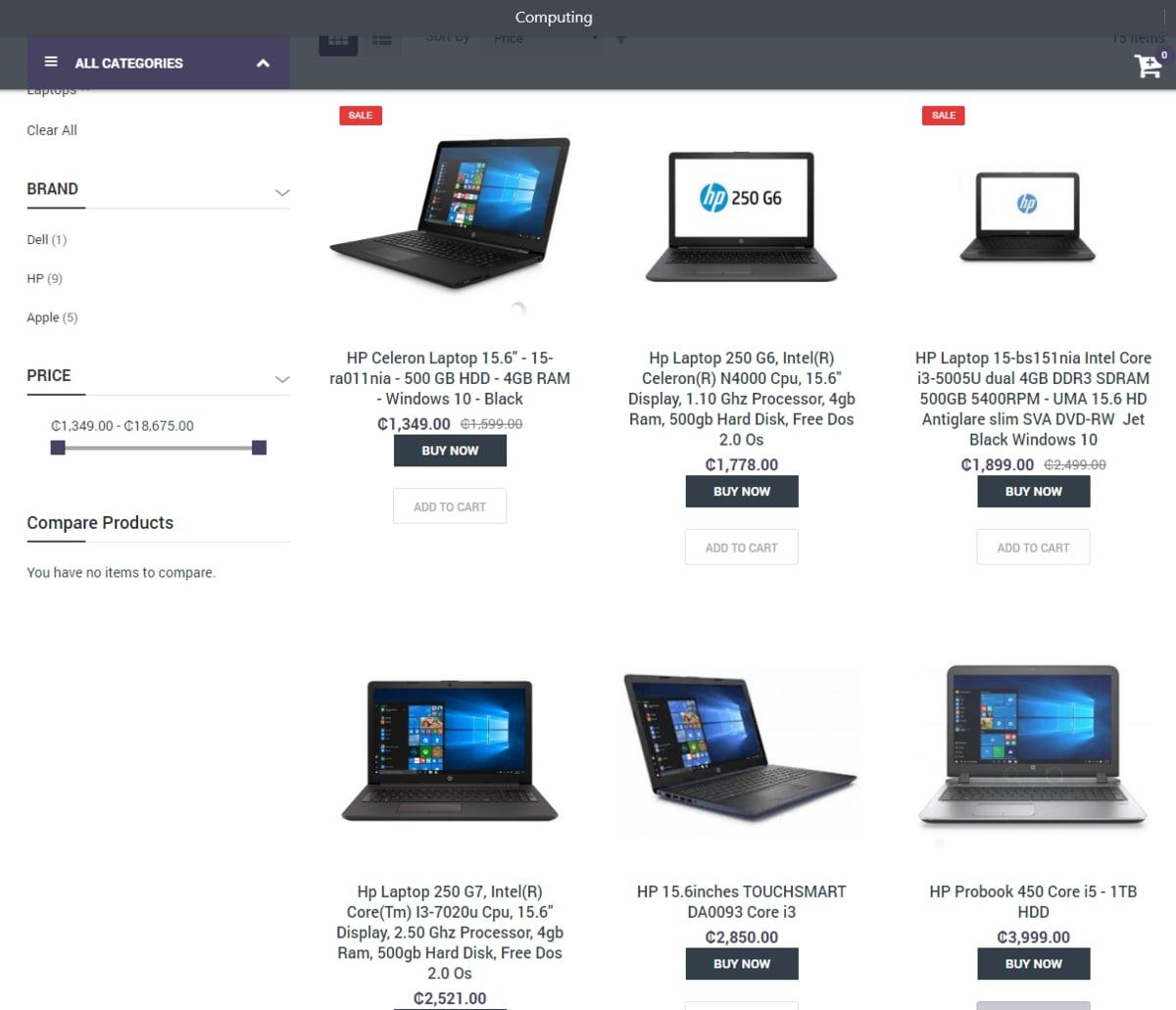
    Jumia.com.gh

    Jumia is one of the popular eCommerce websites we have here in Ghana, they sell a variety of products such as clothing, home appliances, computers and laptops, phones and tablet, and many more.

    On their website they have a variety of computers and laptops at a reasonable price that you can afford, after visiting their site and making your order, you will then be asked to provide your address for delivery, now relax and see Jumia delivering your product to you.

    Superprice.com

    Super price has also been in existence and as their name suggests, they offer quality products and the price too is also affordable.

    If you are in Ghana and precisely in Accra or Kumasi, you might have seen some of their motors delivering peoples products.

    On their website, all you have to do is look through the computer that you want, add to cart, proceed to pay or you can choose to pay on delivery, now provide you address and they will deliver it to you.

    Conclusion

    Many online sites claim to offer quality laptops at an affordable price which are not. In this article, we handpicked the best online sites to buy yourself a computer and then get it delivered to you

  • How To Block Contacts On Infinix Phone

    How To Block Contacts On Infinix Phone

    I know I am not the only one that can be receiving unwanted calls. We all buy phones to make phone calls but sometimes someone or some people can make using a phone one boring thing to do.

    You can meet one annoying being that can start calling you and will never stop calling if you don’t pick up the call.

    Not forgetting the ladies, as a fresh lady, you might meet someone that might be interested in you, you will not be interested but won’t want to be rude so he asked for your number and you politely gave it to her, now he won’t stop disturbing you with calls.

    I remember I once saw a girl in my area that I wanted to be friends with her, I asked her to give me her number which she did without even thinking twice.

    After giving me her number, she then told me to call her so that she will also know my number and then save it. My head was expanding hearing those words.

    I decided to be gentle, I went on in the evening and decided to give her a call because that was a perfect time so that she won’t say I am in a rush, I gave her the call, told her it’s me Emmarni, the guy who collected her number, she said okay now she knows my number and she will save. At that time I was among the happiest guys on this planet.

    The next day I decided to give my new friend a call only to find out this girl has blocked me (Pamela, wherever you are God, will judge you).

    That was my sad story on how one girl blocked me, now let’s continue, maybe you too might want to block someone who has been disturbing you or you are not in good terms with somebody and you don’t want the person to be able to reach you anytime he or she tries to contact you.

    Infinix has made blocking of contacts one of the easiest things to do. In this article, I am going to take you through how to block contacts on Infinix phone.

    How To Block Contacts On Infinix

    As I said earlier Infinix has made it easy to block contacts because you don’t need any third-party app, your phone dialer app has an inbuilt contact block.

    To block a contact on your Infinix phone:

    • Open your Phone app
    • Go to the call logs,
    • Now tap on the call logs of the contact you will want to block
    • You will see Block under that contact’s name, tap on it and then confirm to block this annoying person.

    What Happens When You Block Someone On Your Infinix Phone?

    When you block someone the person can not reach you as anytime he or she calls, they will tell the person you are busy, also you will get a missed call from the person that you have blocked, this will let you know how many times the person you have blocked has tried to reach you.

    Conclusion

    We all once in our lifetime meets one annoying person, sometimes the best thing to do to this person is to block him or her.
    Luckily if you are using Infinix, these phones have made it easy to block someone without having to install any third-party app.

    In this article, we went through how to block a contact in your Infinix phone.

  • How To Hard Reset Your Infinix Phone

    How To Hard Reset Your Infinix Phone

    We all buy our favourite phones to use, as we use these phones for a long time, it tends to run slow.

    Some are caused by the apps we install, some also tend to be because of the storage.

    Some people tend to just buy a new phone when their phone starts to misbehave, especially those who mostly work using the phone and don’t want their works to slow down.

    Not everybody can just throw away his old phone and go to the market and get him or herself a new phone.

    Some decide to fix it, by deleting unwanted files and games, well, for some people the phone tend to be normal a little bit, but others too, they don’t see any changes.

    I am one guy that is always fond of installing new apps and testing them, downloading techs videos and sharing to my friends on various social platforms, due to these my phone storage tends to be full always, also because of my work, I have many apps running at the background that always gives me latest Infos on whats happening in the tech world so that I can share it with my friends.

    All these make phones slow and sometimes you feel like the phone is not capable of what you want it to do. To be honest, every phone has its capacity in terms of operating.

    Let’s take the phone RAM as an example, some phones have 1GB RAM, 2GB RAM, 3GB RAM, 4GB RAM, 6GB and many more. We even have phones like Xiaomi Mi Mix 3, Nubia Red Magic Mars, OnePlus McLaren Edition and many more that has 10GB of Ram in them.

    The phones we have been using or the phones the average Ghanaians mostly buy are the phones with 2GB of RAM and also 4GB of Ram. (we mostly buy the phones with 2GB RAM because that is what we mostly can afford).

    RAM is one function that determines the speed of a phone, so if you have a low RAM, you will see your phone starting to be slow.

    Wondering how a phone Ram can be slow?
    All the programs that are installed on the phone run on your phone RAM, so the more the apps installed, the more space it takes up your phone RAM.

    Maybe you have used your phone for a long time and will want to reset your phone so that it will be brand new for you to start using it again

    Or you have forgotten your phone password and there is no way you can remember your phone’s password.

    In this article, I am going to take you through how to hard reset your Infinix phone

    Before getting started with the steps, the hard reset also means factory reset and also when you hard reset your phone removes all personal data, customized settings and all installed apps (in all your phone becomes as new as you first bought it).

    How To Hard Reset Your Infinix Phone

    1. Make sure your phone is off or if your phone is not off, then turn it off
    2. Now hold the power button and the volume up key for few moments
    3. When the phone powers on, remove the finger from the power button alone
    4. If the recovery mode appears, now you can remove your finger on the volume button
    5. now use the volume up and down to navigate through the recovery mode, move it to “Wipe Data/Factory Reset” press the Power Button once to select that option
    6. Now choose yes and once again press the power button to confirm
    7. If recovery mode appears after doing this, navigate to Reboot Now and then press the power button to confirm.

    Conclusion

    We sometimes get lockout from our phones, this is when we set a new password and we forgot and there is no way to recover, what you will have to do is to hard reset your phone, in this article, we went through how to do that.