Category: Guides

  • 6 Ways You Can Use The Internet To Make Good Use Of Your Free Time

    6 Ways You Can Use The Internet To Make Good Use Of Your Free Time

    The internet is a fun place to mingle to make good use of your free time. The internet is very broad, there is so much to see, do, and learn, yet people have not been taking advantage of the internet.

    Most at times, we use our free time browsing news, idly shopping, or surfing our social feeds. The internet has too much to offer than just these. What if you can use your free time more productively on the internet?

    I personally have benefited a lot with the use of the internet in my free time. In fact, the internet has offered me many opportunities to boast of. I am very happy to share with you my experience in this article.

    With my relationship on the internet, I always ask myself what will happen if the internet goes off for even an hour. The reason I always ask myself this is because of how I benefit a lot on the internet.

    As I already said, the internet is a vast place, a network of networks. I am going to share with you some ways you can use the internet to make good use of your time below.

    Learning New Skills

    You don’t have an excuse to learn something new. Unlike the days the internet was unpopular we depended on the school system to learn or study new skills. The internet has changed that now.

    I learned Graphic Design by myself on the internet. I am a full professional designer. Not only Graphic design, but I am also a Web designer. These are a few of the skills I learned on the internet.

    Websites like Coursera, Udemy and Eduonix are an excellent source of good knowledge online. They provide both free/paid courses on a multitude of topics and skills.

    Apart from learning, below are websites that can be very beneficial to you on the internet.

    • Quora – A fun discussion community. You can ask or answer questions from Quora with or without an account but it will be very important to create an account so you don’t lose your data.
    • LifeHacker – provides tips and tricks on how to get things done.
    • StumbleUpon – Recommends website that may be of interest to you. StumbleUpon has now moved to Mix.
    • HowStuffWorks – In-depth knowledge about some of the things around you.
    • Duolingo – As the name suggests, a fun website to learn a new language.
    • Wikipedia – Knowing more about something. Data is always updated to meet the standard of time.

    All of these services are free. Learning new things every day will keep you the mind energized and strong. I know from personal experience.

    Edit Wikipedia

    Most of us have visited Wikipedia to learn about pieces of stuff. Apart from researching from there, you can add to it. Anyone can edit from Wiki. Whether an account holder or not.

    You can fix grammatical errors and spellings from other people’s work. In the same way, you can update the information when it’s outmoded.

    You can be doing this on the internet to good use of your time.

    Blogging

    A blog is a nice place to share what you love most. I personally have a blog where I do what I love most there. I share my ideas on what I know and keep people in the know.

    Am sure you might have something you love or know how to do. You can create a blog to share your ideas with others. Creating a blog it’s easy. You can visit Google’s blogger and start for free.

    Virtual Tour

    Virtual touring is my hobby. I believe it will be your hobby too. I recently became addicted to virtual touring on my desktop not long ago. Google street view is a super fun app to take a quick tour of any place in the world.

    I usually tour the world in my free time. It’s a nice experience. Visit Google Street View on your desktop to tour the world virtually.

    Review Past Purchases

    Many people overlook reviewing products. Sharing your experiences with suppliers and manufacturers’ websites helps other buyers very efficiently. If your experience with a supplier was bad, leaving a review will help another buyer escape from such a bad experience.

    Reviews help other buyers a lot but many people overlook this. You can use your free time to review your past orders to help other buyers.

    Find Out New Facts Everyday

    It’s so amazing learning new facts each day. I bumped into a site that offers amazing facts every day. It was there I found out, “no human has giant teeth”. Anyway just kidding but it’s the truth.

    The site offers amazing facts to keep you in the know. Todayifoundout.com is the site to visit to learn new stuff.

    Conclusion

    The internet has a large data of knowledge base. There are so many productive things, skills to learn on the internet. This article has highlighted 6 points you can follow to make good use of the internet.

  • 6 Best Resources To Learn Programming For Beginners

    6 Best Resources To Learn Programming For Beginners

    Simply put, programming is a way of instructing the computer to perform various tasks. Instructing the computer here means, providing the computer a set of instructions that are written in a language that the computer only understands.

    There are various types of instructions. For example:

    • adding 2 to 3 numbers
    • rounding of numbers, etc

    Synonymously, like humans, we are born to understand a few languages or more (English, Spanish, French, etc). But for the computer, it is made to understand specific syntactical form known as a programming language.

    Performing various tasks, the task could be:

    • Calculating simple interest, rate and time
    • calculating the average returns on stocks over a period of time.

    What Is Programming Language

    The programming language is the way a programmer expresses a task to a computer so that it could be understood and executed. Programming Language is the only way a computer can understand to process and perform a task. Examples of programming languages are:

    • Python – Python is an interpreted, high-level, general-purpose programming language. Python was created by Guido Van Russom and released in 1991. Python can be used for developing Graphical User Interface applications, websites and web applications, scientific and numeric applications, etc.
    • C – C was the basic language used in writing everything from Operating Systems like Windows and many others and also programs like the Oracle, Git, Python interpreter, etc. C is the most popular language worldwide. C was developed in 1972 by Dennis M. Richie. C is considered the mother language of all modern programming languages.
    • C++ – C++ was created by Bjarne Stroustrup as an extension to C programming language.
    • Java – Java is a powerful general-purpose programming language. Java is said to run on over 3 billion devices which makes it one of the popular programming languages. Java was created in 1995 and owned by Oracle.

    There are so many programming languages of which few are mentioned above. Programming is very fun to learn. In this article, I will share with you some best resources you can learn programming from.

    Turtle Academy

    Turtle Academy is a web-based tutorial teaching programming in a fun and simple way by helping you write code through moving a turtle around the screen.

    This practical way of learning programming is a great way to introduce yourself to programming and get familiar with basic programming languages as a beginner. You can visit their website on www.trustacademy.com

    Udacity

    Udacity is a web-based tutoring site that provides a huge online library of courses for all levels and all kinds of subjects. You can click on any programming course and begin to learn. All courses are beginner-level based. Visit their website on Udacity

    W3Schools

    W3Schools is basically a practical introduction to web development that anyone can follow. It’s practically full of examples and shows how different things work together. I love W3Schools personally because of the way it practically delivers and makes programming simple to learn.

    Code Academy

    There are over two dozen free courses on programming at Code Academy. All courses come with Exercises, Syllabus, lessons, and badges. All courses are free but for extra features, you need to upgrade to Code Academy Pro.

    Free Code Camp

    As the name starts with free, Free code camp offers hundreds of courses online for free on programming languages. At Free Code Camp, once you are logged in, 1200 hours of time is allocated to you to solve challenges. This makes one make good use of his free time. Visit https://www.freecodecamp.com/

    Khan Academy

    Khan Academy offers computer programming courses from scratch to advanced. All courses offered are free. With no coding skills, you can visit Khan Academy and start from the beginner level. Visit Khan Academy

    Conclusion

    Programming is important in our daily life to enhance and increase the power of computers and the internet as a whole. Big time programmers like Mark Zuckerberg, Bill Gates, Elon Musk and others, encourage others to learn to program because of it’s importance in our world today.

    If you have the interest to learn to program but don’t know where to start, this article has highlighted some of the best resources online you can learn programming from. I hope it helps your journey to programming.

  • 5 Signs That Your Phone Has Been Hacked

    5 Signs That Your Phone Has Been Hacked

    Our mobile phones have come to be part of our everyday activities. From receiving calls to checking and replying emails, SMS, Whatsapp, and many other entertaining kinds of stuff.

    Our mobile phones mostly contain some significant amount of personal and confidential information including, the contents of our texts, audio calls, and direct access to our pre-logged in social accounts which is enough for hackers to intrude in our privacy for their personal gains.

    You may ask yourself, why would anyone want to hack my device? In 2018, Facebook was hit by a major security threat. Over 50 million accounts were exposed to hackers in a breach of Facebook code.

    Hackers gained access to users’ accounts and took control of the victim’s accounts. I remember a friend was hit by this breach too. His account was taken over by hackers and was used to post unwanted materials and pornographic videos and pictures on his wall.

    Hacker’s main aim to hack users’ devices is for personal gain. To have access to your device to be able to have full control over it. Some will extort money from you before your account can be given back to you.

    Others too may sell your information/data to enrich themselves. In recent times, mobile phone hacking has been on the increase in our technology world.

    Today in this article, we are going to look at 5 signs that you can notice to be sure your phone has been hacked. Before we begin, hacking refers to activities that seek to compromise devices for some illicit purpose/unauthorized access to a victim’s device.

    Laggy Device

    Malware is mostly spread online. Sometimes we click on links to websites to download apps or files on the internet. Most of these apps are embedded with malware.

    Once we install these malicious apps on our phones, it starts to use our device’s resources at the maximum best leading to increased ram usage and memory loss resulting in lagging.

    Auto Sending And Receiving Strange Text Messages

    When you start receiving calls from friends or your contacts about messages they receive from you of which you have no idea about, something may be amiss. Quickly reset your phone to factory settings.

    New Apps Auto Installing On Your Device

    When you notice strange apps you did not install on the device, then that is odd. Apart from mobile devices auto-updating installed apps and system apps, it is weird your mobile device installing new apps.

    Battery Draining Fast

    Malware use system resources at its fullest maximum hence quick draining of battery power. When a malware is constantly monitoring and capturing user activities and relaying to third parties, your battery will drain 90% faster.

    Device Hotter Than Before

    An infected device will run very hotter even when not in use. When your device runs hotter than before frequently, you might be infected with malware.

    Conclusion

    As technology is changing rapidly day by day and mobile devices being part of us, mobile hacking has been on the increase and malware on the spread. Once you notice these signs, don’t hesitate to restore your device to factory settings.

  • Safe Radiation Level For Phones And How To Check Your Phone’s Level

    Safe Radiation Level For Phones And How To Check Your Phone’s Level

    Mobile phone usage as of 2020 is 3.5 billion. Meaning 3.5 billion people use mobile phone devices. Looking at the figure shows that mobile phone usage has fast spread throughout the world.

    The whole world populace is projected at 7.7 billion. This shows that the rate of mobile phone users is 45.4%. This is huge right?

    In recent times, there has been a lot of public concerns about the use of Mobile phone. Medical researchers have raised a lot of concerns about the health risks associated with the use of mobile phones.

    It is very important to understand the health risks involved in the use of mobile phones before you advise yourself to use one.

    Health Concerns Related To The Use Of Mobile Phones

    Mobile phones use Radio Frequency (RF) radiation for communication. If the RF is high enough, it has a thermal effect raising body temperature.

    According to medical researches, if there are low levels of RF radiation generated by mobile phones, it could cause health problems such as headaches or head tumors.

    Radiation is a combination of electrical and magnetic energy that travels at the speed of light. It is also known as electromagnetic radiation (EMR).

    In terms of mobile phone usage, radiation has been classified into two groups. Ionizing Radiation (IR) and Non-ionizing radiation (NIR).

    Ionizing Radiation (IR)

    Ionizing radiation is said to be capable of causing changes in atoms or molecules in the body that can result in tissue damage such as cancer. Long exposure to your phone will expose you to long-term health risks.

    Non-Ionizing Radiation (NIR)

    This does not cause changes in atoms or molecules but can prompt the vibration of molecules leading to a rise in temperature and other health effects like headaches.

    Safe Radiation Level For Phones

    Specific Absorption Rate (SARS) is the measure of the amount of radiofrequency absorbed by the body when using a mobile phone.

    There has been an adoption of Safe radiation level for mobile phone to Radio Frequency which is 1.6 watts per kilogram (1.6 W/kg) Any mobile phone at or below the Specific Absorption rate (SARS) is safe to use.

    Any number above 1.6 W/kg is at risk. When you realize you are above the number, quickly change your device.

    How To Check Your Phone’s SARS Level

    You can check your device’s radiation level SARS by dialing the USSD code *#07#. If your SARS level shows below or equal to 1.6 W/kg then you are good to go.

    If your phone does not support the USSD code, check your phone’s user guide.

    SARS Of Popular Phone Brands

    • Iphone >> 1.59 W/kg
    • LG G2 >> 1.44 W/kg
    • LH G3 >> 0.99 W/kg
    • Samsung Galaxy Note 2 >> 0.42 W/kg
    • Samsung Galaxy Note 3 >> 1.07 W/kg

    iPhone 6 is said to have the lowest SARS with just 0..01.

    Conclusion

    With the mobile phone being one of the essential things we use in our daily life, the health risks are also increasing. You can check your SARS right and see if your phone is above or below the normal frequency.

  • How To Hide Photos From Your Phone’s Gallery

    How To Hide Photos From Your Phone’s Gallery

    Any photo you take with your phone goes straight to your gallery. All photos including personal ones you can’t afford any third party seeing. Some curious friends and family who want to always peep on our phone could find them easily.

    I remember personally some time ago I wanted to transfer some images from a friend’s phone to my device, in the process of scrolling her gallery to find the images, I bumped into her personal picture she had taken with her boyfriend.

    This was very embarrassing to her, that was a picture she couldn’t afford anyone seeing apart from her. I don’t think you can afford neither if you find yourself in such a situation.

    If you are looking and searching for how you could hide your personal images from your gallery then this post is for you.

    Two main mobile manufacturing giants, Samsung and LG, have built-in privacy options that can help you hide photos.

    Samsung

    If you are having or using a Samsung phone running Android Nougat 7 and above, you can make good use of Samsung’s Secure folder feature. This helps you keep files, images, and apps in a password-protected area.

    To access and set up the Secure folder as a first time user, go to Settings>>Lock screen and security>>Secure Folder. You would have to sign in with your Samsung account.

    After signing in, you would be asked to choose a preferred lock method. After setting your password, the Secured folder will be accessible on your Home and Apps screen. To hide photos in the secure folder, open the app, and Tap Add files.

    LG

    With LG users, there is a different approach. Go to Settings>> Fingerprints & Security>> Content lock. You will be prompted to secure the feature using a PIN, password, or fingerprint scan.

    To hide your personal images, go to the gallery. Select all the photos you want to hide and tap Menu>> More>> Lock. If you have an entire photo folder you want to lock, select the folder, and perform the same function.

    Since the content lock is not available for all devices, follow the below steps to hide photos from your phone’s gallery.

    Using File Manager To Hide Photos From The Gallery

    There are still options available to you if you don’t use Samsung or LG. Though this is somehow technical. Not every file manager is capable of performing this function, the few I will recommend that I have used personally is ES File Manager and X-plore file manager.

    If you already have any of them, Open the file manager. In my case, I am using Es File Manager in this article. Choose your phone storage or SD storage.

    Choose the options menu, that is, the three-dotted bar in the far right at the top corner. Select New, and choose Folder from the pop-up menu. Clear the already written words and type .emmarniprivatefolder and hit Ok.

    Note, you can replace the (emmarni) with your name or nickname or you can eliminate the name part and just go with .private folder. Always begin the name with a period (.) then the rest of the names.

    Now that you are done with the hard part, go to your photos folder and select all the necessary pictures you want to hide. Cut/Move all the selected photos to the newly created folder.

    Doing this will hide the selected images moved to the newly created folder from your gallery. This new folder can only be navigated by you in your file manager. No third party can view your personal images in your gallery.

    The hidden images will only be visible in your folder in the file manager.

    If you don’t want to pass through the technical part in hiding your photos from the gallery, there are still options available to you below.

    Using Third Party Apps To Hide Pictures From Gallery

    1. Vaulty – Vaulty is a leading app for hiding content. No wonder there are over a hundred thousand users with positive reviews in the Playstore. Vaulty has its own photo gallery. Any locked photos are only viewable within it. All the photos are password-protected.
    2. Keepsafe Vault – Keepsafe is Vaulty’s biggest competitor. It also makes all your hidden photos password-protected with encryption. It also comes with an on-screen icon hide feature. When enabled, no one who picks your phone will notice a third-party app used to hide your images.
    3. Hide Something – Hide something is also another alternative way you can use to hide your photos from the gallery. It also comes with built-in password protection and backs all photos to Google drive if allowed.

    Conclusion

    I have walked you through various alternative ways to hide your personal photos from your gallery. if you have Samsung or LG, you can stick to the device’s default feature to hide your contents from the gallery.

    If you are not on both devices, the alternate ways are available for you. Protect your photos with full control.

  • How To Find Out Everything That Was Done On Your Phone In Your Absence

    How To Find Out Everything That Was Done On Your Phone In Your Absence

    We live in a time where people are so concerned about our personal matters. Immediately you leave your phone behind, either your friend, family or girlfriend will start invading your personal stuff.

    By the time we come back to our phone, then all the personal stuff we wish nobody sees except us has been seen by other third party friends or family.

    I will use my case as a scenario, I left my phone around a friend some time ago, I left to get ourselves food for the afternoon, not realizing the bad intention of him, I left the phone where I was seated before going out.

    He took my phone and the first place He visited was my personal WhatsApp messages, that wasn’t all, He visited my messages, gallery, and even my recorded audio calls.

    I had not known all this until once there was a brawl between us. He started referring me to some of the personal stuff on my phone only I thought I knew.

    Since that moment, I embarked on a mission to research on how to find out everything that was done on your phone in your absence. That has brought you to this article.

    You might encounter such a problem as mine, but the interesting fact is, for you, since you have landed on this article, you will have a solution and know exactly what was done on your phone in your absence.

    Today in this article, I will share with you two steps in knowing what was done on your phone in your absence.

    Usage Statistics

    The first step I will talk about has to do with your usage statistics.

    • Open your call app
    • Dial *#*#4636#*#* and send.
    • A popup menu will appear with some options. Including the options is Usage Statistics
    • Choose the Usage statistics
    • A new window will appear with your phone’s statistics/history. This will show you all the apps that have been opened on your phone with the exact time opened.

    With this, you can then know which apps you opened personally and what you didn’t open by yourself.

    The second method I will talk about is Google Activities. Google syncs your data and usage statics to Google for advertisement purposes. Whatever it is you do on your device will automatically be sync to Google.

    Your search history, location, and applications you open will all be sync to Google. Without further ado, let’s delve into the next step.

    Google Activities

    • Locate and open your Chrome browser.
    • In the search bar type this: myactivity.google.com and hit send. This will send you to your synced data to Google. You will be able to view all your activities that took place on your device.

    You will notice the things you did on the device and didn’t do.

    Conclusion

    People will always be curious to know what we do on our phones. They will always try to access our personal stuff anytime we leave our phone behind.

    Once we know we can see exactly what they did whiles away, we will know what to do with them.

  • How To Use Google Keep To Save Notes Forever

    How To Use Google Keep To Save Notes Forever

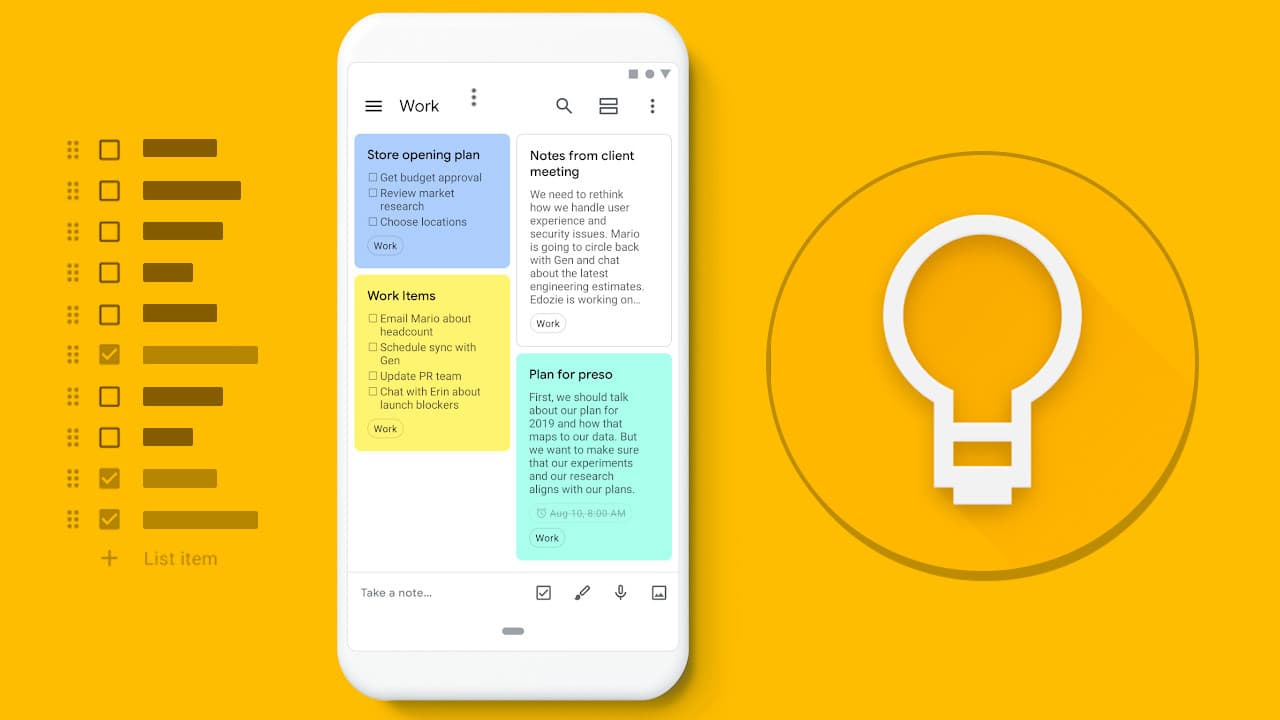
    Google keep is a note-taking service developed by Google. It can be accessed on the web and available for Android and IOS.

    Just as the name sounds, sometimes something crosses our mind while walking or even having a conversation, by the time we realize then we forget exactly what it was that crossed our mind.

    Google keep is available to solve that forgetfulness problem. Once something crosses your mind or you need to note something down for later, you can access Google Keep and jot them down.

    Anytime you need to cross-check what you wrote to Keep, you can access it and be in the know.

    Below are some highlighted features of Google Keep:

    Taking Voice Note

    Once you hit on the microphone icon to record voice notes, Google Voice automatically transcribes your audio. For example, when searching for a note you saved in Keep, whiles recording, Keep will transcribe your audio in the form of text. Interesting huh!

    Collaborate With Others

    When working on a project at the workplace and the project is broad that it exceeds the working hours, while at home, you can add team members in Keep and continue your project virtually.

    Set Reminders

    By setting reminders, Keep will remind you of tasks that you have set reminders for. For instance, when you saved a location and set a reminder for that specific location, once you get to that location, Keep will remind you of the location.

    Photos

    You can add photos to notes in Keep and add to texts. A mixture of texts and images makes Keep unique.

    Organize

    You can organize your notes in the form of lists or a grid. You can always drag and drop to rearrange your notes anytime.

    Keep is user-friendly. It has a lot of customization features that let you be in control

    With its a clean interface and easy use, it makes note-taking very interesting.

    Today, am going to show you how to use Google Keep to save notes on your android forever.

    As I already mentioned, Google keep is a product of Tech giant Google. Google keep works with your Gmail account.

    Just like a mobile phone, when your phone gets missing and it was configured with Google account, once you buy a new phone, all your synchronized files will be restored to your new phone.

    Google keep works in conjunction with your email account. It automatically Syncs your notes to cloud storage using your Google mail. The notes can be accessed anytime anywhere, by installing the app and logging in with the same email used for synchronization.

    To access your notes on your Laptop or PC, visit keep.google.com and sign in with your email account. All your notes will be accessed.

    Using your email account with keep on your android device will save your notes forever and can be accessed any day.

    Conclusion

    As humans it’s natural to forget things always, keep is there for us to remember and save notes important to us.

  • How to run 2 WhatsApp With different numbers on one phone [Android & iOS]

    How to run 2 WhatsApp With different numbers on one phone [Android & iOS]

    Don’t you love to Whatsapp? More is definitely better than less. A lot of my friends have asked me how I run two WhatsApp accounts on one phone. Well, it’s simple. All you need is an Android or iOS device and this tutorial!

    It is especially important to run two WhatsApp accounts with different numbers on one phone if you have two active numbers people contact you on.

    No need to continue saying: “This is my WhatsApp number and this is my call number”. What’s more? You don’t need to carry two phones with you all the time.

    There are various ways to run different WhatsApp on your Phone. Let’s look at them all.

    WhatsApp + WhatsApp Business

    This is my favourite way of running two WhatsApp accounts on one phone. This is because the method is as legit as it can get and I have all the features of WhatsApp without any hassle.

    I am able to back up my chats to Google Drive freely and use the Apps natvely without fear of any WhatsApp Ban.

    If it’s just two accounts you need to run, then this method is the best way to go.

    Just go to the App Store of Play Store and install WhatsApp and WhatsApp Business.

    Native Operating System Support

    If you are on the latest versions of Android, the Operating System allows you to set up users. Each user gets their own space on the phone and they can install their own apps.

    You can take advantage of this to run more apps on your Phone.

    To Add a new user on Android:

    1. Open the Settings menu and scroll down and select System.
    2. Choose Advanced to see more options.
    3. Select Multiple Users.
    4. Click + Add user to create a new account and click Ok to the pop-up warning.

    Once you have signed in to the user, you should see a new homescreen. You can then go ahead to install another WhatsApp or WhatsApp Business.

    The down side of this method is that you have to sign in to the other user account to use the WhatsApp. Thant can be very stressful.

    3rd Party App: Parallel Space

    A lot of 3rd Party Apps also enable people, especially those on lower versions of android to use multiple accounts of apps that allow only one account.

    One very old one in this field is Parallel Space. You can use it to run more than one WhatsApp Account. If you have both WhatsApp and WhatsApp business installed, it’s functionality can be extended to 4 accounts.

    The first step is to get the Parallel Space app from the play store. The Parallel Space app from the Play Store allows you to have 2 Whatsapp accounts at the same time, as well as double social network accounts on Snapchat, Facebook, Instagram, LinkedIn, Slack and more. Download the Parallel Space App by clicking here.

    Conclusion

    We all have more than one phone number nowadays and it is important to have WhatsApp on them to continue to stay in touch with the people who matter to us and to conduct business.

    What methods do you use to have more than one WhatsApp account on your phone?

    Share with us in the comments section below.

  • How To Remove Your Name From Truecaller So That People Can’t Track You

    How To Remove Your Name From Truecaller So That People Can’t Track You

    Truecaller is an application used to identify an unknown caller, likewise, it also shows your identity to other users. In a research made in 2020, the app has over 200 million users worldwide.

    Due to privacy theft, people uphold their privacy very well. There have been many occasions where people sue others for privacy theft. Many tech giants and software developers get sued when privacy of users is less secured.

    When it comes to privacy, it’s one thing people are sensitive to. Due to how Truecaller works, many people believe it violates their privacy.

    Once you install and register on the app, your information is made available to whoever you receive call and receive calls from.

    Most importantly, when a user installs Truecaller and registers, his/her contacts get synced to Truecaller so you on the other hand might not be registered on the app but once someone with your contact is on the app your information will be on Truecaller.

    This makes people believe Truecaller violates their privacy. If you also believe your privacy has been violated, the w steps will show you how to remove your name from Truecaller so that people can’t track you.

    Steps To Remove Your Name On true Caller (Android)

    1. Open the Truecaller app
    2. Login in to your account
    3. At the corner, tap on the people present and go to settings
    4. Choose about
    5. Select deactivate

    Steps To Remove Your Name On true Caller (IOS)

    • Open up the Truecaller app
    • Login to your account
    • Click on the gear icon
    • Select about Truecaller
    • Scroll down and tap on the Deactivate Truecaller option

    Once this is done, you have removed yourself from Truecaller. One more step to follow is that Truecaller has a database where it stores all of its user’s data and your data might still be present there.

    In order to completely erase all your data from Truecaller, you will need to visit their unlist page. Visit https://www.truecaller.com/unlisting, enter your registered mobile number with your country code.

    Choose a reason for unlisting yourself. Once done, verify the ‘Captcha’ and click on the ‘Unlist’ option.

    After performing all these steps, your information will successfully be removed from Truecaller permanently.

    In the near future, f you wish to showcase your information to others without feeling any guilt of privacy, you can register back to Truecaller.

    People have been using Truecaller to track others since it displays your information to anybody who want to access it.

    Conclusion

    As Truecaller can be advantageous to others in knowing and identifying new contacts and numbers, it can also be disadvantage to others in tracking you with your location address.

  • 5 Things You Didn’t Know You Can Do With Google Calendar

    5 Things You Didn’t Know You Can Do With Google Calendar

    Google calendar is a time management and scheduling calendar service developed by Google. It’s used for performing our day to day activities and also a reminder to our schedules.

    It comes in a web version and mobile version as an app. It helps you keep track of your events and also share your calendar with others.

    Once you have google account, you have access to google calendar.

    Just like a physical hard copy calendar pasted on walls to mark specific days and occasions, Google calendar likewise does the same.

    Many of us with smartphones have Google calendar installed as system app but yet do not make use of it.

    If I didn’t have google calendar I wouldn’t be able to write this article. Google calendar keeps me in tune, organized, and updated on everything going on with my day to day activities.

    Google calendar can make the most unorganized person very organized.

    I am going to share with you 5 things you didn’t know you can do with Google calendar.

    Offline Support

    Google calendar can be used offline. This is a cool feature because the calendar will not be limited if you don’t have an internet connection. Offline support here means it can be used without an internet connection or data.

    SMS Support

    Google calendar with the SMS support feature will send you events updates and occasions you have personally set to keep you in the know. Sometimes as humans we might forget setting things, with this SMS support there is no way an event will skip you.

    Search

    Sometimes our calendar might be filled with a lot of activities and scrolling by and by might be time-consuming. That’s when the Search becomes of use. You can use the search from the search bar to quickly find your set date for some events.

    Get Reminders

    Sometimes one may forget checking up their calendar regularly to avoid missing an important schedule or event. Setting reminders will keep you on the go. You don’t need to check, the calendar will send you reminders regularly.

    Video Call

    The video call option is available to help you set an event/meeting if it’s going to be on a video call. This is very useful whether to contact the person in a quiet surrounding. It can be accessed via Add>Event>Video Call.

    To Add to, Website Embed. This is a bonus thing you didn’t know about google calendar. Google calendar can be embedded on your website so your clients can book some time with you.

    Conclusion

    Forgetfulness is part of humans. As long as we are humans, it is natural to forget things in our everyday life. Having and making use of a calendar (Google calendar) will keep us on schedule and never miss an event or a meeting.